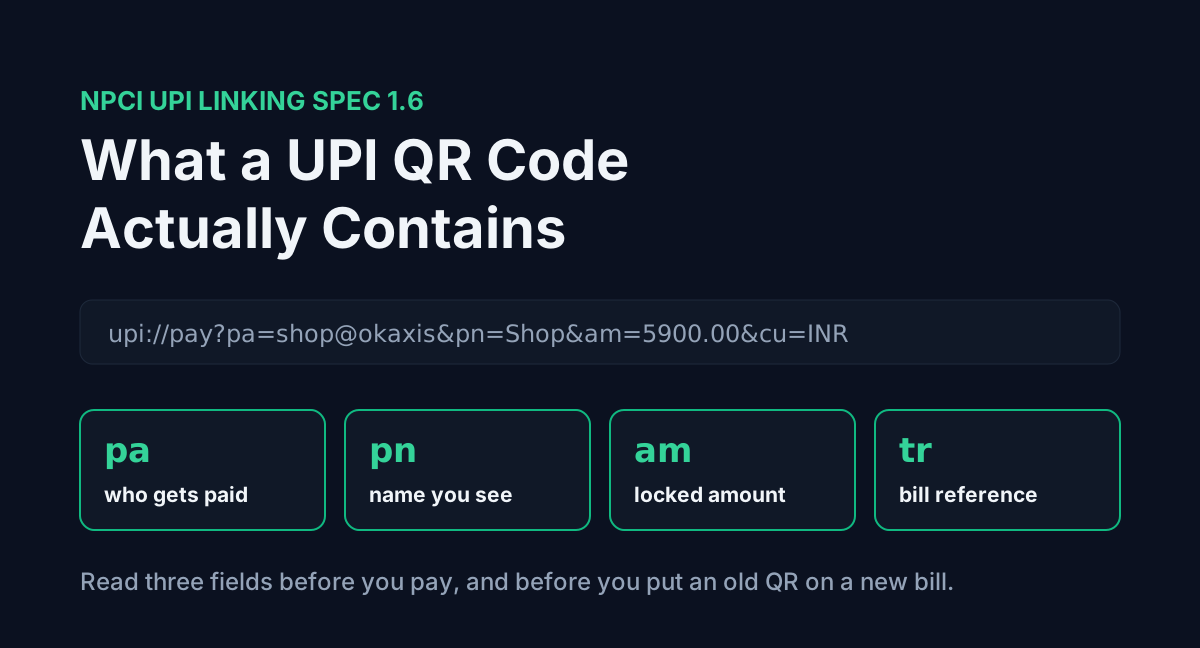
Scan any UPI QR code with a plain QR reader instead of a payment app and you get one line of text back. Something like upi://pay?pa=sharmastores@okaxis&pn=Sharma%20Stores&cu=INR. That is the whole code. There is no hidden account number, no image magic and no bank data in there. The payment app reads that line, fills in its pay screen, and waits for you to approve.
Once you can read that line, a few everyday UPI puzzles stop being puzzles: why one QR asks you to type the amount and another does not, why a shop's old QR can make a client underpay an invoice, and why your app sometimes warns that it "could not verify the source". The field names below come from NPCI's UPI Linking Specification 1.6, which every UPI app is required to follow.
Table of contents
- What a UPI QR code actually contains
- The fields, one by one
- Static QR vs dynamic QR
- The old fixed-amount QR problem
- Why your app says the source could not be verified
- Scanning a QR always sends money
- How to read a QR before you pay it
- FAQ
- Conclusion
- Sources
What a UPI QR code actually contains
NPCI's spec defines one URL format for every way a payment request can travel: QR, Android intent, NFC, Bluetooth. It looks like this:
upi://pay?param-name=param-value¶m-name=param-value&...The QR code is only the carrier. The same string could be sent as a tappable link in WhatsApp or pushed over NFC, and the app would treat it identically. The spec says so directly: separating the data format from the transfer method is the point.
The fields, one by one
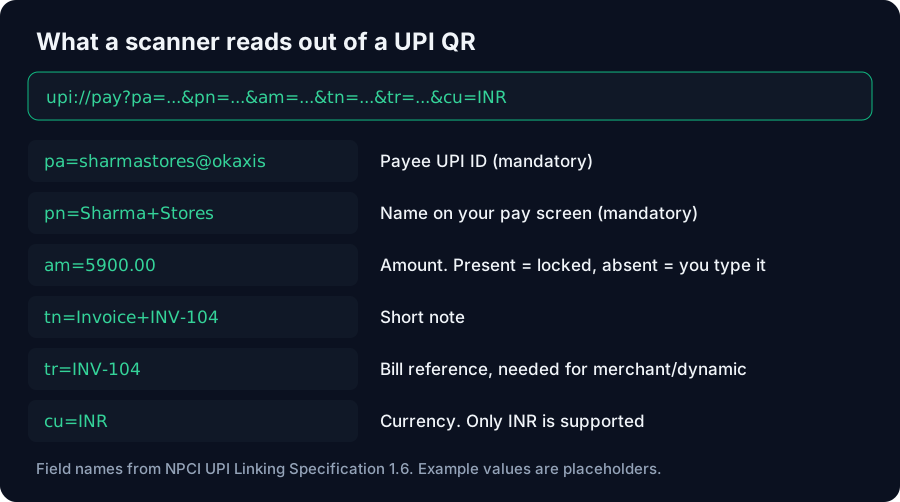
These are the parameters you will actually meet on shop counters, invoices and payment screenshots. The spec marks each as mandatory (M), optional (O) or conditional (C), separately for static and dynamic codes.
| Field | What it holds | Static QR | Dynamic QR |
|---|---|---|---|
pa | Payee UPI ID, e.g. name@okhdfcbank | M | M |
pn | Payee name shown on your pay screen | M | M |
am | Amount in decimal, e.g. 5900.00 | O | M |
cu | Currency. Only INR is supported | O | O |
tn | Short note, e.g. Invoice INV-104 | O | O |
tr | Reference: order number, bill ID, booking ID | O | C |
mc | Merchant category code | O | O |
url | Link to the bill or order details | O | O |
Two rules from the spec matter more than the rest. If am is missing, the amount field on your pay screen is editable, and you type it yourself. And tr is mandatory for merchant transactions and dynamic codes, because it is how the shop matches your payment to a specific bill.
The spec also lists signing fields (mode, orgid, sign) and merchant IDs (mid, msid, mtid). A personal QR from GPay or PhonePe usually has none of the merchant ones. Google's own developer guide for in-app UPI payments builds its example URI from pa, pn, mc, tr, tn, am, cu and url, which matches the table above.
Static QR vs dynamic QR
The spec describes both with examples. A small shop "could simply print a static QR code containing the payee address and name", and the customer enters the amount after scanning. A billing counter generates a dynamic QR per bill, with the amount and a reference already inside.
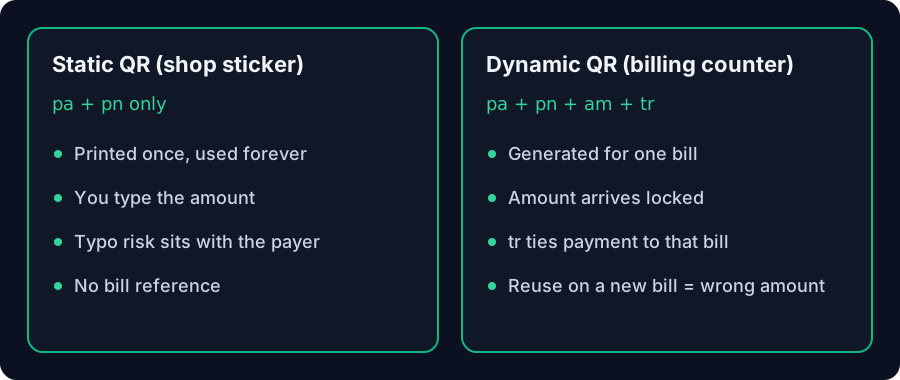
The practical difference is who types the amount. With a static code, you do, so a typo is your problem. With a dynamic code, the shop does, and your app shows the amount locked. That is why the sticker on a chaiwala's cart asks you to enter ₹20 and the supermarket's screen does not.
The old fixed-amount QR problem
A dynamic QR is meant for one bill. The trouble starts when it gets reused.
Say a freelancer once saved a QR from a ₹500 payment request, and later pastes that same image onto a ₹5,900 invoice. The code still says am=500.00. The client scans, sees ₹500 locked on the pay screen, approves, and believes the invoice is settled. Nobody typed a wrong number, so nobody notices. The freelancer is short ₹5,400 until someone reconciles.
The fix is to read the am inside any QR before you attach it to a bill. The Invoice Generator now does this: it decodes an uploaded QR, prints the UPI ID under it, and flags a fixed amount that does not match the invoice total. If you type your UPI ID instead, it builds a fresh code with am set to the total and tn set to the invoice number, so the client only has to scan and confirm.
Why your app says the source could not be verified
Version 1.6 of the spec added signing. A merchant or PSP signs the whole upi://pay string with a private key (SHA256 with RSA, base64 encoded) and appends it as sign, which must be the last field. The payer's app checks it against a public key NPCI distributes.
The spec gives three outcomes:
- The signature verifies. The app may skip the passcode screen.
- The signature fails because the string was changed. The app must decline with "intent is tampered or corrupt".
- There is no signature. The app shows a warning that the source "could not be verified" and asks for your passcode as usual.
Most QR codes you see are the third kind, including any QR you generate yourself from a UPI ID. The warning does not mean the code is fake. It means nobody vouched for it, so read the name and amount before you enter your PIN.
Scanning a QR always sends money
The link in the spec is upi://pay, and the money goes to the pa inside it. Nothing in the format puts money into the scanner's account. A code always carries somebody else's UPI ID, and scanning it opens a screen to pay that person.
So a "scan this QR to receive your refund" message has it backwards. You never scan a code or enter your UPI PIN to receive money. If a buyer on OLX sends you a QR to "get paid", the pa in that code is theirs, and the only thing that can move is your money to them.
How to read a QR before you pay it
You can see the raw text without paying anything:
- Open your phone camera or any plain QR scanner app, not your UPI app.
- Point it at the code and look at the preview text. It should start with
upi://pay?. - Check
pais the UPI ID you expect, andpnis the right name. - If there is an
am, check it matches the bill.
For a shop, the reverse check matters as much. Google's integration guide tells merchants to confirm the paid amount with their PSP or payment aggregator even when the app reports success, "to prevent fraud". A customer's success screenshot is not that confirmation. The bank credit is.
If you take a lot of UPI payments at a counter, the fee side changes from 15 October 2026. Our breakdown of the ₹2,000 line that decides your UPI charge and the UPI MDR Calculator cover what gets deducted before settlement.
FAQ
What is inside a UPI QR code?
One line of text in the form upi://pay?pa=...&pn=.... It holds the payee's UPI ID and name, and optionally an amount, a note and a bill reference. It does not contain a bank account number.
What does pa mean in a UPI link?
pa is the payee address, the UPI ID the money goes to, such as name@okaxis. It is mandatory in every UPI QR, static or dynamic.
Why does one QR let me type the amount and another does not?
If the code has no am field, the spec makes the amount editable. A dynamic QR from a billing counter includes am, so your app shows it locked.
Can someone send me money by making me scan a QR?
No. Scanning a UPI QR opens a payment from you to the pa inside it. Receiving money never needs a scan or your UPI PIN.
Is a QR I generate from my UPI ID safe to put on an invoice? Yes, it is a normal unsigned static or fixed-amount code. The client's app will show your name and the amount, and may say the source is unverified, which is standard for personal codes.
What is the tr field used for?
tr is a transaction reference such as an order or bill number. The spec makes it mandatory for merchant payments and dynamic QR codes, so the payee can match the payment to the right bill.
Conclusion
A UPI QR code is a short text link with a handful of named fields, and pa, pn and am do most of the work. Read those three before you pay, and before you print a QR on a bill. A static code leaves the amount to the payer. A dynamic one fixes it, which is useful for one bill and a problem when the same image is reused for the next. If you are billing clients, generate a fresh code per invoice with the Invoice Generator rather than recycling an old screenshot.
Sources
- NPCI UPI Linking Specifications 1.6 (November 2017), copy hosted at labnol.org: URL format, parameter table with static/dynamic M/O/C tags, static vs dynamic QR examples, signing and the three verification outcomes. Read 30 September 2026
- Google Pay for India: Support Google Pay for in-app payments: example URI parameters and the instruction to confirm the paid amount with the PSP. Page last updated 16 October 2024, read 30 September 2026


