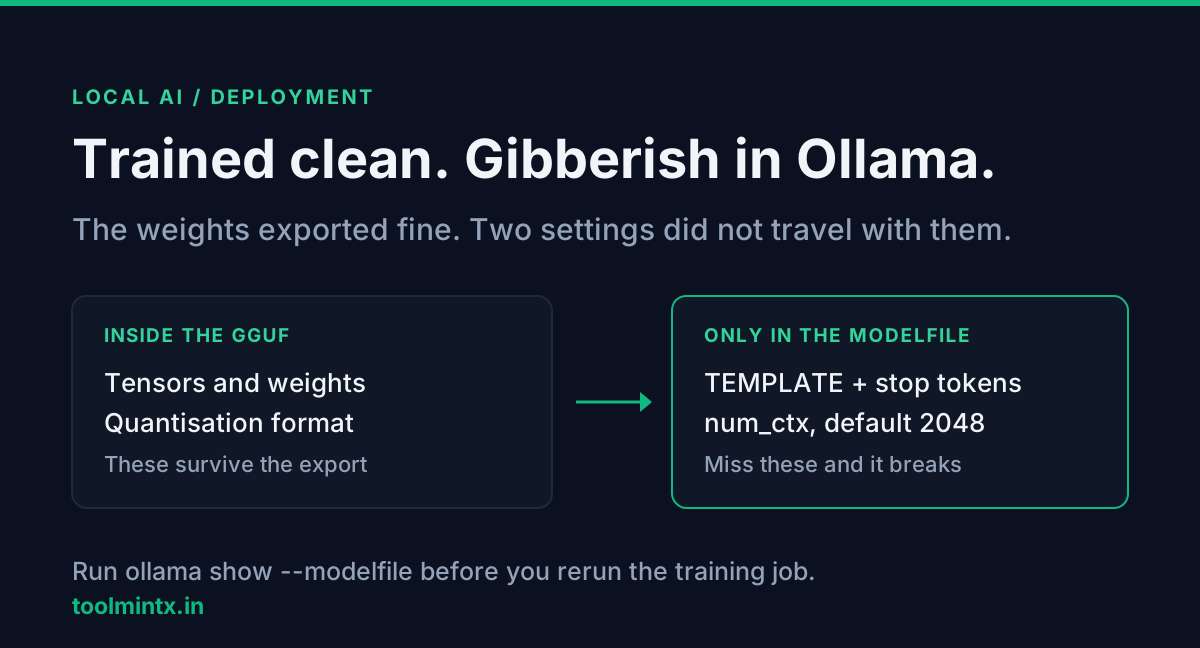
The adapter trained clean. Loss came down, the held-out prompts looked right, and inference inside the notebook did what you wanted. Then you exported to GGUF, ran ollama create, and the same prompt came back as gibberish, or as an answer that never stopped generating.
Nothing about the weights changed in that step. What changed is the two pieces of configuration that do not live inside the GGUF file: the chat template and the context window. Unsloth's own troubleshooting page names the template as the most common cause. The context window is quieter, because Ollama has a default and the default is small.
Table of contents
- The weights are fine, the wrapper is not
- Failure one: the chat template
- Failure two: num_ctx defaults to 2048
- What truncation costs you
- Raising num_ctx is not free
- Reading the Modelfile Unsloth wrote
- A diagnosis order that saves time
- FAQ
- Conclusion
- Sources
The weights are fine, the wrapper is not
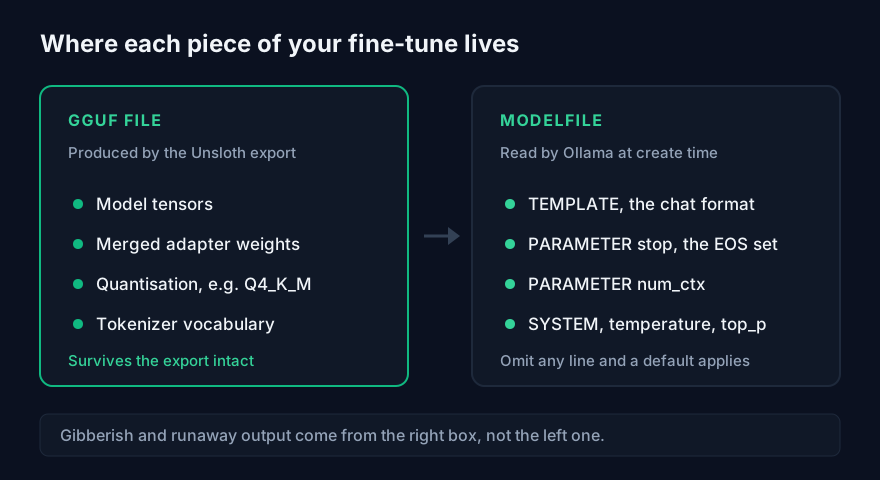
A GGUF file carries tensors and metadata. It does not carry the decision about how your conversation gets turned into a single string of tokens before it reaches those tensors. That decision is the chat template, and in Ollama it lives in the Modelfile under TEMPLATE, alongside the PARAMETER stop lines that tell the runtime when to quit.
Unsloth generates that Modelfile for you on the Ollama export path, which is the part people miss when they hand-write one instead. Write your own FROM ./model.gguf with no TEMPLATE and no stop parameters, and Ollama falls back to whatever it can infer. Inference still runs. The model just sees a prompt formatted differently from every example it trained on.
Failure one: the chat template
The symptom list from Unsloth's docs is specific: poor results, gibberish, endless or infinite generations, repeated output. All four are what a model does when the tokens around your question are not the tokens it was tuned to expect.
Three separate things have to match between training and serving:
| Piece | What goes wrong when it does not match |
|---|---|
| Chat template | Role markers land in the wrong place, so the model never sees a clean instruction boundary |
| EOS token | Generation does not stop, which Unsloth flags as the cause of gibberish on longer outputs |
| BOS token | An inference engine adds a start-of-sequence token the training data never had, or omits one it did |
That last row is the one people never check. Unsloth calls it out directly: the engine may add an unnecessary start-of-sequence token, or fail to add one, so both hypotheses need testing rather than just the obvious one.
The fix is not clever. Use the same template you trained with. Unsloth's recommendation is to train through their conversational notebooks, which force a known template, and they list Qwen-3 14B, Gemma-3 4B, Llama-3.2 3B, Phi-4 14B and Mistral v0.3 7B versions of it.
Failure two: num_ctx defaults to 2048
Ollama's Modelfile reference gives num_ctx a default of 2048 tokens. If your Modelfile does not set it, that is the window your model runs in, whatever it was trained at.
This one produces no error text. The prompt gets cut to fit, the model answers using the part that survived, and the answer looks plausible because it is a real answer to a shorter question. A system prompt plus a few examples plus a long document can pass 2,048 tokens without feeling long, and the piece that falls off the front is usually the system prompt that carried your formatting rules.
So the model that "forgot its instructions after fine-tuning" often did not forget anything. It never received them.
What truncation costs you
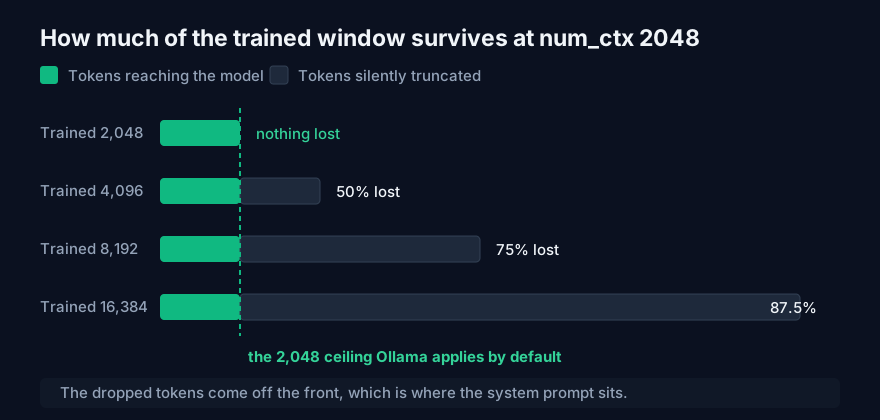
Take a Modelfile with no num_ctx line and work out how much of the trained window actually survives:
| Trained at | Served at | Tokens kept | Tokens dropped | Share lost |
|---|---|---|---|---|
| 2,048 | 2,048 | 2,048 | 0 | 0% |
| 4,096 | 2,048 | 2,048 | 2,048 | 50% |
| 8,192 | 2,048 | 2,048 | 6,144 | 75% |
| 16,384 | 2,048 | 2,048 | 14,336 | 87.5% |
Fine-tune at 8,192 to handle real documents and serve on the default, and three quarters of the capability you paid GPU hours for is unreachable. For English prose, 2,048 tokens is roughly 1,500 words, though the ratio moves with the tokenizer and moves a lot on code or non-Latin scripts.
Raising num_ctx is not free
The obvious response is to set PARAMETER num_ctx 8192 and move on. That works, and it costs VRAM, because the KV cache grows with the context length you allow. A model that loaded comfortably at 2,048 can start spilling to system RAM at 8,192, and then generation slows down instead of breaking, which is harder to notice.
Budget the two numbers separately before you pick a value. Estimate the quantised weights and the KV cache at your intended context in the AI VRAM Calculator, and remember that your training-time memory and your serving-time memory are different problems with different answers. The longer version of that split is in Unsloth vs Ollama: Fine-Tuning vs Running Local Models, and the sequence-length effect on training memory specifically is in Every QLoRA VRAM Table Leaves Out Sequence Length.
Set num_ctx to the largest prompt you actually send, not the largest your GPU tolerates.
Reading the Modelfile Unsloth wrote
Ollama will print the full Modelfile of any registered model, which is the fastest way to see what your export really produced:
ollama show --modelfile your-model-nameWhat you want to find is a TEMPLATE block, the stop parameters, and an explicit context size. A Llama-3 style entry looks like this in Ollama's own reference output:
TEMPLATE """{{ if .System }}<|start_header_id|>system<|end_header_id|>

{{ .System }}<|eot_id|>{{ end }}{{ if .Prompt }}<|start_header_id|>user<|end_header_id|>

{{ .Prompt }}<|eot_id|>{{ end }}<|start_header_id|>assistant<|end_header_id|>

{{ .Response }}<|eot_id|>"""
PARAMETER stop "<|start_header_id|>"
PARAMETER stop "<|end_header_id|>"
PARAMETER stop "<|eot_id|>"
Those stop lines are the same special tokens the template uses. If ollama show --modelfile comes back with a FROM line, a temperature and nothing else, you have found your bug before running a single test prompt.
Adding the context window to your own file is one line:
FROM ./custom-model.Q4_K_M.gguf

PARAMETER num_ctx 8192
PARAMETER temperature 0.4
For a GGUF path, Ollama wants it absolute or relative to the Modelfile itself. Split models keep their original shard filenames and take a wildcard, FROM ./model-*.gguf, or one FROM per shard.
A diagnosis order that saves time
Work from cheapest check to most expensive:
- Run
ollama show --modelfileand look forTEMPLATE. Missing template explains gibberish on its own. - Check the stop parameters against the special tokens in the template. Missing stops explain generation that never ends.
- Check for a
num_ctxline. No line means 2,048, whatever you trained at. - Send a deliberately short prompt, well under 2,048 tokens. If the short prompt behaves and the long one does not, the problem is the window, not the template.
- Only then go back and question the training run.
Step four is the one that separates the two failure modes, and it takes about a minute. Most of the time you never reach step five.
If you are comparing raw JSON output between the notebook and the Ollama API response, the JSON Formatter makes the diff readable without pasting internal data into a web service that logs it.
FAQ
Why does my model work in Unsloth but produce gibberish in Ollama?
Almost always a chat template mismatch, which Unsloth names as the most common cause. The model was tuned on one prompt format and is being served another, so the role markers and the EOS token no longer sit where it expects them. Check the TEMPLATE block in ollama show --modelfile first.
What is the default context length in Ollama?
2,048 tokens. Ollama's Modelfile reference lists that as the default for num_ctx, and it applies whenever your Modelfile does not set the parameter, regardless of the sequence length the model was trained on.
Why does my fine-tuned model ignore its system prompt?
If the full prompt exceeds the served context window it gets cut to fit, and the system prompt at the front is what disappears. This throws no error. Test with a short prompt to confirm before assuming the training failed.
Does the GGUF file contain the chat template?
Not in a form Ollama uses for serving. The template, stop tokens and context size come from the Modelfile, which is why a hand-written Modelfile with only a FROM line can break a perfectly good export.
Why does my model generate endlessly?
The wrong EOS token, or missing PARAMETER stop entries. Unsloth ties gibberish on longer generations directly to an incorrect EOS token. The stop parameters in the Modelfile should match the special tokens used in the template.
Should I just set num_ctx as high as possible?
No. The KV cache scales with the context you allow, so a high num_ctx eats VRAM you may need for the weights. Size it to your real prompts and check the total against the AI VRAM Calculator.
Conclusion
A fine-tune that works in training and fails in Ollama is usually not a training failure. Two pieces of configuration ride outside the GGUF file, and both have quiet defaults: the chat template, which produces gibberish and runaway generation when it does not match, and num_ctx at 2048, which silently truncates a model trained for a longer window.
Run ollama show --modelfile before you rerun the training job. Four lines of that output explain most of these cases.


