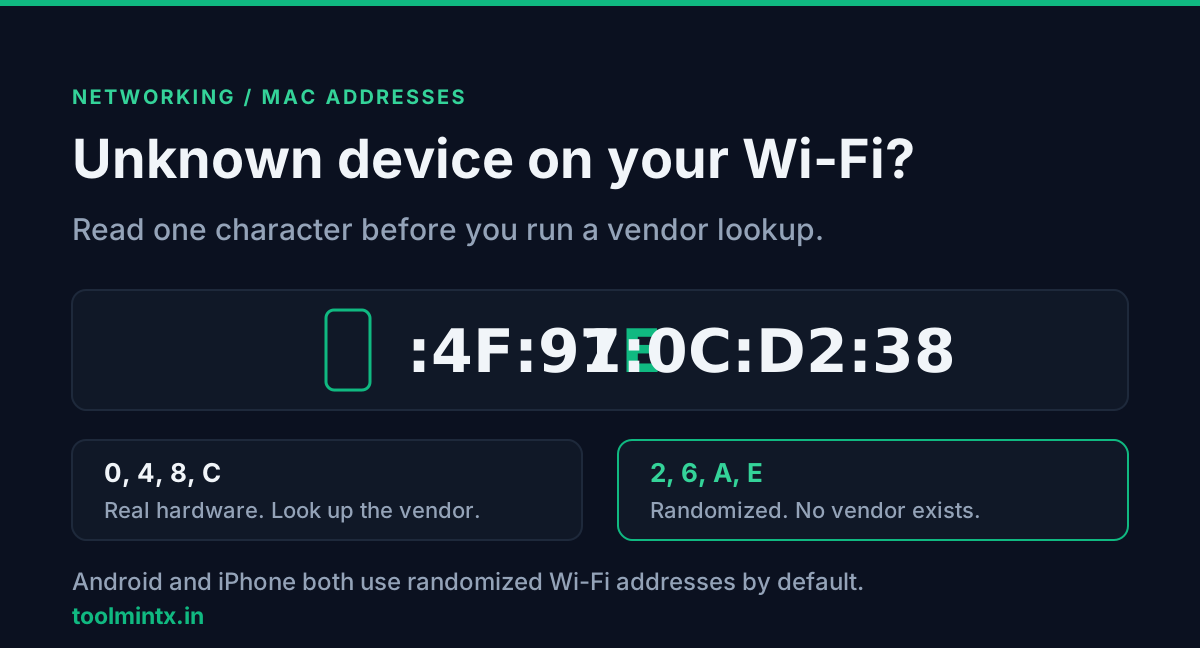
You open the router's client list and there is a device you do not recognise. No name, just a MAC like 7E:4F:91:0C:D2:38. You paste it into a vendor lookup and get "not found", which reads like something is wrong.
Before you run any lookup, check its second character. If it is 2, 6, A or E, software generated it, and "no vendor" is the correct answer. In almost every home network that means a phone or laptop with MAC randomization switched on, which Android and Apple both do by default.
Table of contents
- The second hex digit tells you who set the address
- Why it is the second digit and not the first
- All sixteen values in one table
- Why the lookup says unknown
- How Android picks the random address
- How iPhone and Mac handle it
- Working through a real client list
- FAQ
- Conclusion
- Sources
The second hex digit tells you who set the address
A MAC is 48 bits, written as six pairs of hex digits. The first three pairs are normally the OUI, a prefix the IEEE sells to a hardware maker. That is what a vendor lookup searches for.
Two bits in the very first byte decide whether that search makes sense at all:
- The lowest bit is the cast bit. 0 means unicast, one device. 1 means multicast, a group address.
- The bit above it is the universal/local bit. 0 means the IEEE assigned the prefix. 1 means software made it up locally.
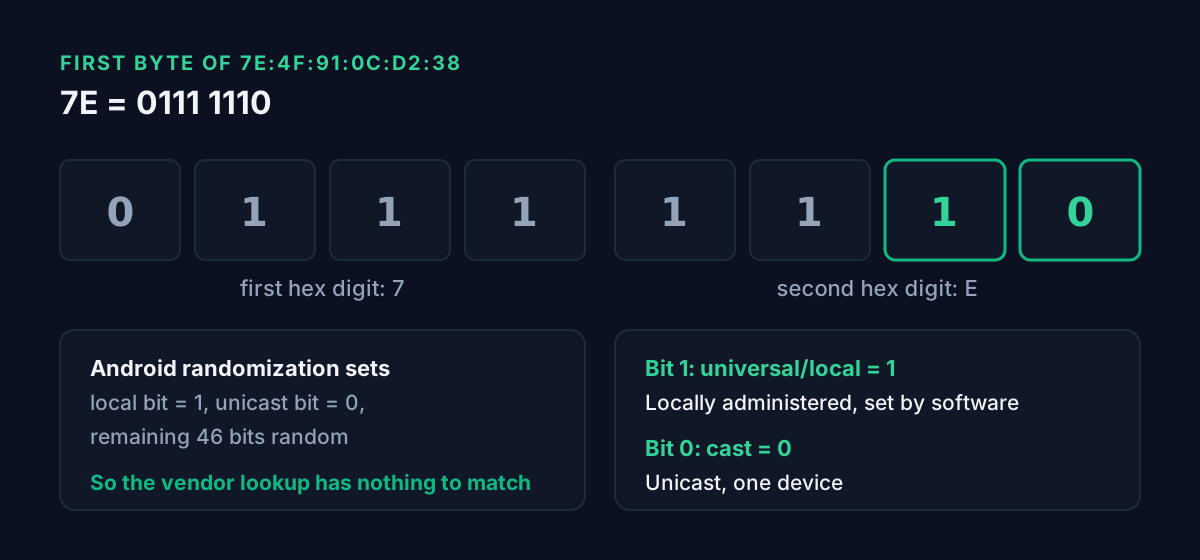
Android's own documentation states what randomization does with those bits: it sets the locally administered bit to 1, the unicast bit to 0, and fills the other 46 bits at random. So a randomized phone MAC always carries the "local" flag, and a lookup has nothing registered to match against.
Why it is the second digit and not the first
Each hex digit stands for 4 bits. The first byte is two digits, and the two bits that matter are the lowest ones, so they sit inside the second digit.
Take 7E. The first digit, 7, is 0111 and covers the high bits. The second digit, E, is 1110. Its lowest bit is 0, so it is unicast. The bit above that is 1, so it is locally administered. You can read that without a calculator once you know which digits carry which pattern.
All sixteen values in one table
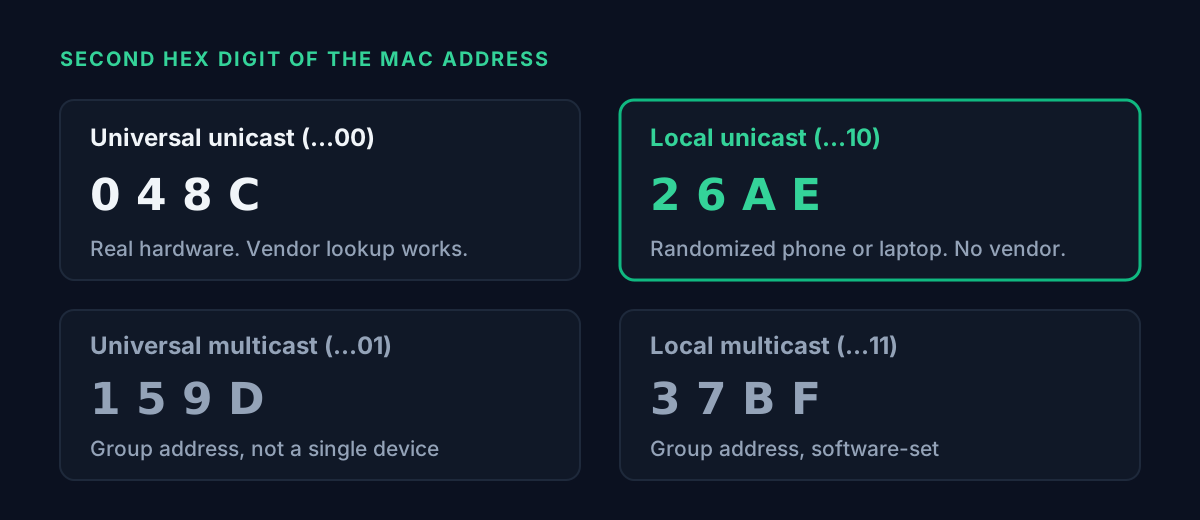
The second digit can only be one of sixteen values, and they fall into four groups of four:
| Second hex digit | Binary ends in | Meaning | Vendor lookup useful? |
|---|---|---|---|
| 0, 4, 8, C | ...00 | Universal unicast, real hardware | Yes |
| 2, 6, A, E | ...10 | Local unicast, usually a randomized device | No, no vendor exists |
| 1, 5, 9, D | ...01 | Universal multicast, a group address | Not for a device |
| 3, 7, B, F | ...11 | Local multicast | No |
Only 4 of the 16 values point to hardware you can trace to a maker. That is a quarter of the possible first bytes. A device in your client list should never show a multicast value, so in practice you are sorting everything into the first two rows.
Why the lookup says unknown
A vendor lookup is a table search. It takes the prefix and looks for the company that bought that block. A locally administered MAC was never bought from anyone, so the search comes back empty by design.
That is different from a universal prefix that is simply missing from the registry, which usually means a typo or a very new assignment. Most lookup tools print the same "unknown" for both cases. The MAC Address Lookup tool on ToolMintX reads the two bits first and labels a software-set one as such, so you can tell a randomized phone apart from a real registry miss.
How Android picks the random address
Android has used a randomized MAC by default since Android 10, and you can switch it off per network in that network's details screen. With it off, the phone falls back to its factory address.
There are two types, and they behave very differently in a router list:
| Type | When Android uses it | How long the address lasts |
|---|---|---|
| Persistent | The default for all networks | Stays the same per network until a factory reset, even if you forget and re-add the network |
| Non-persistent | Android 12+, only when an app requests it for a network or an OEM enables it for open networks without a captive portal | Re-randomized at the start of a new connection once the address is over 24 hours old, or when the DHCP lease has expired and more than 4 hours passed since the last disconnect |
Persistent is the common case. On your home Wi-Fi, an Android phone keeps one stable random MAC. It will not keep appearing as a new device. It just will not match the MAC printed on the box.
There is also a developer option on Android 11 and later, "Wi-Fi non-persistent MAC randomization", that forces the non-persistent behavior on every network with randomization enabled. If one Android phone keeps appearing as a new device, check whether someone turned that on.
How iPhone and Mac handle it
Apple calls the feature Private Wi-Fi Address. On iOS 18, iPadOS 18, macOS Sequoia 15, watchOS 11 and visionOS 2 or later it has three settings per network:
| Setting | What the device uses | Chosen by default when |
|---|---|---|
| Off | The hardware MAC | Never, you set it |
| Fixed | A private address that does not rotate | Joining a network with WPA2 or stronger security |
| Rotating | A private address that changes every 2 weeks | Joining a network with weak or no security |
So on a home router secured with WPA2 or WPA3, an iPhone gets a Fixed private MAC and keeps it. On an open café network it rotates every two weeks. Resetting network settings, or erasing the device, gives it a new one the next time it joins.
If your router is set to alert you when a new device joins, Apple's page says you get that alert when a device first joins with a private address. A new alert after someone resets their phone is expected.
Working through a real client list
Here is a sorting pass for a typical home list. The addresses are illustrative:
| MAC | Second digit | Group | What to do |
|---|---|---|---|
00:1A:2B:44:10:9C | 0 | Universal unicast | Look up the vendor, probably the router or a smart TV |
C8:3A:35:7D:00:12 | 8 | Universal unicast | Look up the vendor |
7E:4F:91:0C:D2:38 | E | Local unicast | A randomized phone or laptop. Check your family's devices |
DA:A1:19:5B:6E:07 | A | Local unicast | Same. Match it against each phone's Wi-Fi details screen |
For the local ones, the matching step is quick. On Android, open the connected network's details and look at the MAC shown there, which is the randomized one in use. On iPhone, open the network's More Info screen, where the Wi-Fi address is listed. When a phone's address matches the list, you have found your "unknown device".
If a universal unicast entry turns up and the lookup names a company that makes nothing in your house, change the Wi-Fi password. For locally administered entries, the vendor was never going to tell you anything, so matching them against your own devices is the only useful test.
To see what your connection exposes beyond the local network, What Is My IP shows the public IP the internet sees. A MAC itself stays on the local link.
FAQ
What does it mean if the second character of a MAC address is 2, 6, A or E?
It is locally administered unicast. Software generated it instead of the IEEE assigning it. On a home network that is almost always a phone, tablet or laptop using MAC randomization.
Why does a MAC vendor lookup say "not found"?
Either it is locally administered, so no vendor exists by design, or it is a universal prefix missing from the registry because of a typo or a very new block. The second hex digit tells you which case you are in.
Does Android change its MAC address every time it connects?
Not by default. Android uses persistent randomization, which keeps one random MAC per network until a factory reset. Non-persistent randomization on Android 12 and later applies only in specific cases, or when the developer option is switched on.
How often does an iPhone change its private Wi-Fi address?
With the Rotating setting, every 2 weeks. Rotating is the default only on networks with weak or no security. On WPA2 or stronger networks the default is Fixed, which does not rotate.
Can I find the real hardware MAC from a randomized one?
No. Android fills 46 bits at random, so nothing in it points back to the factory MAC. You need the device itself, or you turn randomization off for that network.
Is a randomized address on my network a security risk?
The MAC alone tells you nothing either way. It only means a modern device joined with privacy turned on. Identify it by matching it against your own devices, and if you cannot, change the Wi-Fi password.
Conclusion
The fastest check on an unknown Wi-Fi device takes one glance: the second hex digit of its MAC. 0, 4, 8 or C means real hardware you can look up. 2, 6, A or E means a randomized one from a phone or laptop, and "no vendor found" is the right answer.
Android keeps that random MAC per network unless a factory reset or a specific setting changes it. iPhones keep a Fixed address on secured networks and rotate every two weeks on open ones. For anything else, paste it into the MAC Address Lookup and read the decode before the vendor result.


