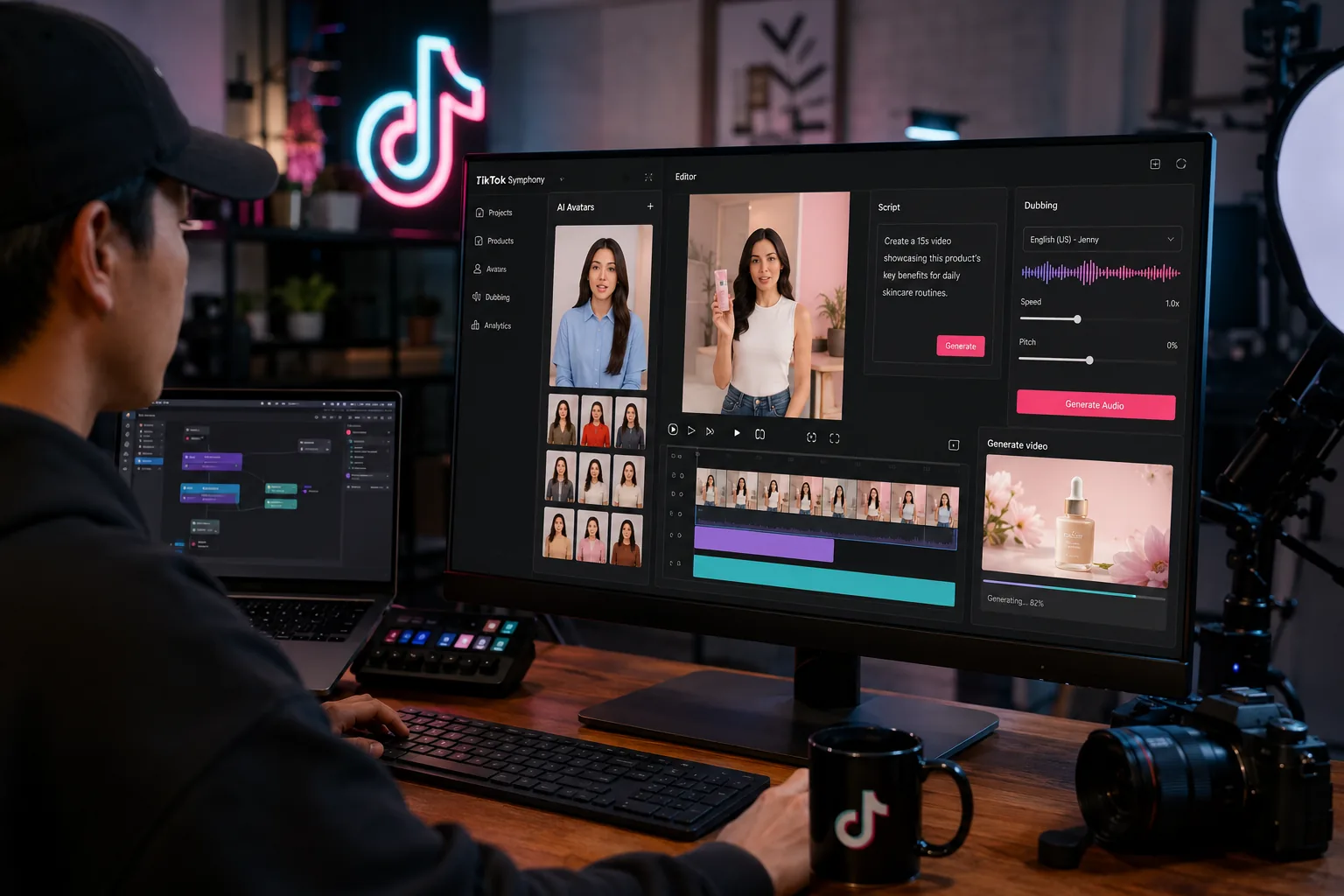
TikTok is pushing deeper into creator AI and ad production with a bigger Symphony rollout, and the timing matters. On May 13, 2026, TikTok for Business said Symphony Assistant is now available globally in TikTok Creative Center and as an Adobe Express add-on, while Symphony Creative Studio is generally available for logged-in TikTok for Business users.
That makes TikTok Symphony Creative Studio one of the more practical creator-tech launches of the month, especially for brands, agencies, and in-house teams trying to make more vertical video without turning every post into a slow manual production job.
The interesting part is not just that TikTok has AI tools. Every large platform has AI tools now. The interesting part is that TikTok is packaging ideation, script help, avatar creation, remixing, dubbing, editing, and ad optimization around the format it understands best: TikTok-style video.
What TikTok Symphony Creative Studio actually includes
TikTok Symphony is no longer just a single assistant-style feature. It is becoming a broader creation suite with several connected parts:
- Symphony Assistant for brainstorming, trend discovery, script writing, and ad inspiration
- Symphony Creative Studio for generating or remixing TikTok-first video assets
- Digital Avatars for avatar-led video production
- Translation and dubbing tools for multilingual reuse
- Editing and ad optimization tools inside TikTok Ads Manager
This matters because most creator teams do not need one magical AI button. They need a faster workflow from rough idea to publishable vertical video.
What is available now, and what is still limited
The official announcement is fairly clear about what has already reached users and what remains restricted.
| Feature | Availability status | Best fit |
|---|---|---|
| Symphony Assistant | Available globally in TikTok Creative Center and as an Adobe Express add-on | Idea generation, trend research, script help |
| Symphony Creative Studio | Generally available for logged-in TikTok for Business users | Fast video generation and remixing |
| Stock Avatars | Available in the Creative Studio workflow | Scalable spokesperson-style content |
| Custom Avatars | Limited access, select advertisers or beta testers | Brand IP or creator likeness workflows |
| Translate and dub videos | Available in Creative Studio | Localizing video for more markets |
| Daily Video Generations | Included in Creative Studio | Fresh variations based on past activity |
| Ads Manager Symphony features | Rolling out over the coming months | Ad optimization and campaign creative support |
That distinction is important for SEO and for trust. TikTok Symphony Creative Studio is live in a meaningful way, but not every advanced avatar or automation feature is open to everyone yet.
Why TikTok Symphony Creative Studio matters right now
TikTok has an advantage that many standalone AI video tools do not: it knows the platform, the ad formats, and the creative patterns that perform there. So instead of asking creators to make generic AI video and hope it works, TikTok is trying to produce content that is already shaped for its own ecosystem.
That is why Symphony Assistant focuses so much on trend discovery, script suggestions, top-performing ad examples, and best practices. It is less about cinematic AI video for its own sake, and more about content that is likely to fit TikTok’s pace and structure.
For marketers, that could reduce one of the biggest bottlenecks in short-form video production: the time between idea and first usable draft.
A practical workflow for using Symphony well
The best way to use TikTok Symphony Creative Studio is not to let it publish on autopilot. The better approach is to use it as a speed layer.
1. Start with Symphony Assistant
Use the assistant to research what is trending, pull examples from your niche, and draft a first script. TikTok says the tool can also help new creators understand TikTok best practices before they start making content.
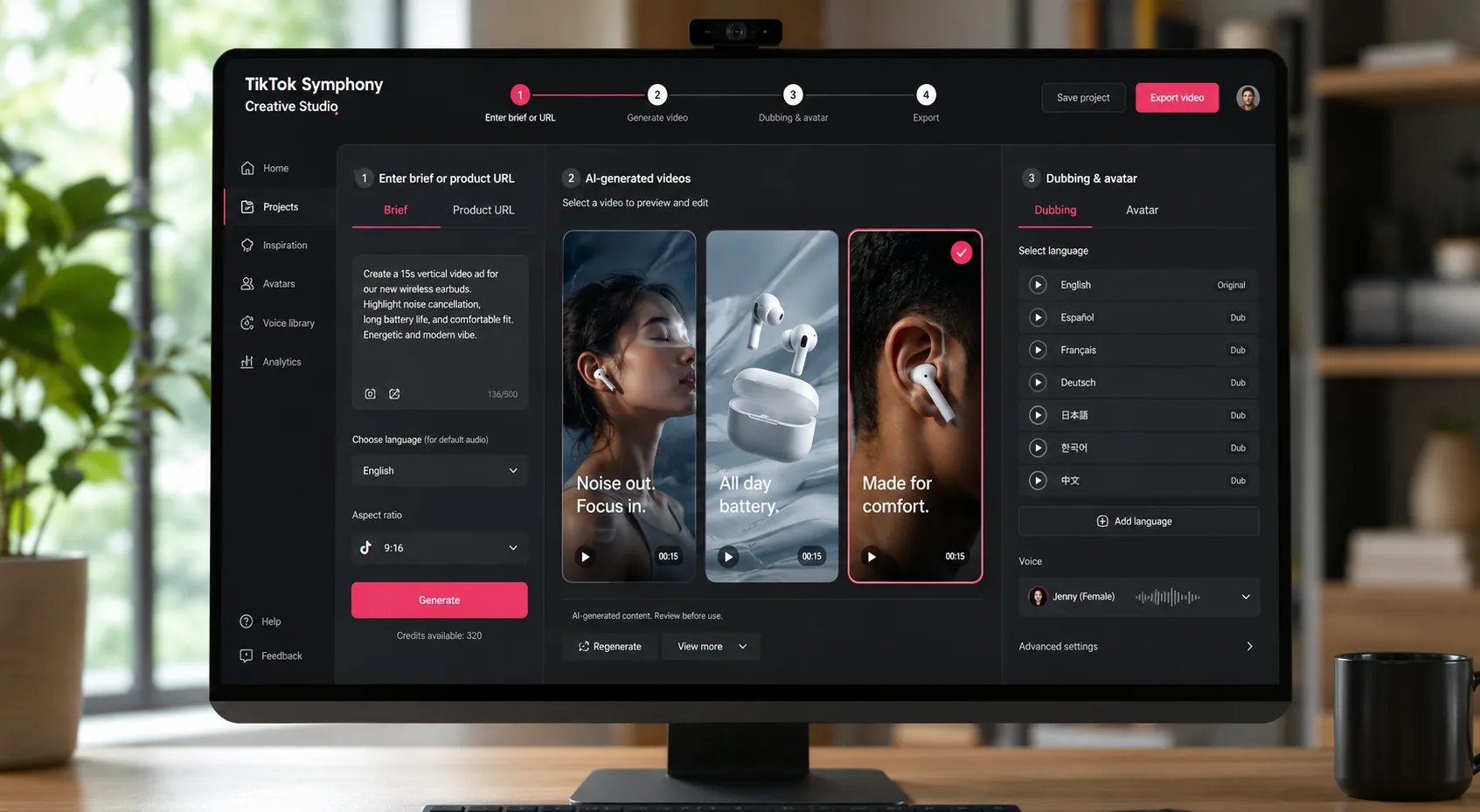
2. Turn product details or a brief into draft video
Inside Symphony Creative Studio, you can generate or remix TikTok-ready video content from brand or product details. For lean teams, this is the quickest path from landing page or asset bundle to a vertical draft worth editing.
3. Add avatars only when the format fits
Digital avatars can save time, especially for explainer ads, multilingual campaigns, or rapid localization. But they are not the answer for every brand. If your audience expects personality, humor, or a recognizable human face, overusing avatars can make the content feel cheap.
4. Use dubbing and translation for expansion
One of the strongest real-world uses is language expansion. TikTok says Symphony can translate and dub videos into multiple languages, which is much more useful than creating separate campaigns from scratch for every region.
5. Edit before publishing
TikTok is explicit that users remain in control and choose what gets published. That is the right way to think about the tool. Treat AI as the draft engine, not the final creative director.
The biggest strengths of the current rollout
TikTok Symphony Creative Studio looks strongest in these areas:
- Fast ideation for brands that need more content volume
- Turning product information into rough video drafts quickly
- Localizing campaigns with dubbing and translation
- Reusing existing assets instead of shooting everything from scratch
- Keeping the workflow closer to TikTok-native formats and ad logic
TikTok also says AI-generated videos are automatically labeled as AI-generated. That transparency matters because it gives brands a cleaner path to experimentation without pretending the content was fully organic.
Where brands should stay careful
There are still obvious limits.
First, a higher volume of drafts does not automatically mean stronger creative. TikTok-style performance still depends on hooks, pacing, creator fit, and cultural relevance.
Second, some of the best-looking uses of AI video still require a human editor who knows what to trim, what to reshoot, and what to leave alone. If every asset becomes a polished but generic AI remix, the content may blend in instead of standing out.
Third, access is uneven. If your workflow depends on Custom Avatars, you may still need direct TikTok sales support or beta access.
Who should use TikTok Symphony Creative Studio now
This rollout looks best suited to:
- Small and midsize brands that need more short-form video output
- Agencies running multilingual or multi-market campaigns
- In-house social teams that need faster first drafts
- Performance marketers testing many creative angles quickly
It is less compelling if you are a purely organic solo creator who does not use TikTok for Business tools, or if your brand identity relies heavily on custom live-action storytelling.
Final take
TikTok Symphony Creative Studio is one of the more usable AI launches for creators and marketers this month because it is focused on an actual production problem: making more TikTok-ready video faster without rebuilding the workflow from scratch. As of May 19, 2026, the most important points are that Symphony Assistant is globally available, Creative Studio is broadly available to logged-in TikTok for Business users, and some higher-end avatar tools remain limited.
If TikTok keeps improving the quality of drafts while preserving creator control, TikTok Symphony Creative Studio could become a serious part of the short-form video stack rather than just another AI feature page.
FAQs
What is TikTok Symphony Creative Studio?
TikTok Symphony Creative Studio is TikTok’s AI-powered video creation workspace for TikTok for Business users. It can generate, remix, edit, dub, and localize TikTok-style video content.
Is TikTok Symphony Assistant available now?
Yes. TikTok says Symphony Assistant is available globally in TikTok Creative Center and as an add-on in Adobe Express.
Can anyone use Custom Avatars in TikTok Symphony?
Not fully. TikTok says Custom Avatars are limited to select advertisers or beta access in the current rollout.
Does TikTok label AI-generated videos made with Symphony?
Yes. TikTok says videos created with Symphony Creative Studio are automatically labeled as AI-generated.
Who should try TikTok Symphony first?
Brands, agencies, and in-house marketing teams that need more vertical video output and faster localization are the best early fit.


