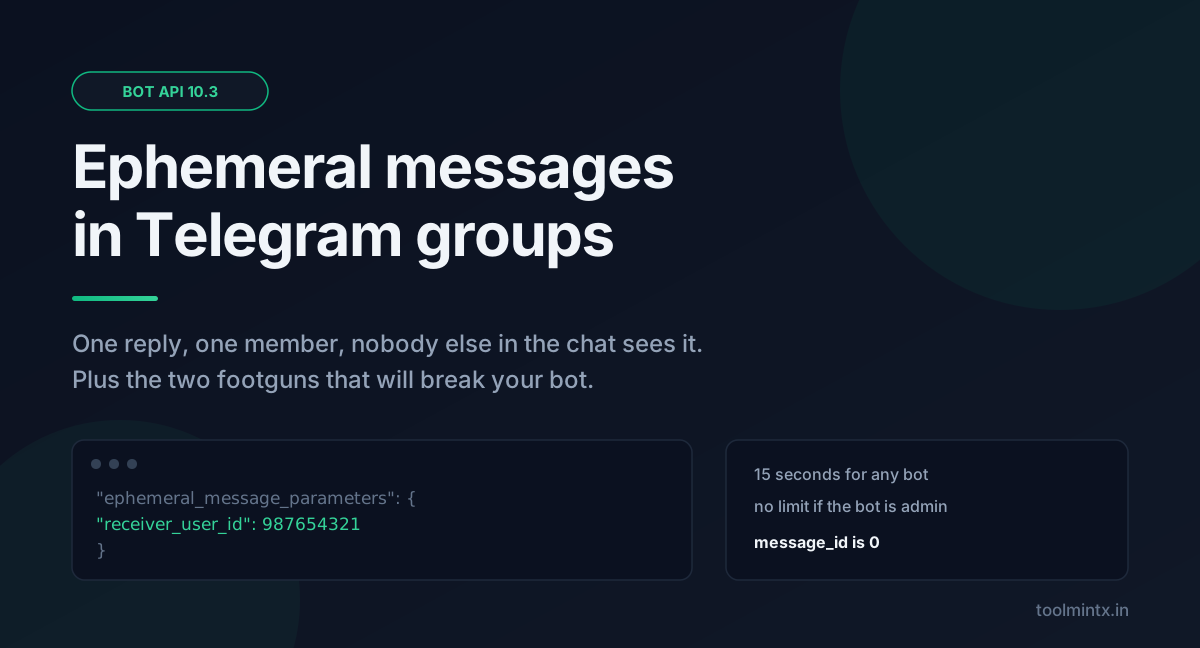
Telegram shipped three releases of the Bot API in three months, and one of them fixed the most annoying problem in group bots: the bot that answers one person and spams everyone else.
That feature is ephemeral messages. It landed in Bot API 10.2 on July 14, 2026, and got a cleaner API in 10.3 on August 24. If you maintain a group bot, read this update. It changes how a reply reaches a user instead of adding another optional field.
Table of contents
- What shipped, and when
- Ephemeral messages, explained properly
- The 15-second rule that trips people up
- Ephemeral commands go the other direction
- The 10.2 to 10.3 breaking change
- message_id is 0, and that will break your code
- Rich messages and streaming AI replies
- Communities
- You still need a chat ID first
- What to actually do this week
- FAQ
- Sources
What shipped, and when
Five releases since March. The pace is as notable as any single feature.
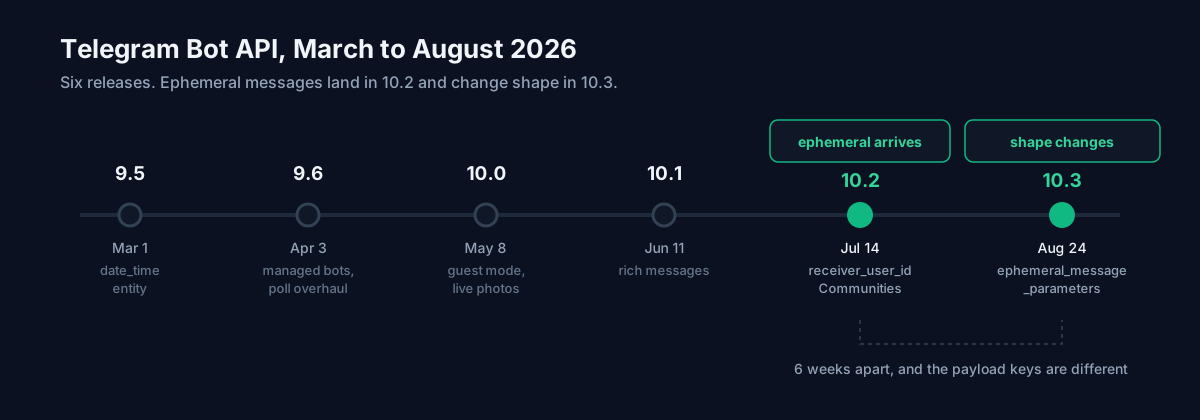
| Version | Date | Headline change |
|---|---|---|
| 9.5 | March 1, 2026 | date_time message entity, chat member tags |
| 9.6 | April 3, 2026 | Managed bots, quizzes with multiple correct answers |
| 10.0 | May 8, 2026 | Guest mode, live photos, media in polls |
| 10.1 | June 11, 2026 | Rich messages, join request queries |
| 10.2 | July 14, 2026 | Ephemeral messages and commands, Communities |
| 10.3 | August 24, 2026 | EphemeralMessageParameters, disabled buttons, welcome message rights |
Bot API 9.4 was February 9, 2026. A few roundups have that date wrong, and the changelog on core.telegram.org is the only version I would trust.
Ephemeral messages, explained properly
An ephemeral message is a bot reply in a group that only one member can see. Telegram describes it as a way for a bot and an individual member to talk privately on the public timeline without cluttering the chat for everyone else. The messages may disappear on their own after a while, or when the client app restarts.
Take someone tapping a button on your bot's message in a 4,000-member group. Before this, you could edit the shared message, which everyone sees, send a new group message, which everyone sees, or DM the user, which fails if they never started a private chat with your bot. Now you send the reply to that one person, in place.
You do it by passing ephemeral_message_parameters with a receiver_user_id:
{
  "chat_id": -1001234567890,
  "text": "Your ticket number is 4821.",
  "ephemeral_message_parameters": {
    "receiver_user_id": 987654321,
    "callback_query_id": "4382bfdwdsb323b2d9"
  }
}
Delivery is not guaranteed. The docs say so directly and repeat it for the offline case. Use ephemeral messages for convenience and keep the record elsewhere: anything that must survive belongs in your database or in a regular message.
A third field is replace_callback_query_message. Pass True and the ephemeral message appears in place of the original message for that user. It must be False for callback queries that came from an ephemeral message, and you edit those with the editEphemeralMessage… methods instead.
The 15-second rule that trips people up
This is where the bug reports will come from. Any bot can send an ephemeral message to a user within 15 seconds of an eligible incoming action, and it goes to the exact client app that triggered the action. The bot has to supply one of two things:
- the
callback_query_idfrom a callback query it received, or - the
reply_parameters.ephemeral_message_idfrom an incoming ephemeral message.
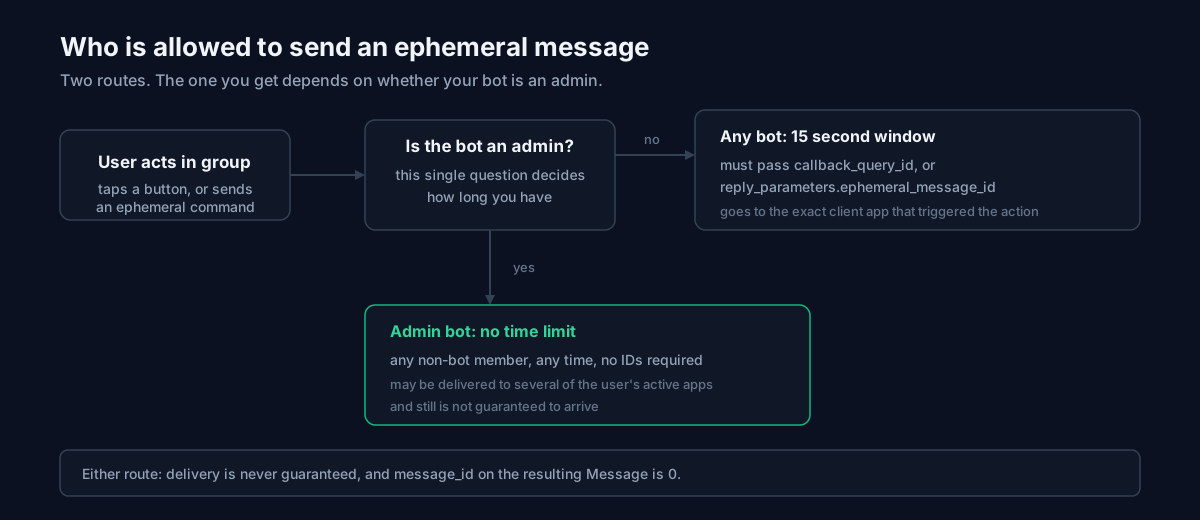
Administrators get a much better deal. A bot that is a chat administrator can send an ephemeral message to any non-bot member at any time, with no callback_query_id and no ephemeral_message_id. The tradeoff is that the message may go to several of that user's active client apps, and it still may not arrive at any of them.
If your bot does slow work, such as a database lookup, an external API call or an image render, don't plan to return the result as an ephemeral message 40 seconds later. Acknowledge inside the window, or make the bot an admin.
Ephemeral commands go the other direction
The same release added is_ephemeral to BotCommand. Set it to True and a user can send that command in a group where nobody else in the chat can see it, other bots included. Only the sender and the target bot see it.
{
  "commands": [
    {"command": "balance", "description": "Check your balance", "is_ephemeral": true},
    {"command": "help", "description": "Show help"}
  ]
}
A /balance in a group now costs the group nothing. description still has to be 1-256 characters, same as before.
The 10.2 to 10.3 breaking change
If you shipped ephemeral support in July, read this twice. In 10.2, receiver_user_id and callback_query_id were separate top-level parameters on sendMessage, sendPhoto, sendVideo, sendDocument, sendAnimation, sendAudio, sendSticker, sendVoice, sendVideoNote, sendLivePhoto, sendContact, sendLocation and sendVenue.
In 10.3 a single ephemeral_message_parameters object replaced them. It holds receiver_user_id, the optional callback_query_id, and the optional replace_callback_query_message.
// 10.2 style
{"chat_id": -100123, "text": "hi", "receiver_user_id": 987654321}

// 10.3 style
{"chat_id": -100123, "text": "hi",
 "ephemeral_message_parameters": {"receiver_user_id": 987654321}}
Only six weeks separate the two shapes. If you wrote against the July docs, your payloads use the old keys.
message_id is 0, and that will break your code
This is the detail I would put on a sticky note. In the Message object, message_id is documented as unique inside the chat, and then: 0 for ephemeral messages.
Plenty of bots use message_id as a truthy check, a dictionary key or a primary key. A zero walks straight through if (message_id) in JavaScript and if message_id: in Python. To identify an ephemeral message, use ephemeral_message_id, which exists on both Message and ReplyParameters. In ReplyParameters, message_id is now optional when ephemeral_message_id is present.
The same 0 shows up for a second reason: a message the server schedules instead of sending immediately, such as a video sent to a very large chat. That message is unusable until it is actually sent. So message_id == 0 has two possible meanings, and you can't ignore either.
Rich messages and streaming AI replies
Rich messages arrived in 10.1 as a structured document format for bot output. Instead of one text blob with entity offsets, you send blocks: paragraphs, section headings, tables, block quotations, lists, collages, slideshows, maps, and one called RichBlockThinking. 10.3 added expandable block quotations, documents inside rich messages, and a is_compact flag on tables.
The method to look at is sendRichMessageDraft. It streams a partial rich message while the output is still being generated, so LLM token streaming is now part of the protocol. Two constraints apply:
- the draft is a temporary 30-second preview and does not persist
- when generation finishes you must call
sendRichMessagewith the complete message to save it in the chat
Drafts with the same draft_id animate between updates. A different draft_id replaces the draft with no animation. draft_id must be non-zero, and sendRichMessageDraft only targets private chats.
10.3 also added MessageGenerationStopped to Update, plus can_stop and keep_on_stop on the draft methods, so a user can hit stop mid-generation and your bot finds out.
Communities
10.2 introduced initial support for Communities: several supergroups, channels and bots linked around a shared topic or audience. The Community object is thin, just id and name, with the ID documented as up to 52 significant bits, so store it in a 64-bit integer.
Three service messages come with it. CommunityChatAdded fires when a chat or bot is added. CommunityChatRemoved fires when one is removed and carries no payload. CommunityChatJoined, new in 10.3, fires when a user joins a chat from a community. ChatFullInfo gained a community field, so you can ask whether a chat belongs to one.
You still need a chat ID first
None of this works without the group's chat ID, and that is still where people get stuck. Supergroup IDs are negative and carry the -100 prefix, which trips up anyone parsing them as plain positive integers, and getUpdates returns nothing while a webhook is active.
Our Telegram Chat ID Finder takes a bot token, validates it, names the bot back to you so you know you pasted the right one, and lists the chat, group and channel IDs it can see. It handles the -100 form and the webhook conflict, and it runs in your browser.
Two other tools I use with this API. Ephemeral and rich message payloads nest several levels deep, and a 400 Bad Request from Telegram says almost nothing about which brace you missed, so run the body through the JSON Formatter before you blame the API. If the bot wraps a model, the API Cost Calculator shows what streaming a rich message per user costs, which adds up when you pay per token for output nobody keeps.
What to actually do this week
In the order they are likely to bite you:
- Grep for
message_idused as truthy or as a key, and handle the0case. - If you shipped ephemeral support in July, migrate to
ephemeral_message_parameters. - Mark your per-user commands
is_ephemeraland watch group noise drop. - Decide whether your bot needs admin rights to escape the 15-second window.
- Look at rich messages last. They are the biggest change and the least urgent.
Rate limits have not changed: 30 messages per second by default, up to 1000 with Paid Broadcasts enabled in @BotFather, at 0.1 Stars per message over the free amount. You need at least 10,000 Stars on the bot's balance to turn it on, and only successful broadcasts are charged.
FAQ
Can other members see an ephemeral message?
No. Telegram's documentation says other members of the group or supergroup will not see it. Only the user in receiver_user_id and the bot do.
Why did my ephemeral message fail to send?
Most likely you were outside the 15-second window without being a chat administrator, or you sent no callback_query_id and no reply_parameters.ephemeral_message_id. Delivery is also not guaranteed when the user is offline, so a silent non-delivery is documented behaviour.
Do I need to change code written for Bot API 10.2?
Yes, if you used ephemeral messages. The top-level receiver_user_id and callback_query_id parameters were replaced by the ephemeral_message_parameters object in 10.3.
How do I get a Telegram group or channel ID?
Add your bot to the chat, send a message there, then read the chat ID from getUpdates. Or use the Telegram Chat ID Finder, which does the token validation and -100 handling for you. getUpdates returns nothing while a webhook is set.


