Short Intro
Local AI on Mac has already become practical for many developers, but speed has still been the thing that decides whether a workflow feels serious or experimental. That is why Ollama's Apple Silicon MLX preview matters.
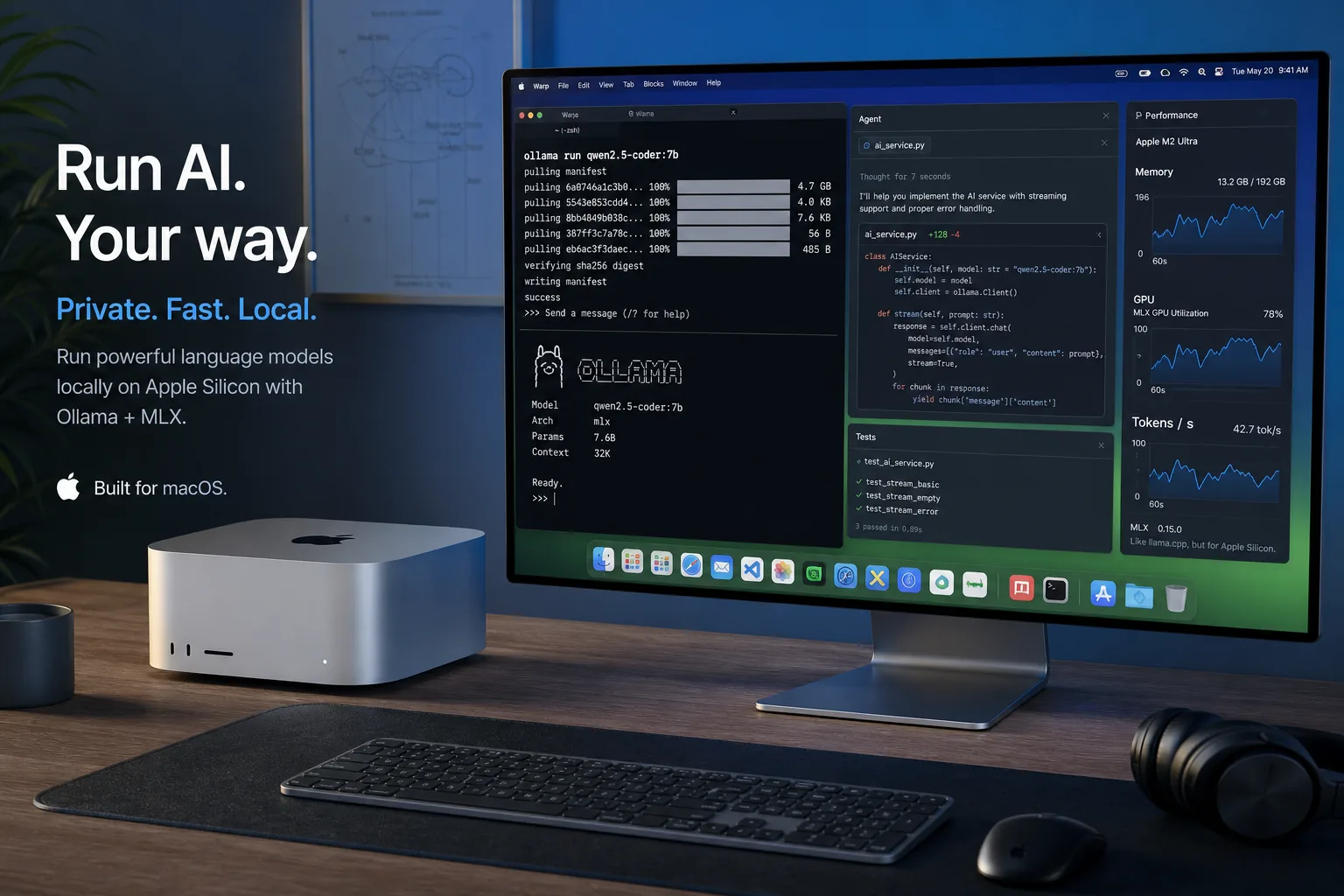
On March 30, 2026, Ollama announced that its Apple Silicon path is now powered by MLX in preview. In plain English, that means Ollama is using Apple's own machine learning framework more directly, with the goal of getting better performance from unified memory and newer Apple chips. If you run coding agents, long prompts, or large open models on a Mac, this is more than a release-note detail.
The real question is not whether the headline sounds impressive. The useful question is what actually changes for daily work. This guide explains that part clearly: what Ollama changed, which Macs benefit most, how to set it up, where the tradeoffs still are, and when this upgrade is worth your time.
Table of Contents
- Why this Ollama update matters
- What MLX changes on Apple Silicon
- The performance story in practical terms
- Who should care first
- How to install and test the preview
- A sensible workflow for local coding agents
- What the tradeoffs still look like
- Practical examples
- FAQ
- Conclusion
Why this Ollama update matters
There are two ways to look at local AI progress on Macs.
The first is the benchmark view: more tokens per second, lower time to first token, better quantization formats, and improved caching. Those numbers matter. But most people do not actually feel a benchmark. They feel waiting. They feel lag after pasting a long prompt. They feel the slowdown when they branch a coding conversation, reload context, or call tools repeatedly.
The second is the workflow view, and that is the more useful one here.
Ollama says its MLX-based Apple Silicon preview improves both prompt processing and token generation. It also adds smarter cache reuse and intelligent checkpoints for shared prompt prefixes. That matters because modern coding work is rarely a one-shot chat. You are usually doing things like:
- asking a model to inspect a repository
- iterating on the same system prompt across several branches
- switching between code explanation, editing, and command planning
- comparing outputs between runs
In that kind of workload, faster model startup alone is not enough. You want the whole loop to feel tighter. Ollama's update is interesting because it aims at that loop, not only at a lab-style throughput chart.
What MLX changes on Apple Silicon
MLX is Apple's machine learning framework designed to fit how Apple Silicon handles compute and unified memory. Ollama says the new preview is built on top of MLX so it can take better advantage of that architecture.
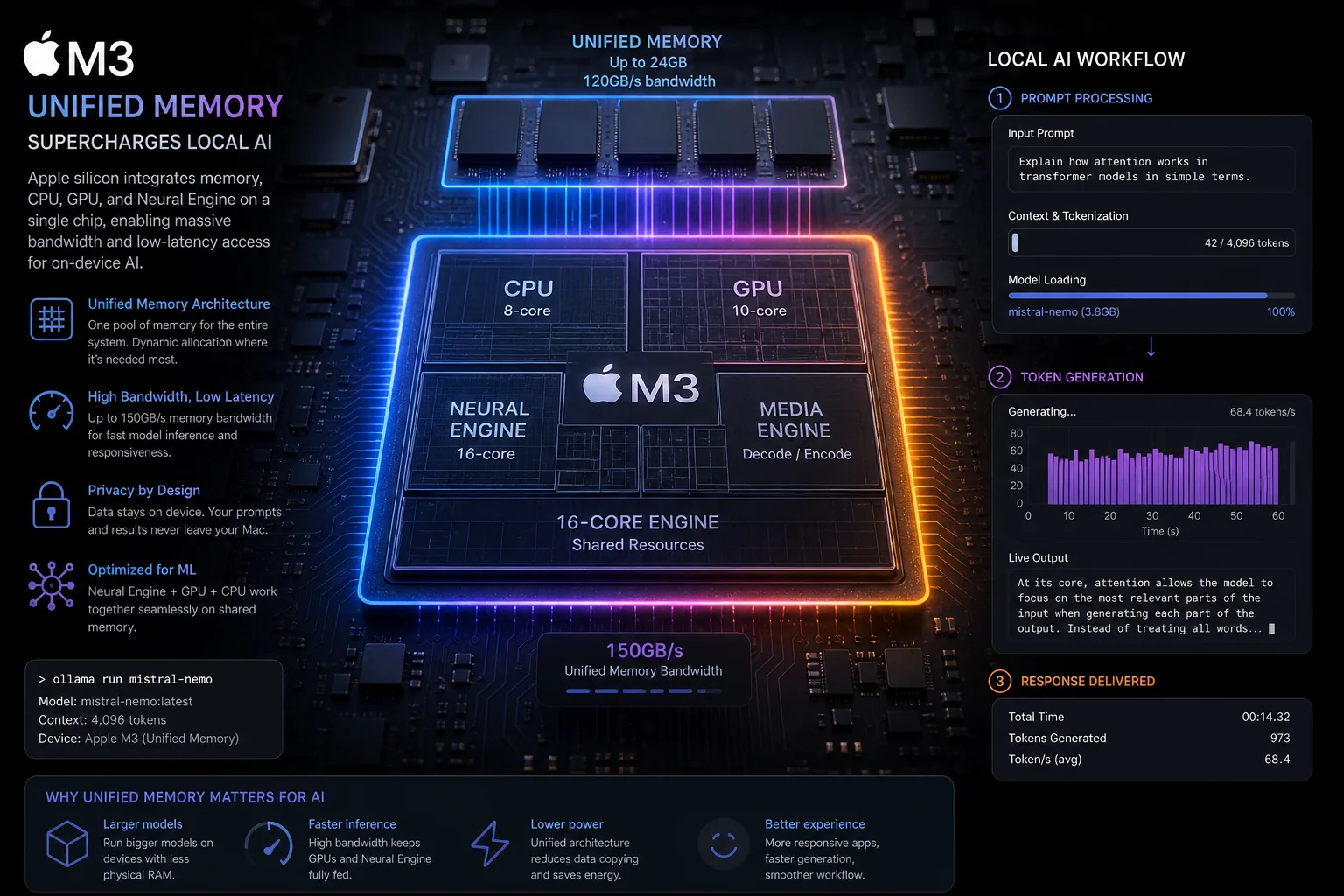
That is the key idea. Apple Silicon machines do not behave like a typical laptop plus a separate NVIDIA GPU. Their memory is shared across the system. When a local AI stack uses that well, larger models can become practical in a cleaner, lower-friction way than many people expect from a consumer desktop or laptop.
According to Ollama's announcement, the preview especially benefits the newer M5, M5 Pro, and M5 Max chips by using the new GPU Neural Accelerators to improve both time to first token and generation speed. The company also says this Apple Silicon path is now the fastest way to run Ollama on Mac in preview.
That does not mean every Mac instantly becomes an ideal large-model workstation. It means the efficiency ceiling has improved, which is exactly what local AI users care about.
Why unified memory matters more than many buyers realise
When people discuss local models, they often think in terms of desktop GPU VRAM only. On Apple Silicon, the more useful planning question is whether your unified memory is enough for the model size, quantization, context, and number of parallel workloads you want.
That is why hardware planning matters before installation. For ToolMintX readers, the LLM VRAM Calculator is useful here as a quick sanity check, even if you are working with unified memory instead of a traditional discrete GPU setup. It helps you estimate whether the model you want is realistic before you spend time downloading weights and tuning prompts.
The performance story in practical terms
Ollama published example results showing a notable jump over its earlier implementation. In its March 29 test setup, prefill performance rose from 1154 tokens per second to 1810, and decode performance rose from 58 tokens per second to 112 on the tested configuration. The company also said Ollama 0.19 can go higher with int4 quantization.
Those numbers are interesting, but the bigger takeaway is this: prompt-heavy work should feel snappier, and sustained coding or agentic sessions should feel less sticky.
This is especially relevant for three common local AI pain points:
1. Long prompts
If you pass a large code file, repo context, or multi-step instruction block, prompt processing speed becomes very noticeable. Better prefill speed means less staring at the screen before the first useful output shows up.
2. Branching conversations
Ollama says its upgraded cache can now be reused across conversations, with shared prefixes surviving longer and checkpoints saved at useful prompt locations. That is good news for coding agents because branch-heavy workflows are normal in code review, debugging, and refactoring.
3. Production-style model testing
Ollama also introduced NVFP4 support in this preview path. Its stated goal is to keep model accuracy while reducing bandwidth and storage pressure, while also bringing local testing closer to inference formats that are becoming relevant in production infrastructure. For developers who do not want their local tests to feel disconnected from deployment realities, that is a meaningful detail.
Who should care first
Not every Mac user needs to rush into this preview today. The people who should care first are the ones who already know local AI is useful for them but still feel friction in daily use.
This update is most relevant for:
- developers using Claude Code, Codex, OpenCode, or similar coding agents through Ollama
- Mac Studio, MacBook Pro, or Mac mini users with enough unified memory for larger open models
- people who frequently re-run similar prompts, agent loops, or repo-aware tasks
- teams testing open models locally before sending workloads to paid APIs
It is less urgent for:
- casual chat users running very small models
- older low-memory Macs
- people who mainly use hosted APIs and only open local tools occasionally
Ollama's own getting-started note says you should have a Mac with more than 32GB of unified memory for the accelerated Qwen3.5-35B-A3B preview model. That requirement alone tells you who this release is really aimed at.
How to install and test the preview
This is the simplest practical path.
Step-by-Step Setup
1. Confirm your hardware
Check your Mac model and unified memory first. If you are below the memory range Ollama recommends for this preview model, you may still use Ollama, but not with the same expectations.
2. Install or update to Ollama 0.19
Ollama links the preview through its Download Ollama 0.19 release path. Use the current macOS installer from Ollama's official site.
3. Start with the recommended model
Ollama says this preview release accelerates qwen3.5:35b-a3b-coding-nvfp4 with coding-tuned sampling defaults.
For a direct local chat test:
ollama run qwen3.5:35b-a3b-coding-nvfp44. Test it with an agent workflow
For Claude-style coding agent launch:
ollama launch claude --model qwen3.5:35b-a3b-coding-nvfp4For OpenClaw:
ollama launch openclaw --model qwen3.5:35b-a3b-coding-nvfp45. Measure the right things
Do not only ask whether the model answers correctly. Also check:
- how quickly the first token arrives
- whether repeated prompts feel faster
- how stable long coding sessions remain
- whether branching and retrying feels smoother than before
That is the real value test for this release.
A sensible workflow for local coding agents
If you want this preview to be useful rather than merely interesting, use it in a focused workflow:
- Pick one real codebase, not a toy prompt.
- Run the same repo-summary or bug-fix task on your current setup.
- Repeat it on the MLX preview setup.
- Compare startup delay, answer quality, branch responsiveness, and machine memory pressure.
- Decide whether the improvement is enough to change your everyday tool choice.
This kind of test tells you more than a synthetic benchmark ever will.
What the tradeoffs still look like
This is still a preview, and that word matters.
First, support is not universal yet. Ollama says it is actively working on future models and easier import paths for custom fine-tuned models on supported architectures. So if your favourite local model stack is unusual, you may need patience.
Second, Mac-friendly local AI still does not erase the size problem. A faster 35B-class local workflow is good news, but it does not mean every model category now feels effortless on consumer hardware.
Third, some people may still prefer cloud inference for the heaviest long-context or multi-user jobs. Local speed improvements narrow that gap, but they do not eliminate it.
Practical examples
Example 1: Local repo debugging
You open a medium-sized app, ask the model to trace a failing auth flow, then iterate across three possible fixes. Better cache reuse helps because the shared repo context does not need to be processed from scratch every time.
Example 2: Safer code review on private projects
If your project includes sensitive internal logic, a local Mac workflow becomes more attractive. You still need good security habits, but keeping inference on-device can be easier to justify than sending every code chunk to a remote API.
Example 3: Comparing open-model quality before production spend
Many teams want to know whether a local open model is good enough for first-pass coding help, docs cleanup, or test generation. This preview makes that trial cheaper in both money and patience.
FAQ
Is Ollama's MLX preview only for high-end Macs?
It is most compelling on better-specced Apple Silicon systems, especially if you want larger coding models. Smaller setups can still benefit from Ollama generally, but this specific preview is clearly aimed at more capable memory configurations.
Do I need more than 32GB of unified memory?
For the preview model highlighted by Ollama, yes, that is the company's recommendation. Smaller memory machines may need different models or lighter expectations.
Does this replace cloud coding models?
Not for everyone. It makes local workflows more practical, especially for privacy, cost control, and experimentation. But the largest or most demanding tasks may still fit better in the cloud.
Why does NVFP4 matter?
Because it helps reduce memory and bandwidth pressure while keeping model quality more usable, and it also makes local testing more relevant to the formats now showing up in production inference stacks.
Is this mainly a benchmark story?
No. The more useful reading is that Ollama is making local agent workflows feel more responsive, especially on Apple hardware where unified memory is already an advantage.
Conclusion
Ollama's MLX-powered Apple Silicon preview matters because it improves the part of local AI that people actually notice during work: responsiveness. Faster prompt handling, better decode speed, smarter cache reuse, and a clearer path for production-like local testing make this a meaningful upgrade for Mac-based coding workflows.
If your current local setup already feels close to useful, this may be the update that pushes it into your daily tool stack. If your machine is underpowered, the release is still a useful signal about where local AI on Mac is heading next: tighter integration with the hardware, fewer wasted cycles, and much less waiting between thought and output.
Sources: Ollama official MLX preview announcement.


