Short Intro
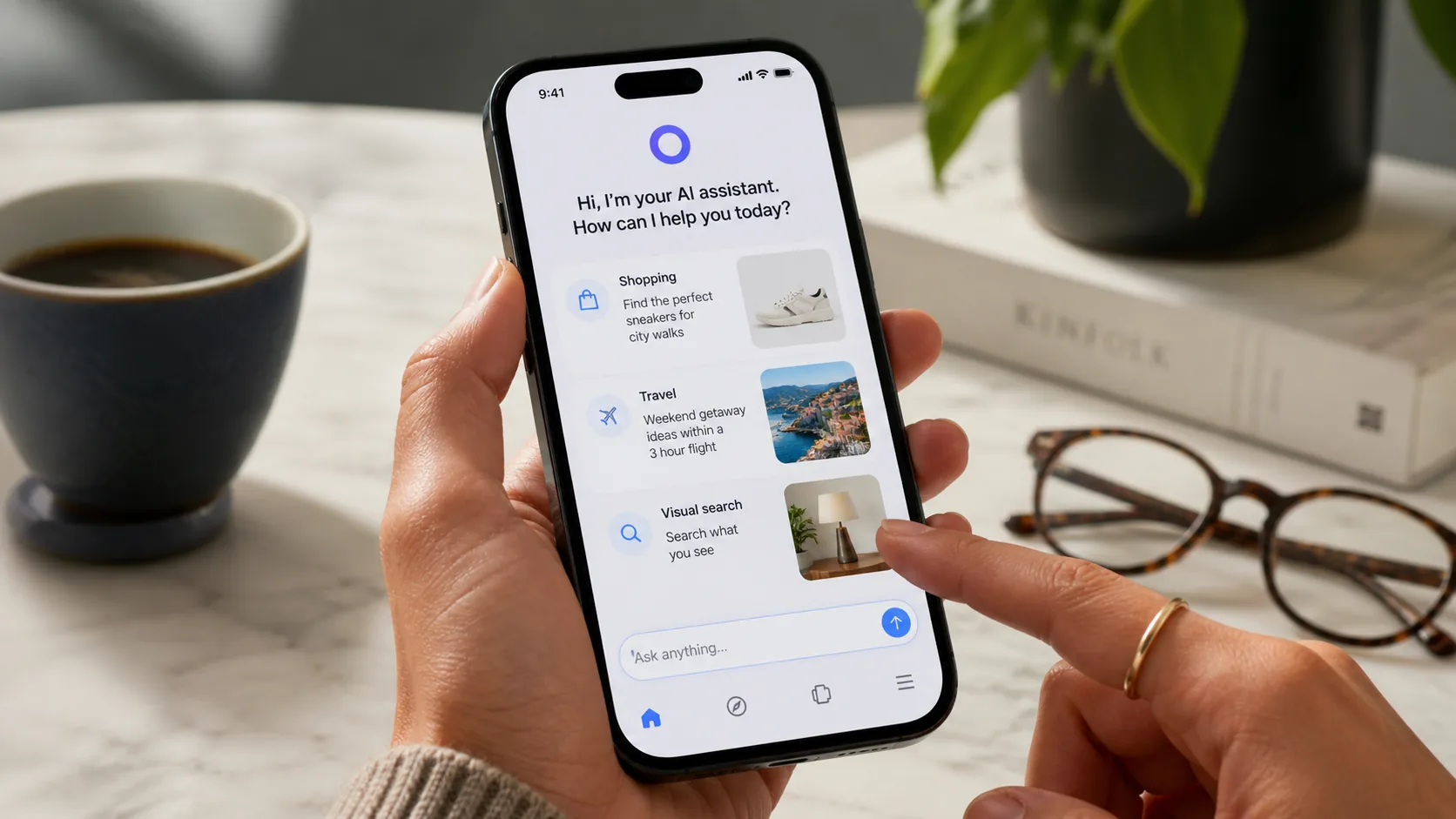
Meta has given its AI assistant a much bigger job. On April 8, 2026, the company announced Muse Spark, a new model from Meta Superintelligence Labs that now powers the Meta AI app and meta.ai. More importantly, Meta says the same upgraded experience will roll out to Instagram, Facebook, Messenger, WhatsApp, and its AI glasses in the coming weeks.
That makes this more than another model launch. It is a distribution story. When a company with Meta’s reach changes its assistant, the important question is not only what the model can do. It is how the assistant may start showing up in ordinary digital life.
So instead of treating Muse Spark as a benchmark headline, let’s answer the practical user question: what actually changed in Meta AI, when is it useful, and where should people still be careful?
Table of Contents
- What Meta announced
- Why Muse Spark matters beyond a simple model upgrade
- The biggest practical features in the new Meta AI experience
- Who should try Meta AI now
- Where Meta AI still has limits
- How to use Meta AI more effectively step by step
- Practical examples
- FAQ
- Conclusion
What Meta Announced
Meta says Muse Spark is the first model in its new Muse series and that it is purpose-built for Meta products. According to the company, Muse Spark now powers the Meta AI app and website, supports complex reasoning and multimodal tasks, and introduces a richer product experience with Instant and Thinking modes. Meta also says the model will roll out to WhatsApp, Instagram, Facebook, Messenger, and AI glasses in the coming weeks, while the underlying technology will be available in private preview via API to select partners.
The official announcement also highlights a few signature capabilities:
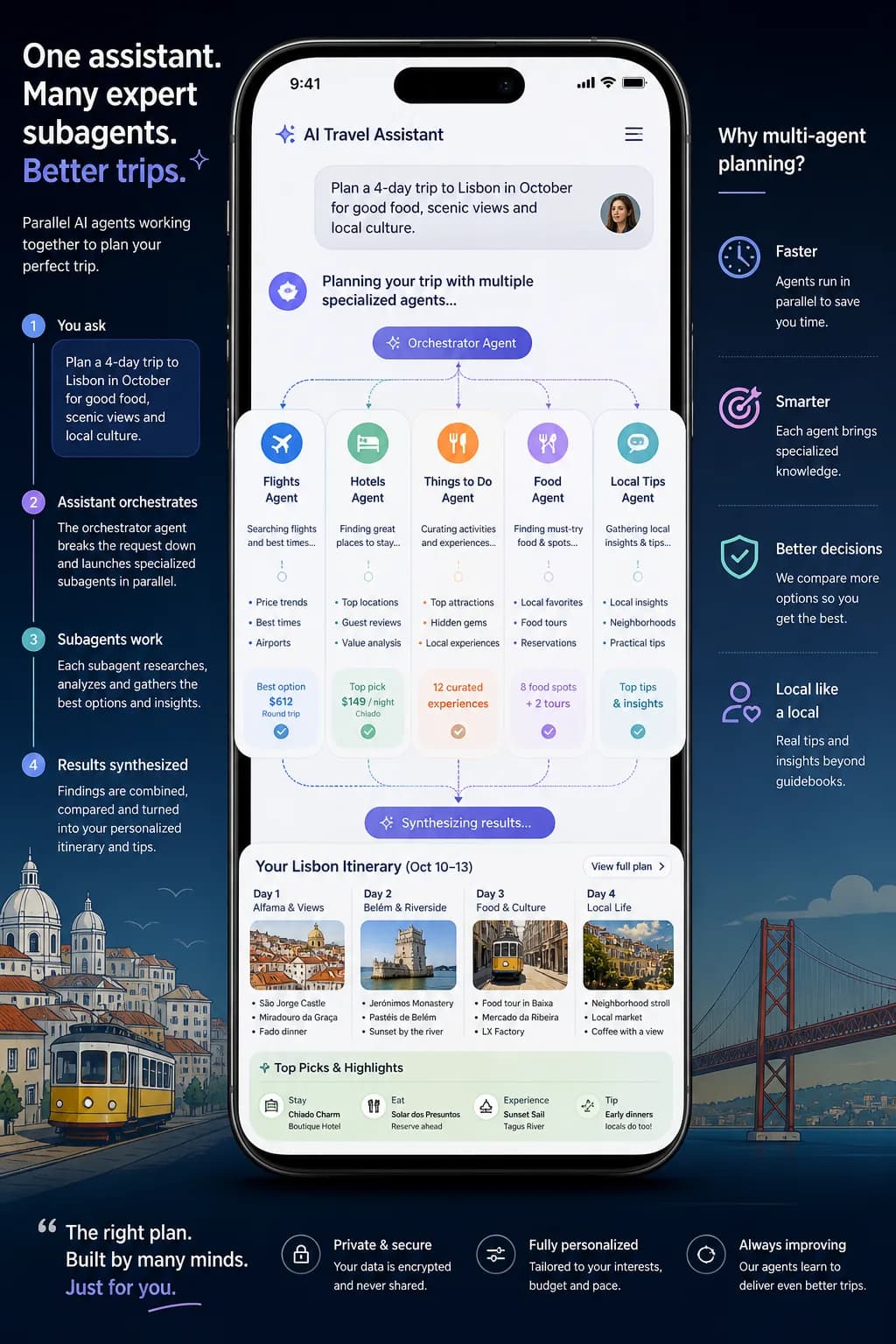
- parallel subagents for harder questions
- stronger multimodal perception for images and charts
- shopping and discovery features tied to content across Meta apps
- richer context for places, topics, and trends
- visual coding for simple websites and mini-games
This is a fairly different positioning from an enterprise-first model launch. Meta is not leading with developer benchmarks here. It is leading with daily-life usefulness, platform context, and consumer AI convenience.
Why Muse Spark Matters Beyond a Simple Model Upgrade
The most interesting part of Muse Spark is not that Meta has a new model. It is that Meta wants its AI to feel socially connected and visually aware by default.
Most assistants still operate like very smart blank pages. You type a question, they answer, and the relationship ends there. Meta is trying a different idea. Its assistant is increasingly tied to where people already share, browse, shop, chat, and discover things.
That creates a new kind of convenience. If you ask about what to wear, where to go, or what people are buzzing about, Meta AI can potentially draw on content and signals from the apps many people already use every day. Meta’s official language suggests that over time this will include richer use of posts, recommendations, photos, Reels, and creator context, with credit back to creators.
For users, that could make Meta AI feel less like a detached answer engine and more like a recommendation layer sitting across a large social platform.
But it also means people should think more carefully about privacy expectations, recommendation quality, and when social context is actually helpful versus distracting.
The Biggest Practical Features in the New Meta AI Experience
1. Instant mode and Thinking mode
Meta says the upgraded Meta AI can now handle both fast answers and more complex questions, depending on the mode. This matters because many assistants struggle with the gap between quick retrieval and deeper reasoning. If Meta executes this well, users will not have to choose between “fast but shallow” and “smarter but slow” as often.
2. Parallel subagents
One of the standout details in the announcement is the use of multiple subagents in parallel for bigger tasks. Meta’s own example is family trip planning, where different agents work on itinerary, destination comparison, and activity selection at the same time.
That matters because it points to a broader shift in consumer AI. Instead of one assistant doing one thing after another, the product may start feeling more like a coordinator.
3. Better image understanding
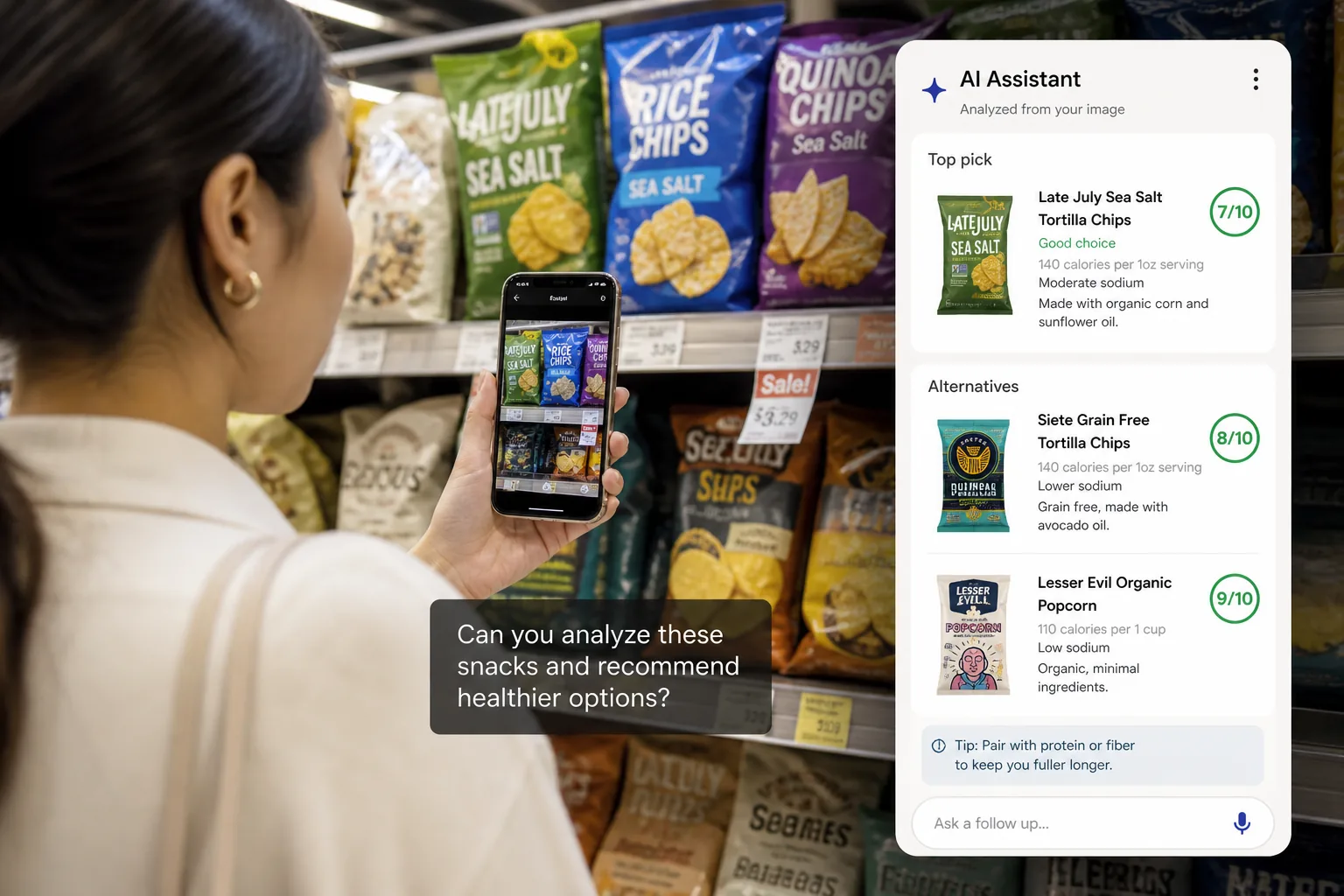
Meta says Muse Spark gives Meta AI stronger multimodal perception, meaning it can interpret images and charts more effectively. The official examples include identifying higher-protein snacks from a shelf photo and helping with health-related questions involving images and charts.
That makes the assistant more practical for everyday use. Many real questions start with “What is this?” or “Can you compare these?” rather than a neatly typed paragraph.
4. Shopping and creator-linked discovery
Meta AI now includes a shopping mode that, according to the company, draws on styling inspiration and brand storytelling already happening across Meta’s apps. This could be useful for people who discover products socially rather than through classic e-commerce search.
5. Location and trend context
Meta also says the assistant can surface posts from locals and richer public context around places or trending topics. That may be useful for travel planning, local discovery, event research, or quick cultural context.
6. AI glasses potential
The coming rollout to AI glasses may be the most important long-term part of the announcement. Meta clearly sees visual perception as stronger when the assistant can “look with you” instead of waiting for you to describe the world manually.
Who Should Try Meta AI Now
Meta AI now looks most useful for people whose questions naturally mix conversation, visuals, and real-world context.
Good early-fit use cases include:
- trip planning
- shopping research
- outfit or room-style inspiration
- quick visual comparisons
- local discovery
- lightweight health information questions
- brainstorming small website or mini-game ideas
If you already live inside Instagram, WhatsApp, Facebook, or Messenger, the appeal is simple: the assistant may start showing up in places you already use, instead of forcing you into a separate workflow.
For ToolMintX readers, that also opens an interesting content workflow angle. Meta AI’s visual coding and discovery features may become useful for fast mockups, social content ideation, and quick comparison research before moving into more structured tools for final publishing, SEO cleanup, image compression, or metadata generation.
Where Meta AI Still Has Limits
Even with the upgraded experience, there are good reasons to stay careful.
Social context is not always reliable context
Public posts, creator content, and community buzz can be useful, but they are not the same as ground truth. Users should be cautious when the question needs precise factual accuracy, legal clarity, medical certainty, or financial advice.
Rollout is still uneven
Meta says the upgraded experience is starting in the US on the app and web first, with other countries and products following in the coming weeks. That means many readers may hear about the features before they can fully use them.
API access is not broadly open yet
Meta says the underlying technology will be in private preview via API for select partners. So developers interested in building directly on Muse Spark should treat this as an early signal, not a general developer platform opening.
Privacy and expectations matter
Whenever an assistant becomes more connected to apps, profiles, content streams, and camera-like interactions, user trust becomes more important, not less. Meta says it is building safeguards around safety and privacy, but users should still be thoughtful about what they share and what kind of answers they treat as high confidence.
How to Use Meta AI More Effectively Step by Step
1. Use it for context-rich questions first
Start with questions where Meta’s platform context may genuinely help:
- “Help me compare these travel destinations.”
- “What are people talking about around this event?”
- “Compare these two products from this photo.”
2. Give it visual input when that is the shortest path
If the task starts from something you can show, use a photo instead of overexplaining in text. Muse Spark’s multimodal improvements are only useful if you actually lean on them.
3. Separate inspiration from verification
Meta AI may be strong for ideas, comparisons, and discovery. For high-stakes facts, verify outside the assistant.
4. Use Thinking mode for layered tasks
When the task has tradeoffs, multiple constraints, or planning steps, use the deeper mode rather than treating everything like a quick chat.
5. Watch for when the platform context helps too much
If the answer starts leaning too heavily on “what people are posting” rather than what is actually true or useful, step back and tighten the prompt.
Practical Examples
Example 1: Travel planning
A good Meta AI use case is planning a trip where you want:
- destination comparison
- local buzz
- casual activity ideas
- image-rich inspiration
That is exactly the kind of task where social and local signals can be useful.
Example 2: Product comparison from a photo
If you are standing in a store and want a quick shortlist from what is on the shelf, image understanding is more practical than typing every label manually.
Example 3: Fast creative mockups
Meta says Muse Spark can build simple websites and mini-games from a prompt. That will not replace serious engineering tools, but it could be useful for quick concept tests or social-first prototypes.
FAQ
What is Muse Spark?
Muse Spark is Meta’s new AI model announced on April 8, 2026. Meta says it now powers the Meta AI app and website and is designed for complex reasoning and multimodal tasks.
Is Meta AI available everywhere now?
No. Meta says the upgraded app and web experience is starting in the US first, with broader rollout to more countries and products in the coming weeks.
Can developers use Muse Spark through an open API today?
Not broadly. Meta says API access is in private preview for select partners.
What is the most useful new feature?
That depends on the user, but the combination of Thinking mode, image understanding, and platform-aware discovery is the core practical shift.
Should users trust Meta AI for sensitive advice?
They should be careful. It may help with general guidance, but high-stakes advice still needs proper verification.
Conclusion
Muse Spark matters because Meta is trying to make AI feel less like a separate destination and more like a layer across the apps, media, and devices people already use. That could make Meta AI much more convenient than many standalone assistants for everyday discovery, shopping, visuals, and lightweight planning.
But convenience is only half the story. The more socially connected and visually aware an assistant becomes, the more users need to distinguish between inspiration, recommendation, and verified fact. If you treat Meta AI as a context-rich helper rather than a final authority, the upgraded experience could be genuinely useful. If you expect perfect trustworthiness from social-context AI, you should keep your guard up.
Sources: Meta Newsroom announcement introducing Muse Spark and the upgraded Meta AI experience (published April 8, 2026), plus Meta’s product rollout details in the same announcement.


