Short Intro
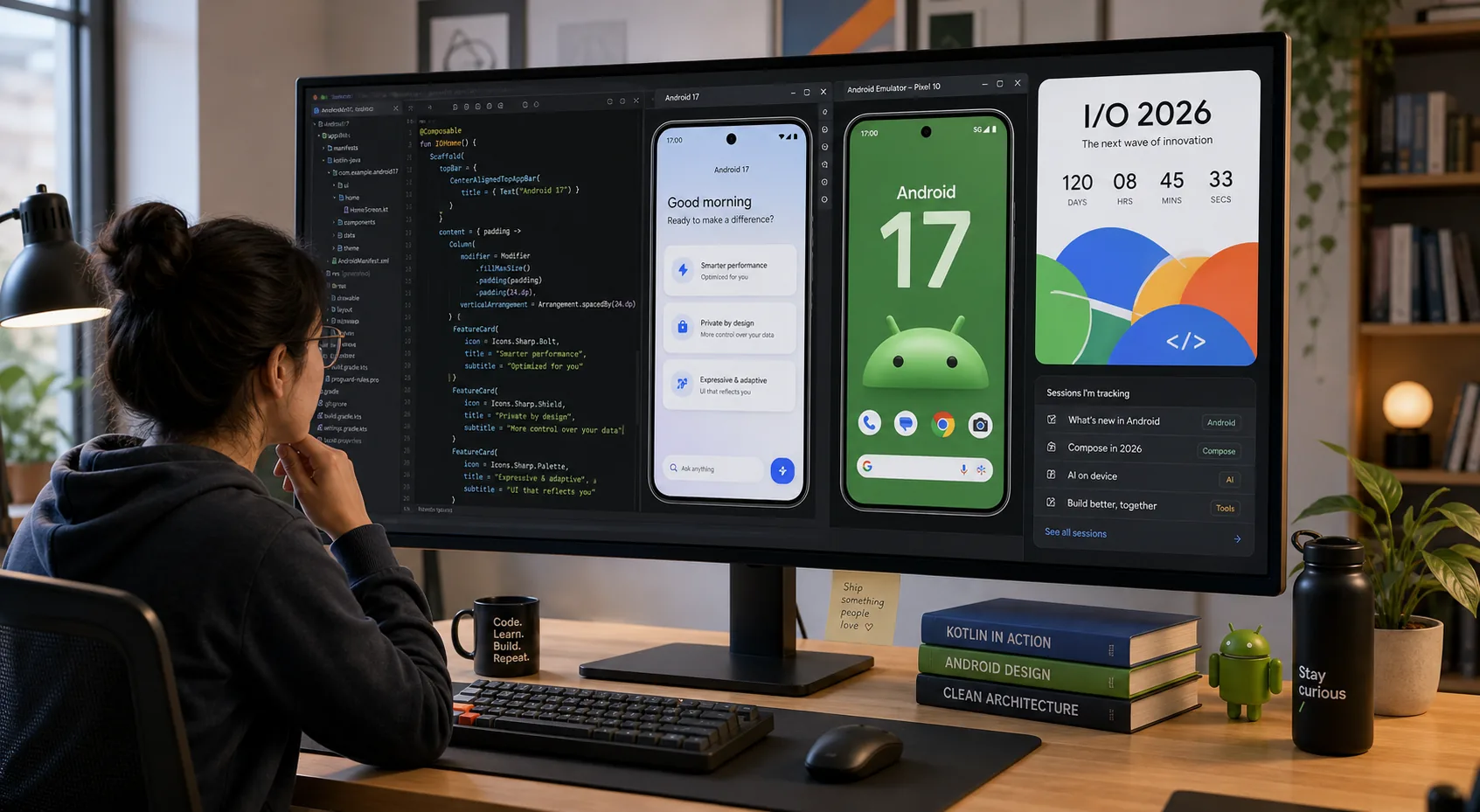
Interest around Google I/O 2026 is building as the conference gets closer, and the timing matters because Android 17 is already in Beta 4, the last scheduled beta in this release cycle. For developers, that combination changes the question from "What might Google announce?" to "What should I test and fix before the announcements land?"
Table of Contents
- Why this moment matters
- What Google has already confirmed
- The Android 17 changes developers should not ignore
- Step-by-step pre-I-O checklist
- Practical examples
- How ToolMintX readers can use this
- FAQ
- Conclusion
Why This Moment Matters
Google has officially confirmed that Google I/O 2026 will run on May 19-20 at Shoreline Amphitheatre and online. At the same time, the Android developer site says Android 17 Beta 4 is now available, which is important because Beta 4 is the near-final testing window before the stable release.
That means developers do not need to wait for the keynote to begin serious preparation. In fact, waiting would be the slower and riskier move.
The bigger opportunity is this: if you use the next two weeks well, you can enter I/O with a tested app, a cleaner compatibility plan, and a better sense of which announcements actually matter for your product.
What Google Has Already Confirmed
Google's official I/O post says the event will cover AI breakthroughs and product updates "from Gemini to Android and more." That is broad, but Android's current public documentation already gives developers plenty to work with.
From the Android 17 pages and release notes, a few things are clear:
- Android 17 Beta is available for both development and testing
- Beta 4 is the last scheduled beta in the cycle
- supported testing paths include Pixel devices, the Android Emulator, and generic system images
- Google is pushing developers to do final compatibility testing now
The device support list is also wide enough that teams can begin real-world checks without special access. Google's official beta page lists supported devices from the Pixel 6 family onward, including newer phones, Fold devices, the Pixel Tablet, and the Pixel 10 line.
That changes the practical posture from preview curiosity to release discipline.
Android version changes often look incremental until a specific app breaks. Here are the areas that deserve real attention before I/O 2026.
The Android 17 changes developers should not ignore
1. Large-screen adaptivity is no longer optional
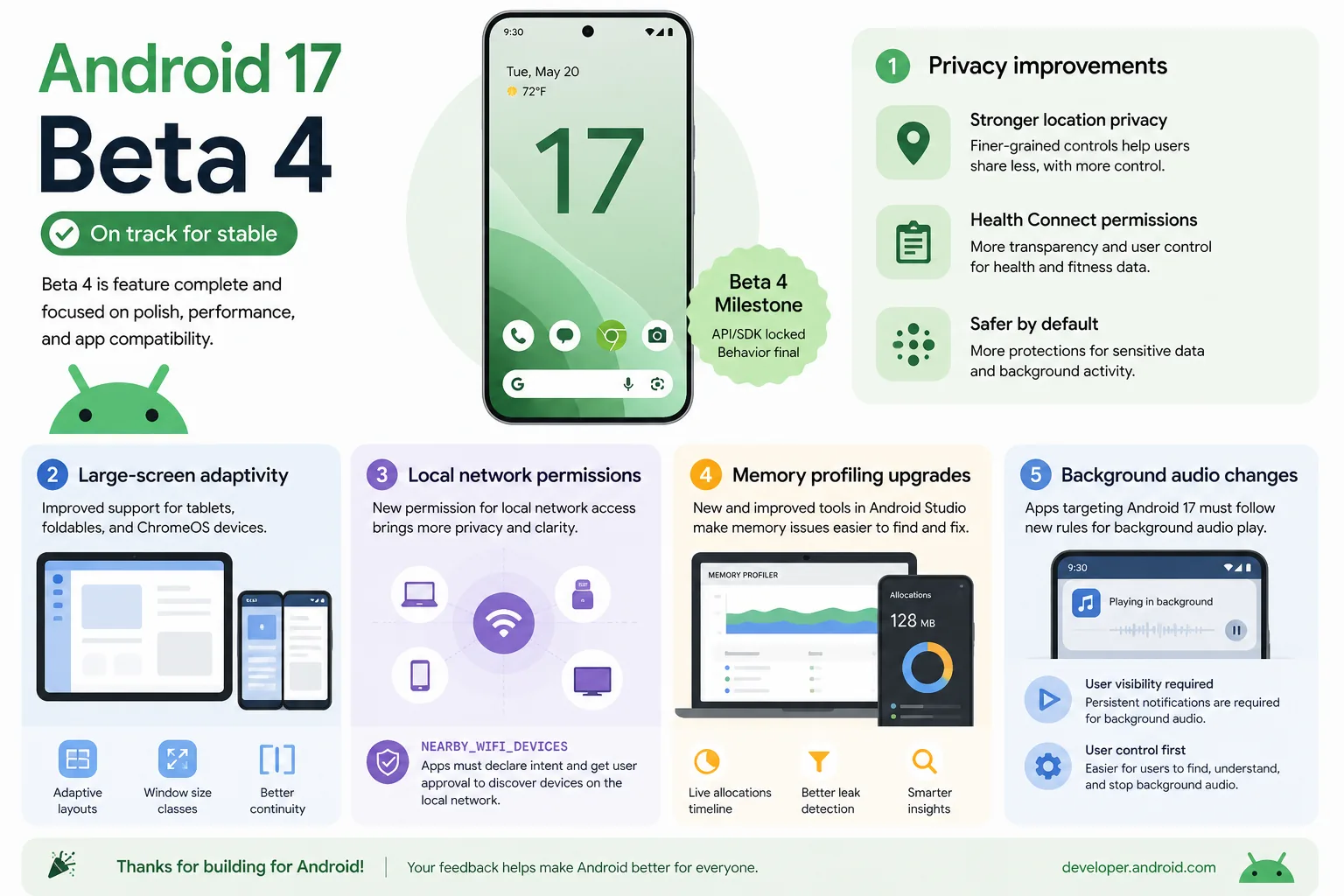
Google's Android 17 release notes say that apps targeting Android 17 on large screens can no longer opt out of key resizing and orientation behaviour. For many teams, this is one of the most important changes because it affects layout assumptions that stayed hidden on phone-only testing.
If your app still behaves like tablet and foldable support is optional, Android 17 is a warning shot.
2. Local network access is getting stricter
Android 17 introduces the ACCESS_LOCAL_NETWORK permission for broader LAN communication. If your app discovers devices, talks to a local server, or controls smart hardware on the same network, you should review that flow now instead of after release complaints begin.
3. Background audio behaviour is being hardened
Beta 4 continues Android 17's restrictions around background audio interactions. Music, media, voice, alarm-related, and session-management apps should test this very carefully, especially if the app depends on background focus changes or playback controls.
4. Memory behaviour deserves more attention
Google says Android 17 Beta 4 introduces conservative app memory limits to improve system stability. In practice, this means teams should not just test whether the app works. They should also test whether memory leaks, excessive caching, or heavy background state now surface earlier.
5. Emulator testing is more useful than ever
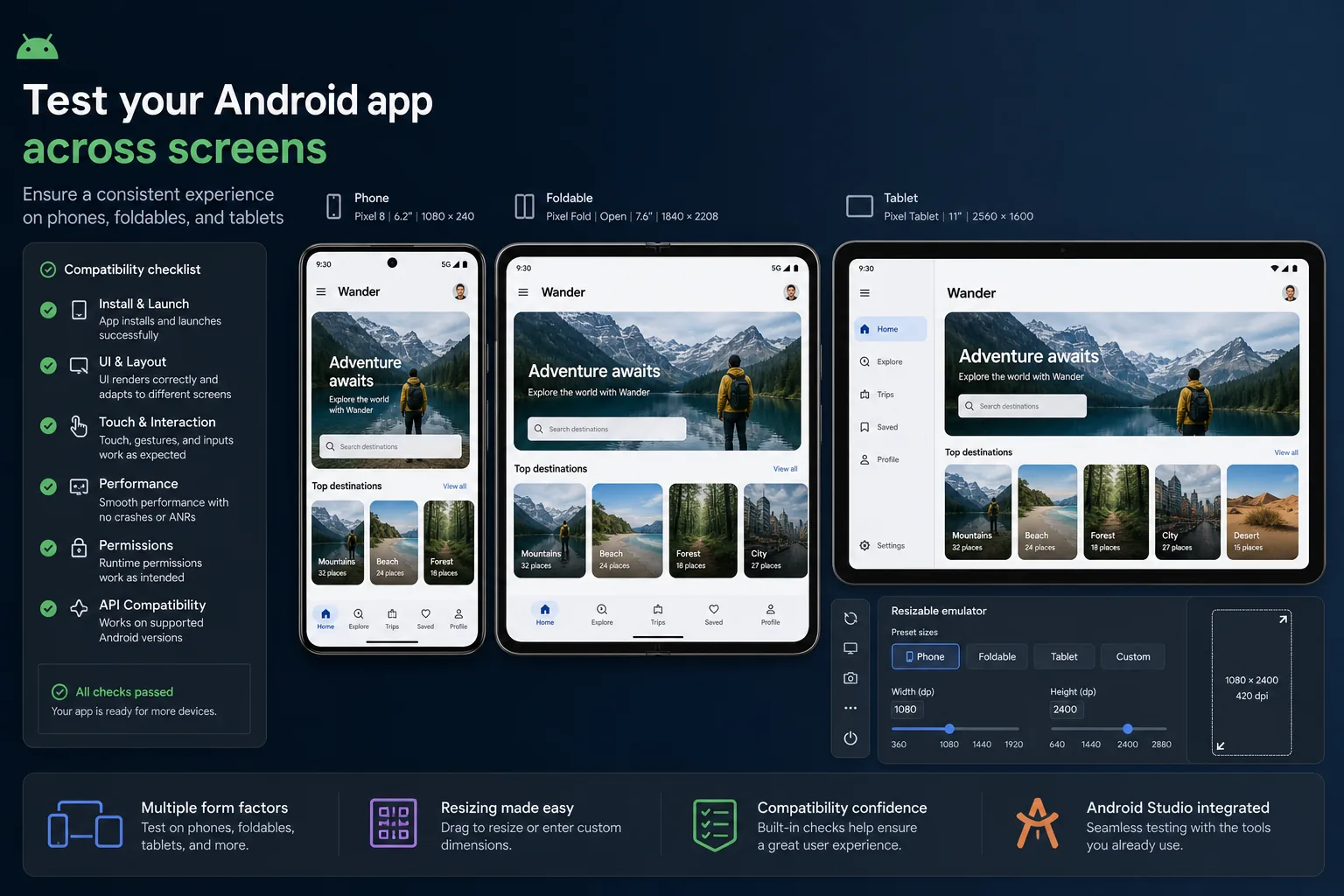
Google's Android 17 setup guide points developers toward both phone and large-screen emulator testing, including a resizable emulator path. That matters because many UI bugs only show up when you move between phone, foldable, and tablet states.
In other words, Android 17 is not only about new APIs. It is also about better exposure of old app weaknesses.
Step-by-step explanation
Step 1: Get onto Beta 4 now
Use a supported Pixel device or the Android Emulator. If your team is not ready to risk a physical daily driver, the emulator path is perfectly valid for early compatibility passes.
Step 2: Test your core flows, not just the happy path
Check:
- sign-up and sign-in
- purchases and subscriptions
- media playback or recording
- notifications
- background tasks
- sharing flows
- deep links
- tablet and foldable layouts
This is the right time to catch boring but expensive bugs.
Step 3: Run large-screen checks deliberately
Do not just stretch the window once and move on. Test portrait, landscape, tablet-like widths, foldable transitions, and split-screen scenarios. If your UI breaks, Android 17 is telling you something important about your product quality.
Step 4: Review permission-sensitive features
If your app touches location, local network communication, contacts, nearby devices, media, or notification-heavy workflows, compare your current behaviour with the latest Android 17 guidance.
Step 5: Watch memory and stability
Use profiling and repeated-session testing, not one launch-and-close check. Memory problems can stay invisible in short demos and show up only after real usage.
Step 6: Update internal documentation before I/O
Create a short internal note that records:
- known Android 17 issues
- fixed issues
- areas still under review
- expected post-I/O follow-up topics
This sounds simple, but it saves a lot of confusion after the keynote rush begins.
Practical Examples
Example 1: A commerce app
A shopping app should test deep links from email and ads, saved addresses, checkout on large screens, and notification flows after backgrounding. Many post-update complaints come from these ordinary but revenue-critical paths.
Example 2: A media or podcast app
This kind of app should focus on audio focus changes, background playback, controls from the lock screen, and recovery after interruptions. Android 17's background audio hardening makes this especially important.
Example 3: A smart-home or device-control app
An app that depends on local discovery or LAN communication should review the new local network permission story early. This is exactly the kind of change that can look minor in release notes and become a support headache later.
How ToolMintX Readers Can Use This
If you publish or debug Android apps regularly, the most useful ToolMintX-style workflow is not just "read the release notes." It is building a clean compatibility checklist, comparing manifests and config changes, cleaning logs, validating JSON payloads, and preparing bug-report assets your team can actually share. The faster you turn platform changes into a repeatable checklist, the less stressful I/O season becomes.
FAQ
When is Google I/O 2026?
Google has officially announced Google I/O 2026 for May 19-20, 2026.
Is Android 17 already ready for testing?
Yes. Android 17 Beta 4 is available now, and Google describes it as the last scheduled beta of the release cycle.
Which devices can test Android 17 Beta?
Google's Android 17 beta page lists supported Pixel devices starting from the Pixel 6 family, along with newer Pixel phones, Fold devices, and the Pixel Tablet. Developers can also use the emulator or GSIs.
What is the biggest practical Android 17 change?
That depends on your app, but large-screen adaptivity, local network permissions, memory limits, and background audio behaviour are among the most practical areas to test.
Should small teams care before I/O?
Absolutely. Smaller teams often benefit the most from early testing because they have less time to absorb surprise regressions later.
Conclusion
Google I/O 2026 may still be days away, but Android 17 Beta 4 has already moved the work into the present. Developers who treat this period as a quiet preparation window will be in a much better position than those who wait for keynote headlines and scramble afterward.
The smart move now is simple: install Beta 4, test the flows that actually matter, fix what breaks on large screens and modern permission rules, and go into I/O with evidence instead of guesses.


