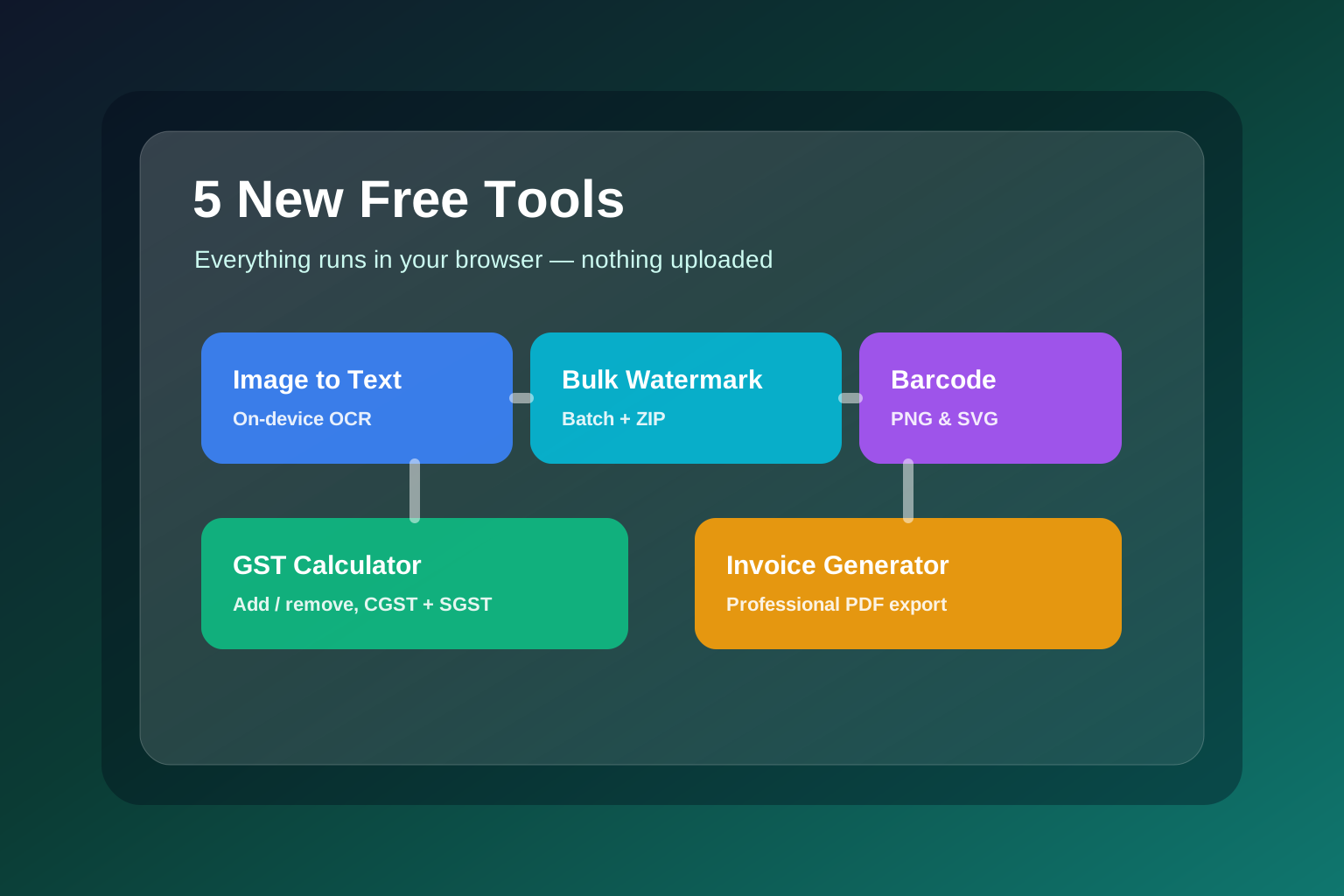
Five new tools, one promise: your files never leave the browser
ToolMintX just added five tools, and they share a design rule the rest of the site is built on — the work happens on your device, not on a server. You upload nothing. Whether you are pulling text out of a screenshot, watermarking a folder of product photos, printing a barcode, working out GST, or sending a client an invoice, the data stays in your browser tab from start to finish.
That matters more than it sounds. Most free online tools for these jobs ask you to upload the exact thing you are trying to protect — an unreleased product photo, a client's billing address, a scanned ID. These five tools were built so that question never comes up.
Here is what landed and how to get the most out of each one.
The five new tools at a glance
| Tool | Category | Use it for | What you get |
|---|---|---|---|
| Image to Text (OCR) | Image | Extracting text from photos, screenshots, scans | Editable, copyable text in 10 languages |
| Bulk Watermark | Image | Protecting many images at once | Watermarked images, downloaded as a ZIP |
| Barcode Generator | Creator | Product, inventory, and shipping codes | Scannable PNG or scalable SVG barcodes |
| GST Calculator | Finance | Adding or removing GST in India | Net, tax, gross, and CGST/SGST or IGST split |
| Invoice Generator | Finance | Billing clients | A clean, professional invoice PDF |
Image to Text: OCR that runs on your device
The Image to Text tool converts the words inside an image into text you can edit and copy. Point it at a screenshot, a photo of a document, a slide, or a scanned page, pick the language, and it returns the text.
What makes it different from a typical online OCR service is where it runs. It uses the Tesseract OCR engine compiled to WebAssembly, executing entirely inside your browser. Your image is never uploaded. The only thing the tool fetches is a small language data file the first time you use a given language, which the browser then caches — so repeat use is faster and works even offline.
It supports ten languages, including English, Hindi, Spanish, French, German, Portuguese, Arabic, Chinese, Japanese, and Russian. A few habits dramatically improve accuracy:
- Use the sharpest, highest-resolution version of the image you have.
- Straighten skewed scans and crop out clutter before extracting.
- Match the language setting to the text in the image.
- Expect printed text to read far better than handwriting — that is a limit of OCR in general, not this tool specifically.
Bulk Watermark: protect a whole folder at once
Watermarking one image is easy in any editor. Watermarking two hundred is the actual problem, and that is what the Bulk Watermark tool solves. Drop in as many images as you like, set your watermark once, and apply it across the entire batch.
You can use a text watermark — with control over font size, color, opacity, and rotation — or upload a logo image (a transparent PNG works best) and scale it to fit. Position presets cover the four corners and center, and a tiled mode repeats the mark across the whole frame, which is the hardest pattern for someone to crop out.
A live preview renders on the first image so you can dial in the look before committing. Then you download a single watermarked image, or, for a batch, every image bundled into one ZIP. Because each image is drawn on the browser canvas, your originals — the unmarked files you are trying to protect — never get uploaded anywhere.
Barcode Generator: nine formats, valid every time
The Barcode Generator pairs naturally with the existing QR code generator, but barcodes follow much stricter rules, and that is where most online generators let you down. This one supports nine symbologies — CODE128, EAN-13, EAN-8, UPC-A, CODE39, ITF-14, MSI, Pharmacode, and Codabar — and validates your input against each format's rules in real time.
If you type 11 digits where EAN-13 needs 12 or 13, it tells you immediately instead of handing you a broken code that fails at the checkout scanner. A short hint under the input always shows exactly what the selected format accepts.
Which format should you pick?
- CODE128 is the best general-purpose choice and encodes letters and numbers.
- EAN-13 and UPC-A are for retail products sold in stores.
- ITF-14 is for shipping cartons.
- CODE39 is common in industrial and asset-tracking systems.
You can customize bar width, height, and colors, toggle the printed text label, and export either a high-resolution PNG (rendered at triple resolution for sharp scanning) or a scalable SVG for print and design work.
GST Calculator: add it, or pull it back out
India's GST has a quirk that trips people up constantly: removing tax from a tax-inclusive price is not the same as subtracting the percentage. The GST Calculator handles both directions correctly.
In Add GST mode, you enter a pre-tax price and it adds the tax on top. In Remove GST mode, you enter a total that already includes GST and it works backwards to find the original base price and the tax hidden inside — by dividing by one plus the rate, which is the correct method. For example, ₹1,180 at 18% has a base of ₹1,000 and ₹180 of GST.
Pick any slab — 3%, 5%, 12%, 18%, or 28% — or type a custom rate. Then choose the type of supply: an intra-state sale splits the tax equally into CGST and SGST (18% becomes 9% + 9%), while an inter-state sale shows a single IGST at the full rate. The breakdown lays out the base amount, the tax, and the gross total so the math is transparent.
Invoice Generator: a professional PDF, no signup
The Invoice Generator turns your billing details into a clean, ready-to-send A4 PDF. Add your business and client information, an optional logo, as many line items as you need, a tax percentage, and a discount. The totals update live, and one click exports the PDF.
It supports multiple currencies, including INR with GST-style tax, which makes it a practical fit for Indian freelancers and small businesses. Discount is applied to the subtotal first, then tax is calculated on the discounted amount — the standard sequence for most billing.
The whole document, logo included, is assembled in your browser with the pdf-lib library, so none of your billing data is transmitted anywhere and there is no account to create. One small note: the standard PDF fonts do not include the ₹ glyph, so the rupee symbol is written as "Rs." in the exported file to guarantee it renders correctly on every device. The on-screen totals still show ₹.
Why client-side keeps being the point
Five different jobs, five different tools — but the same architecture underneath. Recognizing text, stamping watermarks, drawing barcodes, computing tax, and laying out a PDF are all things a modern browser can do on its own, with no round trip to a server. That keeps your screenshots, product photos, product codes, financial figures, and client details on your machine, and it means every one of these tools keeps working even when your connection does not.
Try whichever one matches what is on your plate today. There is no signup, no upload, and no catch.


