Running a local LLM is mostly a memory planning problem. The model name gets the attention, but VRAM decides whether the experience feels smooth, slow, unstable, or impossible.
This guide explains how much GPU memory you need for local AI models in 2026, why quantization changes the answer, and when a model that "fits" still crashes because of context length or workload type. For exact planning, use the ToolMintX AI VRAM Calculator with your model size, quantization, context length, users, and inference or training mode.
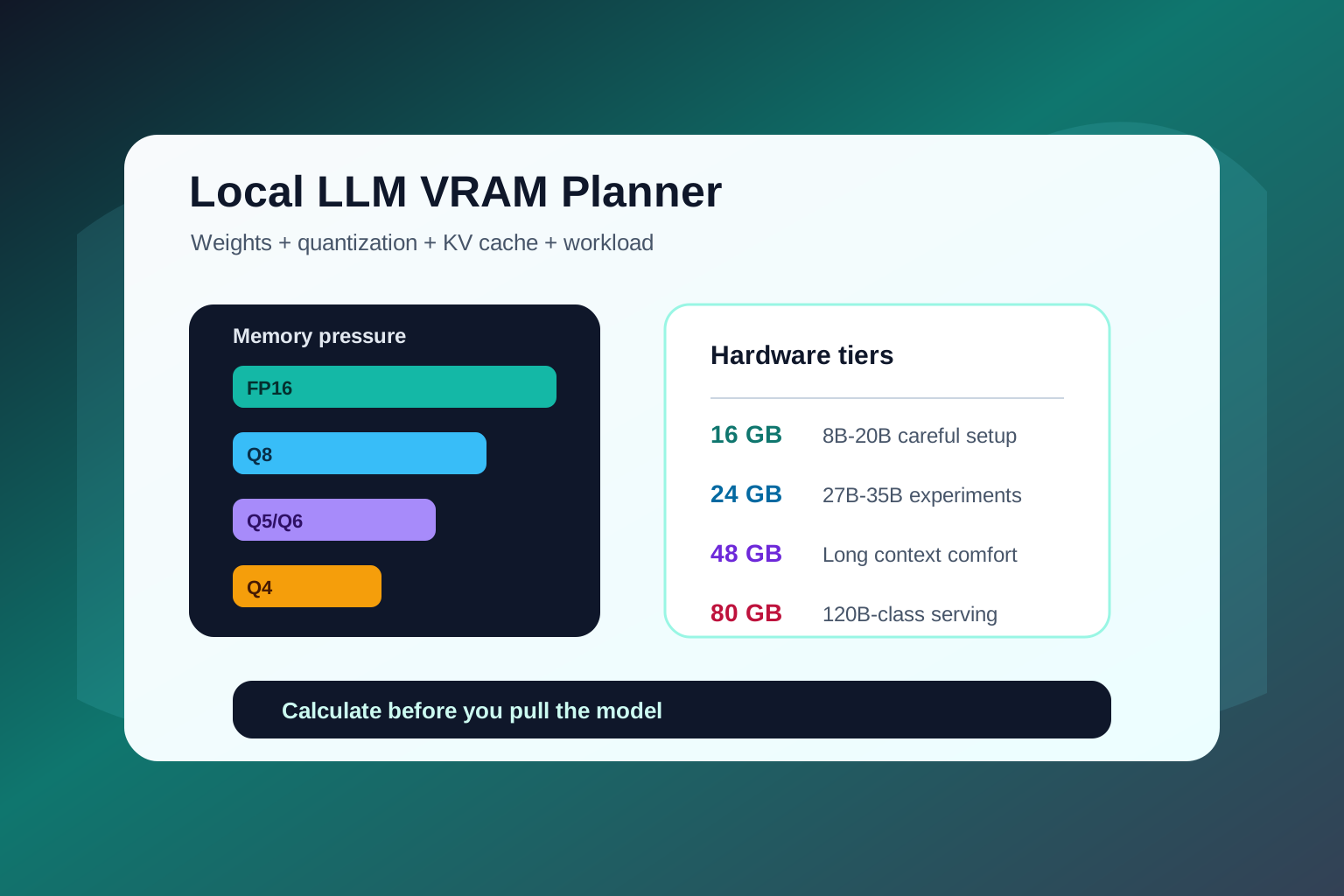
Quick VRAM planning table
Use this table as a starting point, then calculate your exact setup.
| Model class | Common examples | Rough comfortable memory target |
|---|---|---|
| 2B-4B | Gemma edge variants, Phi-class mini models | 4-8 GB |
| 7B-8B | Qwen, Llama, DeepSeek distills, Gemma small models | 6-12 GB |
| 12B-14B | Mid-size chat and coding models | 10-16 GB |
| 20B-21B | gpt-oss-20b class, compact reasoning models | 16-24 GB |
| 26B-32B | Gemma 4 26B/31B, Qwen3.6-27B, Qwen3 32B | 24-40 GB |
| 35B MoE | Qwen3.6-35B-A3B class | 24-48 GB depending on quant/runtime |
| 70B | Large local chat and reasoning models | 48-80 GB |
| 120B+ MoE | gpt-oss-120b class | 80 GB+ |
These are practical bands, not hard guarantees. The exact requirement depends on quantization, KV cache, context length, batch size, concurrent users, GPU offload, and whether you are doing inference, LoRA, QLoRA, or full fine-tuning.
The four things that decide VRAM
Local LLM memory is not just "model size." Four pieces matter.
1. Model weights
Weights are the stored parameters of the model. A 7B model has around seven billion parameters. A 27B model has around twenty-seven billion parameters. Larger models generally need more memory, but quantization can reduce how much memory each parameter uses.
At a very rough level:
- FP16 uses about 2 bytes per parameter.
- INT8 uses about 1 byte per parameter.
- Q4-style quantization uses around half a byte per parameter plus overhead.
That is why a 27B model in FP16 is not the same memory class as a 27B model in Q4.
2. Quantization
Quantization compresses model weights so the model can run with less memory. Docker's llama.cpp documentation lists common GGUF quantization levels from Q2_K through Q8_0 and notes Q4_K_M as a common balance point for quality and memory.
For many desktop users, Q4_K_M or a similar 4-bit quant is the default starting point. If quality matters more and you have memory room, Q5 or Q6 can be better. If the model barely fits, Q3 may be acceptable for experimentation, but output quality can suffer.
3. KV cache and context length
This is the part many users miss. When a model reads or generates tokens, it stores attention cache data. That cache grows with context length and can become a large part of memory usage.
A model that fits at 4K context may not fit at 64K context. A coding model that looks fine for short prompts can run out of memory when you paste a full repository plan, long logs, or multiple documents.
If you are choosing a model for coding, research, or document analysis, calculate memory with the context length you actually plan to use.
4. Workload type
Inference is the lightest common workload. Fine-tuning needs more memory. Full training needs much more again.
Typical local workloads:
- Inference: chat, writing, code help, extraction, summarization.
- LoRA or QLoRA fine-tuning: adapting a model with less memory than full training.
- Full fine-tuning: usually not practical on normal consumer GPUs for larger models.
- Multi-user serving: more cache and batching pressure than one local chat.
The AI VRAM Calculator separates inference and training-style modes so you can avoid comparing unlike workloads.
How much VRAM for popular 2026 local models?
Here is the practical view by model family.
Gemma 4
Gemma 4 spans small edge models and larger workstation models. The effective 2B and 4B variants are the most laptop-friendly. The 26B MoE and 31B dense models are much more capable, but they move you into serious GPU or high unified-memory territory.
Use Gemma 4 small variants if you want a lightweight local assistant. Consider Gemma 4 26B or 31B if you care about stronger reasoning, multimodal behavior, and agent-style workflows.
Qwen3.6-27B
Qwen3.6-27B is a dense 27B model aimed at coding and multimodal reasoning. It is attractive because dense models are simpler to serve and benchmark than many MoE models.
The practical memory target depends heavily on quantization, but this is not an 8 GB GPU model if you want a comfortable experience. Treat 24 GB as the serious starting tier for good local testing, and use a calculator if you want long context.
Qwen3.6-35B-A3B
Qwen3.6-35B-A3B is a 35B total parameter MoE model with around 3B active parameters per token. It can be efficient at inference time, but you still need to load a large model and handle runtime-specific behavior.
That means two users can report very different memory experiences depending on GGUF quant, CPU offload, MLX, llama.cpp, vLLM, SGLang, or Apple unified memory. Do not assume active-parameter count alone tells the full VRAM story.
DeepSeek-R1-0528
The full DeepSeek-R1-0528 model is infrastructure-grade for most users. Local builders usually test distilled or quantized variants instead. These smaller models are useful for reasoning experiments, but their memory needs depend on the base model size, not the R1 name alone.
If a model is called "DeepSeek-R1-Distill-Qwen-8B," plan it like an 8B-class model. If it is a 32B distill, plan it like a 32B-class model.
gpt-oss
OpenAI gives unusually clear memory guidance for gpt-oss: gpt-oss-20b is designed to run with 16 GB of memory, while gpt-oss-120b targets an 80 GB memory class. That makes the family useful for planning even if you eventually choose another model.
The important limitation is that gpt-oss is text-only. If your workflow needs image understanding, choose a multimodal model instead.
Kimi K2.6
Kimi K2.6 is a powerful multimodal agentic model, but it belongs in the heavy infrastructure category for most people. Treat it as a serious serving project, not a casual desktop model, unless you are using a smaller community quantization with clear tradeoffs.
VRAM examples by user type
Student or casual user
Start with a 4B to 8B model. You will get faster responses, fewer memory surprises, and enough quality for summaries, simple writing, study notes, and everyday chat.
Recommended hardware target: 8-12 GB VRAM or modern Apple Silicon with enough unified memory.
Developer on a 16 GB GPU
Try 8B to 14B models first. You can test gpt-oss-20b class models if the runtime and quantization are built for that memory target, but leave room for context and system overhead.
Recommended workflow: short coding prompts, small-file edits, log analysis, and structured output.
Developer on a 24 GB GPU
This is where local AI starts to feel serious. You can test many 20B to 35B quantized models, including Qwen3.6-27B and efficient MoE models, but long-context coding still needs careful settings.
Recommended workflow: repository analysis, local coding agents, document extraction, and private technical notes.
Creator or analyst with 48 GB unified memory
You can test larger models and longer context windows more comfortably. Apple Silicon users should still watch speed, thermal behavior, and whether the runtime is optimized for Metal or MLX.
Recommended workflow: long PDFs, research folders, content transformation, batch summarization, and heavier multimodal tests.
Team or lab with 80 GB GPUs
This is the right tier for models like gpt-oss-120b and larger self-hosted inference. You should care less about "can it run?" and more about throughput, batching, latency, monitoring, and safety controls.
Recommended workflow: internal assistants, private coding agents, RAG services, and evaluation harnesses.
Why a model can fit but still feel bad
Fitting in VRAM is only the first test. A local model can technically load but still feel poor for these reasons:
- It has almost no memory headroom, so long prompts fail.
- The context length is too high for your GPU.
- CPU offload makes it run much slower than expected.
- The quantization is too aggressive for your quality needs.
- Your runtime is not optimized for your GPU or Apple Silicon chip.
- You are serving multiple users but tested only one chat.
- The model is strong in benchmarks but weak on your actual task.
This is why the best local AI setup is usually chosen through small experiments. Start with a smaller model, confirm the workflow, then move up.
A simple workflow for choosing a local model
- Pick the task: chat, code, document reasoning, vision, or fine-tuning.
- Pick the hardware limit: 8 GB, 16 GB, 24 GB, 48 GB, or 80 GB.
- Pick the model size: start smaller than your maximum.
- Choose a quantization: Q4 for balance, Q5 or Q6 for quality if memory allows.
- Enter the exact plan into the AI VRAM Calculator.
- Test with real prompts, not only benchmark-style questions.
- Increase context length only after the model is stable.
That workflow saves time because it avoids the most common local AI mistake: downloading the biggest model first and then trying to make the hardware forgive the decision.
Recommended starting points
Use these as sane first tests:
| Your hardware | Start here |
|---|---|
| 8 GB VRAM | 4B-8B Q4 model, short context |
| 12 GB VRAM | 8B Q4/Q5 model or 14B Q3/Q4 experiment |
| 16 GB VRAM | 14B Q4 or gpt-oss-20b class model if the runtime is optimized |
| 24 GB VRAM | Qwen3.6-27B or Gemma 4 26B/31B class at careful quantization |
| 48 GB memory | 32B-70B experiments with longer context |
| 80 GB GPU | gpt-oss-120b class, larger local serving, production evaluation |
If you are unsure, choose the smaller model. A fast 14B model you use every day beats a 70B model you only launch once because it eats the whole machine.
FAQ
How much VRAM do I need for a 7B model?
For a 7B or 8B model, 6-12 GB is a practical planning range depending on quantization and context length. Very small contexts and aggressive quantization can run lower, but the experience may be limited.
Is 16 GB VRAM enough for local AI?
Yes, 16 GB is a strong practical tier for 8B-14B models and some 20B-class models. It is not a comfortable tier for every 27B or 32B model, especially with long context.
Is 24 GB VRAM enough for Qwen3.6-27B?
It can be, depending on quantization and context length. Treat 24 GB as a serious starting point, not a guarantee. Calculate the full workload before assuming it will fit.
Why does context length use so much memory?
Longer context means the model keeps more attention cache data while reading and generating tokens. That KV cache can become large, especially with long coding prompts, multiple documents, or concurrent users.
Which quantization should I choose?
Start with Q4_K_M or a similar 4-bit balanced quantization. Move to Q5 or Q6 if you have memory and want quality. Move lower only if fitting the model matters more than output quality.
Do I need VRAM for QLoRA fine-tuning?
Yes, and the amount depends far more on your sequence length than on the model. Llama 3.1 8B at rank 16 needs 6.12 GiB at 512 tokens and 18.49 GiB at 8,192 tokens, because activation memory scales with tokens while the 4-bit weights stay at 4.19 GiB. Full fine-tuning of the same model needs about 135 GiB. The arithmetic behind those figures, including what each card's real sequence-length ceiling is, is in Every QLoRA VRAM Table Leaves Out Sequence Length. Use a training-aware calculator mode instead of estimating from model size alone.
Sources
- Docker Docs: llama.cpp GGUF quantization levels
- Google: Gemma 4 announcement
- Alibaba Cloud: Qwen3.6-27B release
- Alibaba Cloud: Qwen3.6-35B-A3B release
- DeepSeek on Hugging Face: DeepSeek-R1-0528 model card
- Moonshot AI on Hugging Face: Kimi K2.6 model card
- OpenAI: Introducing gpt-oss


