Local AI is no longer a side hobby for people collecting model files. In 2026, the useful question is more direct: which open-weight models are actually worth testing on your own machine, and which ones only make sense if you have server-grade hardware?
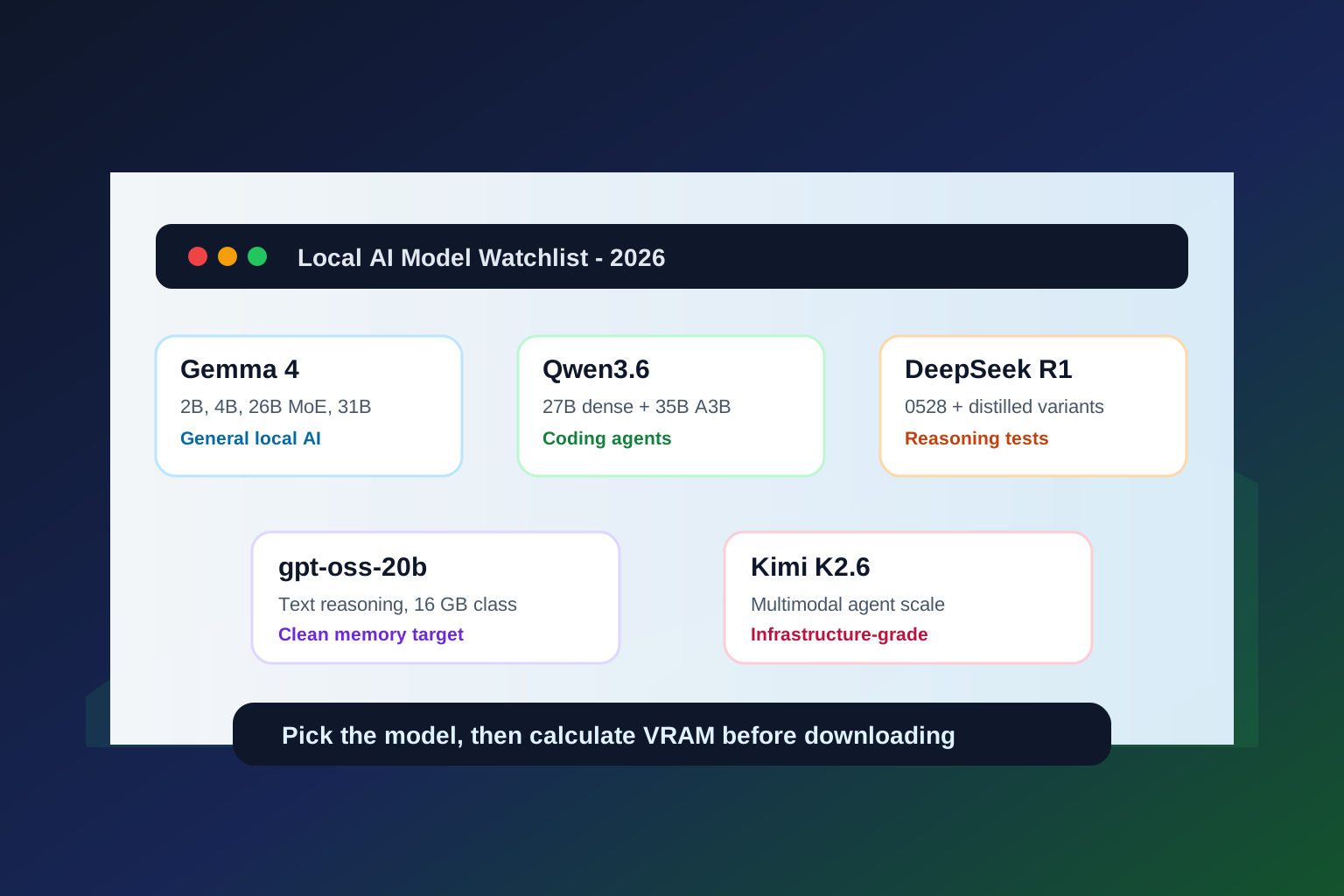
This guide focuses on the local models people are watching right now: Gemma 4, Qwen3.6, DeepSeek-R1-0528, Kimi K2.6, and gpt-oss. Before downloading anything huge, open the ToolMintX AI VRAM Calculator in another tab. It helps estimate whether your GPU can handle the model, quantization, context length, and workload you are planning.
Quick answer
If you want one practical starting point, test these first:
| Need | Best first model to test | Why it fits |
|---|---|---|
| Everyday local chat and writing | Gemma 4 E4B or Gemma 4 26B MoE | Good hardware range, Apache 2.0 license, and strong open-model momentum |
| Coding on one strong consumer GPU | Qwen3.6-27B | Dense 27B model with official focus on agentic coding and multimodal reasoning |
| Efficient coding agents | Qwen3.6-35B-A3B | MoE model with 35B total parameters but only 3B active per token |
| Reasoning and math experiments | DeepSeek-R1-0528 or its distilled variants | Strong reasoning lineage, with smaller distills for local testing |
| Text-only local reasoning with a clear memory target | gpt-oss-20b | OpenAI says it is designed for local or edge use within 16 GB memory |
| Multimodal agent research | Kimi K2.6 | Powerful but heavy; better treated as infrastructure-grade unless using an API |
The right model is not always the biggest one. The best local model is the one that gives useful answers at a speed, memory cost, and license profile you can live with.
Why local models are trending again
Local AI has three things going for it in 2026.
First, the models are better. Recent open-weight releases are no longer limited to generic chat. Many now support tool use, coding, long context, multimodal input, structured output, and reasoning modes.
Second, the hardware story is clearer. A 16 GB GPU, a 24 GB GPU, a high-memory Apple Silicon Mac, and an 80 GB data-center GPU are now very different model classes. That makes model selection more practical.
Third, privacy and cost matter. If your workflow involves private notes, source code, documents, client data, or repeated experimentation, local inference can be more attractive than sending every prompt to a hosted API.
That does not mean local models replace cloud models for everything. It means more people can now split their workflow: local for drafting, extraction, coding experiments, and private documents; hosted frontier models for the hardest tasks.
1. Gemma 4: the easiest open-model family to recommend first
Google positions Gemma 4 as its most capable open model family to date. The lineup includes effective 2B and 4B edge models, a 26B Mixture-of-Experts model, and a 31B dense model, all under Apache 2.0.
That combination is important. A model family with small edge variants and stronger workstation variants lets you keep one ecosystem while moving across hardware tiers. The 2B and 4B sizes are for lightweight local apps, the 26B MoE model is the practical performance play, and the 31B dense model is the heavier quality-first option.
Gemma 4 is especially interesting if you want:
- a business-friendly license
- a model that can scale from laptop tests to bigger workstations
- multimodal and agentic workflow support
- a safer default recommendation for general local AI users
The decision point is VRAM. A small Gemma 4 variant can be a casual local model. The 26B and 31B variants require more serious planning, especially if you want long context or multiple concurrent chats. Use the AI VRAM Calculator before assuming a quantized model will fit comfortably.
2. Qwen3.6-27B: the local coding model to take seriously
Qwen3.6-27B is one of the most important local-model releases for developers because it targets the exact size many builders care about: a strong 27B dense model instead of an enormous model that only cloud teams can run.
Alibaba describes Qwen3.6-27B as a dense multimodal model built for agentic coding, text reasoning, and visual reasoning. The official release says it is available as open weights through Hugging Face and ModelScope, and it is designed to integrate with coding-agent workflows.
Choose Qwen3.6-27B if your local AI work is mostly:
- repository-level coding help
- bug investigation
- refactor planning
- document and screenshot reasoning
- structured tool use
- longer technical prompts
The tradeoff is that dense 27B models still need meaningful memory. If you want a smooth experience, treat 24 GB VRAM or high unified memory as the comfortable planning zone for good quantizations, then calculate your exact workload.
3. Qwen3.6-35B-A3B: the MoE option for efficient coding agents
Qwen3.6-35B-A3B is the more unusual Qwen option. It is a sparse Mixture-of-Experts model with 35B total parameters and about 3B active parameters per token. That makes it attractive for people who want agentic coding behavior without paying the full active-compute cost of a large dense model.
This model is not automatically "smaller" in every practical sense. You still need to store and load the model weights, and memory behavior depends heavily on quantization, runtime, CPU offload, context length, and cache settings.
Still, it is one of the most interesting models to test if your goal is:
- a local coding sub-agent
- tool-calling experiments
- editor workflows
- codebase analysis with controlled cost
- local AI on high-memory desktops or Apple Silicon
For many developers, the choice between Qwen3.6-27B and Qwen3.6-35B-A3B will come down to runtime support and memory behavior. Dense models are simpler to reason about. MoE models can be efficient, but they may need more careful serving choices.
4. DeepSeek-R1-0528: reasoning first, local second
DeepSeek-R1 made reasoning models feel practical in the open ecosystem. The 0528 update continued that story, with the model card pointing to stronger reasoning and inference behavior after post-training improvements.
For local users, the full DeepSeek-R1-0528 model is not the casual pick. The more realistic local path is usually a distilled or quantized variant, especially if you are testing math, logic, code reasoning, or chain-of-thought style workflows.
DeepSeek-R1-0528 is a good fit when you care about:
- math and logic prompts
- code reasoning
- long multi-step answers
- comparing distilled reasoning models
- using vLLM or SGLang on heavier infrastructure
Be careful with naming. A small "R1" local model is often a distilled model based on Qwen or Llama, not the full DeepSeek model. That can still be useful, but you should evaluate it as its own model rather than assuming it has full-model capability.
5. gpt-oss-20b: the clean memory target
OpenAI's gpt-oss release matters because it gives local builders a rare thing: a clearly stated memory target from the model creator. OpenAI says gpt-oss-20b is designed for edge or local use with 16 GB of memory, while gpt-oss-120b targets an 80 GB memory class.
That makes gpt-oss-20b useful for practical planning. It is text-only, but it focuses on reasoning, tool use, instruction following, and adjustable reasoning effort. If your local workflow is mostly writing, coding prompts, structured output, and tool-like tasks, it is worth testing.
Use gpt-oss-20b if you want:
- a local reasoning model with a known memory class
- text-only workflows
- structured output and tool-use experiments
- a model that can fit into 16 GB memory planning
Skip it if your main need is image understanding, document vision, or multimodal chat. For that, Gemma, Qwen, and Kimi are more natural candidates.
6. Kimi K2.6: powerful, but not a casual desktop model
Kimi K2.6 is interesting because it is positioned as an open-source multimodal agentic model for long-horizon coding, coding-driven design, autonomous execution, and swarm-style orchestration.
That is exciting, but it also tells you something: Kimi K2.6 is closer to serious infrastructure than a quick laptop download. The Hugging Face model card includes vLLM and SGLang deployment paths and shows a model meant for advanced serving workflows.
Kimi K2.6 makes sense if you are evaluating:
- multimodal agents
- image and video reasoning
- long coding workflows
- production-style self-hosting
- research around autonomous execution
For most individual local users, it is better to test smaller models first, then consider Kimi if the workflow really needs that scale.
How to choose by hardware
Here is the practical way to think about it.
| Hardware tier | Sensible local-model target |
|---|---|
| 8 GB VRAM | Small 2B-8B models, low context, Q4 quantization |
| 12 GB VRAM | 7B-14B models, careful context settings |
| 16 GB VRAM | 14B-20B models, gpt-oss-20b class, efficient quantization |
| 24 GB VRAM | Many 27B-35B experiments, but watch context and KV cache |
| 48 GB unified memory or multi-GPU | Larger 30B-70B workflows, better long-context comfort |
| 80 GB GPU | gpt-oss-120b class and heavier self-hosted inference |
These are planning bands, not promises. Runtime, quantization, context length, batch size, and concurrent users can change the result quickly. Put your exact target into the ToolMintX AI VRAM Calculator before downloading a huge model.
My practical ranking for most users
If I were testing local models from scratch today, I would start like this:
- Gemma 4 E4B or Gemma 4 26B MoE for general local AI.
- Qwen3.6-27B for coding and technical reasoning on a strong workstation.
- gpt-oss-20b for text-only reasoning with a clean 16 GB memory target.
- DeepSeek-R1 distilled variants for math and reasoning experiments.
- Qwen3.6-35B-A3B if I specifically wanted an efficient coding-agent model.
- Kimi K2.6 only after confirming I need multimodal agent scale.
The important thing is to test with your own prompts. Local model leaderboards are useful, but a model that writes clean JSON, reads your docs well, and runs all afternoon without exhausting memory is often more valuable than a model that wins a narrow benchmark.
FAQ
What is the best local AI model in 2026?
There is no single best model. Gemma 4 is a strong general starting point, Qwen3.6 is especially compelling for coding, gpt-oss-20b is practical for text reasoning in a 16 GB memory class, and DeepSeek-R1 variants are useful for reasoning experiments.
Can I run these models on a laptop?
Some, yes. Smaller Gemma variants and compact quantized models are realistic on many laptops. Bigger models such as Qwen3.6-27B, Gemma 4 31B, and Kimi K2.6 require much more careful memory planning.
Is a 24 GB GPU enough for local AI?
It is a very useful tier. A 24 GB GPU can handle many 20B-35B quantized experiments, but long context and concurrent users can push memory higher than expected. Always calculate the full workload, not only model weights.
Should I use Ollama, LM Studio, llama.cpp, vLLM, or SGLang?
Use Ollama or LM Studio for fast desktop testing. Use llama.cpp when you want more low-level control over GGUF models. Use vLLM or SGLang when you are serving models for higher-throughput or production-style workloads.
Why link a VRAM calculator from a model guide?
Because local AI failures are often memory failures. The model may technically fit, but the KV cache, context length, or training mode can still break the setup. A calculator helps turn hype into a hardware plan.
Sources
- Google: Gemma 4 announcement
- Alibaba Cloud: Qwen3.6-27B release
- Alibaba Cloud: Qwen3.6-35B-A3B release
- DeepSeek on Hugging Face: DeepSeek-R1-0528 model card
- Moonshot AI on Hugging Face: Kimi K2.6 model card
- OpenAI: Introducing gpt-oss
- Ollama: Documentation index
- Docker Docs: llama.cpp and GGUF quantization notes


