Short Answer
The best AI image generation tool in 2026 depends on what you are trying to ship.
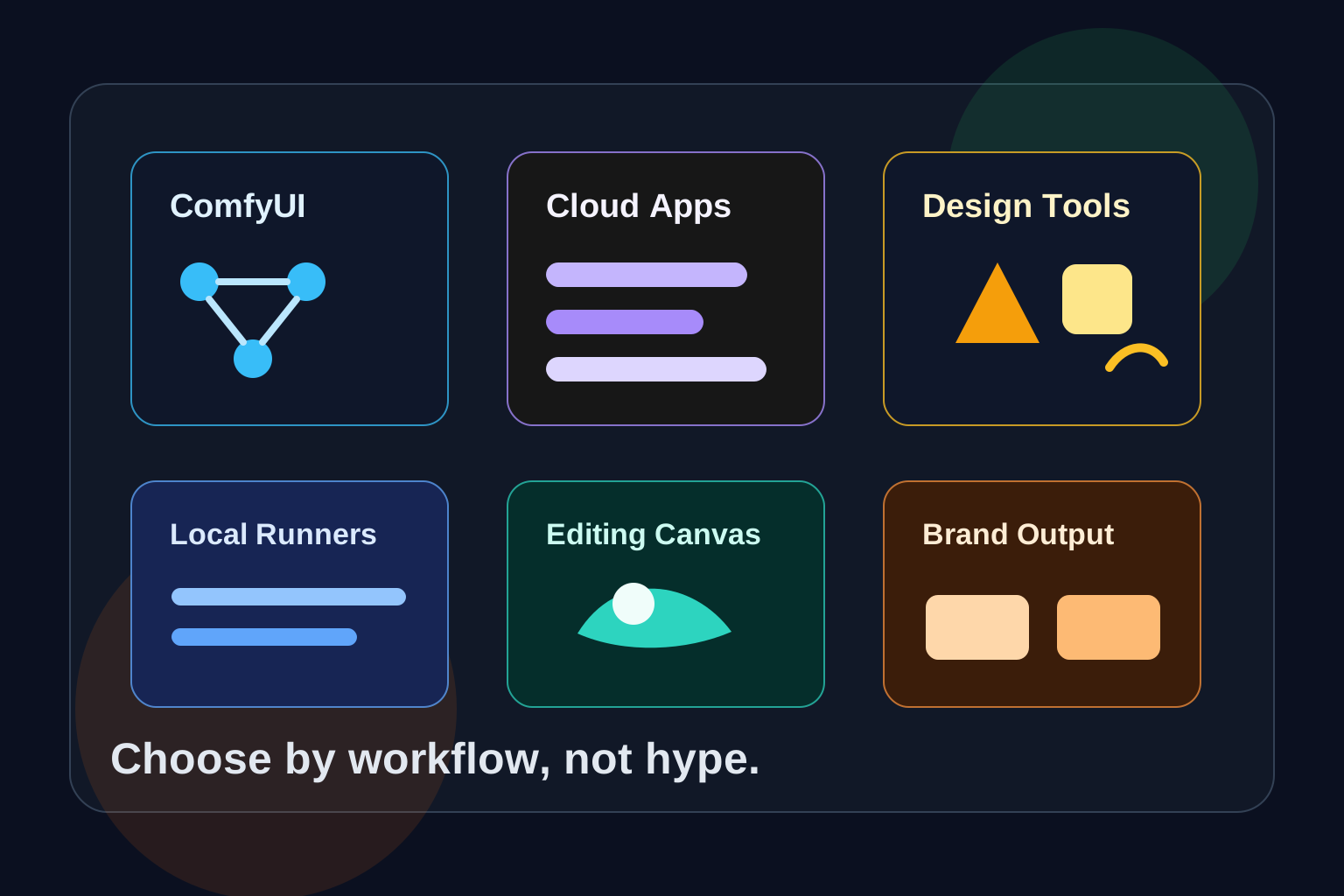
If you want maximum control over open models, ComfyUI is the most important tool to learn. If you want fast polished images with minimal setup, Midjourney, ChatGPT Images, Gemini, Ideogram, Leonardo, and Adobe Firefly are easier places to start. If you want a production canvas for editing and inpainting, InvokeAI, Krita AI Diffusion, and Firefly-style workflows matter more than raw prompt quality.
That is the key shift: image generation is no longer one category. It is now a stack.
- Model layer: FLUX, Stable Diffusion, Imagen, GPT Image, Firefly, Ideogram, Midjourney
- Workflow layer: ComfyUI, AUTOMATIC1111, InvokeAI, Fooocus, Stability Matrix
- Design layer: Firefly, Ideogram, Recraft, Leonardo, Canva-style tools
- Editing layer: inpainting, outpainting, canvas tools, generative fill, reference images
So the right question is not "Which image generator is best?" The better question is "Which tool matches my workflow?"
Quick Comparison
| Tool | Best For | Main Strength | Main Tradeoff |
|---|---|---|---|
| ComfyUI | Advanced local workflows | Node-based control and model flexibility | Learning curve |
| AUTOMATIC1111 | Stable Diffusion power users | Huge extension ecosystem and familiar SD controls | Older UI pattern |
| InvokeAI | Creative canvas workflows | Inpainting, outpainting, production editing | Less hackable than ComfyUI |
| Fooocus | Simple local SDXL-style generation | Low setup friction and prompt-first flow | Less control |
| Krita AI Diffusion | Artists who paint and edit | AI inside a real digital painting app | Needs Krita and backend setup |
| Stability Matrix | Managing local packages | Installs and organizes multiple SD interfaces | Manager, not always the final creative tool |
| Midjourney | Aesthetic concept art | Strong default taste and exploration | Less local control |
| ChatGPT Images | Instruction-following and editing | Natural language revisions and text-aware generation | Platform limits and usage caps |
| Gemini / Imagen | Google ecosystem and API image tasks | App, AI Studio, Vertex AI, and editing flows | Availability varies by product and region |
| Adobe Firefly | Commercial creative work | Creative Cloud integration and commercial safety positioning | Subscription ecosystem |
| Ideogram | Text in images and design concepts | Strong typography and poster/logo-style output | Not a local workflow |
| Recraft | Brand assets and vectors | Vector, icon, mockup, and brand-style workflows | More design-platform than model lab |
| Leonardo | Creator-friendly image and video platform | Broad creative presets and fast iteration | Cloud platform dependency |
1. ComfyUI
ComfyUI is the tool to learn if you want to understand where serious local image generation is going.
It is a node-based interface, API, and backend for diffusion workflows. Instead of hiding the pipeline behind one prompt box, it exposes the graph: model loader, sampler, prompts, image inputs, ControlNet, LoRA, upscalers, video nodes, and custom logic.
That makes ComfyUI feel harder at first, but much more powerful later.
Use ComfyUI when you need:
- repeatable workflows
- custom model chains
- FLUX and Stable Diffusion experimentation
- LoRA stacks
- ControlNet-like guidance
- image-to-image pipelines
- video or 3D-adjacent extensions
- API-style automation
The main reason ComfyUI is trending is control. As image generation moves beyond simple text-to-image, creators need reliable workflows they can save, share, version, and reuse.
ComfyUI is not the best first tool for every beginner. But it is the tool that many advanced workflows eventually orbit around.
2. AUTOMATIC1111 Stable Diffusion WebUI
AUTOMATIC1111, often called A1111, remains one of the most recognizable Stable Diffusion interfaces.
Its strength is familiarity. Many Stable Diffusion tutorials, extensions, and workflows were built around it. If you want classic text-to-image, image-to-image, inpainting, prompt weights, samplers, LoRA loading, and extensions, A1111 still matters.
Use it when:
- you follow older Stable Diffusion tutorials
- you want a familiar browser UI
- you use extensions built for the WebUI ecosystem
- you prefer controls over node graphs
The tradeoff is that the local AI image world is moving toward more modular workflows. ComfyUI has more momentum for graph-based pipelines, but A1111 remains useful because its ecosystem is deep.
3. InvokeAI
InvokeAI is a strong choice when you care less about wiring nodes and more about editing images in a creative canvas.
It focuses on image generation, inpainting, outpainting, canvas editing, and production workflows. That makes it feel closer to a creative tool than a lab interface.
Use InvokeAI when:
- you want a cleaner editing experience
- you do a lot of inpainting and outpainting
- you want a canvas workflow for iteration
- you need something friendlier than ComfyUI but more serious than a toy generator
This is especially useful for designers, illustrators, and content teams who need to move from rough generation into controlled revisions.
4. Fooocus
Fooocus is useful because it reduces the number of decisions a beginner has to make.
Instead of asking you to understand every sampler, scheduler, VAE, LoRA, and CFG setting upfront, it focuses on prompting and generation. That makes it attractive for people who want local image generation without becoming a workflow engineer on day one.
Use Fooocus when:
- you want a simpler local generation experience
- you do not want to start with node graphs
- you want SDXL-style output without tuning every setting
- you are learning prompting before learning pipeline design
The tradeoff is control. Once you need custom workflows, ComfyUI or InvokeAI may become a better fit.
5. Krita AI Diffusion
Krita AI Diffusion matters because many artists do not want a separate AI app. They want AI tools inside the painting environment where they already work.
The plugin brings image generation, inpainting, outpainting, and AI-assisted editing into Krita. It can use ComfyUI as a backend, which makes it interesting: the artist gets a familiar canvas, while the model workflow can still be powered by a serious diffusion engine.
Use it when:
- you already draw or paint in Krita
- you want AI as part of an art workflow
- you need selections, masks, layers, and paintover control
- you want inpainting without leaving your canvas
This is one of the clearest examples of the next phase of AI image tools: AI is becoming a feature inside real creative software, not only a separate prompt box.
6. Stability Matrix
Stability Matrix is not just an image generator. It is a package manager and launcher for Stable Diffusion workflows.
That matters because local AI image generation can become messy fast. You may install ComfyUI, A1111, models, VAEs, LoRAs, ControlNet models, and multiple backends. Stability Matrix helps organize that environment.
Use it when:
- you run several local image tools
- you switch between ComfyUI and A1111
- you want cleaner model management
- you want one place to manage packages
For beginners, it can reduce setup pain. For power users, it can reduce folder chaos.
7. Midjourney
Midjourney remains one of the strongest choices for quick visual exploration and polished aesthetics.
Its advantage is taste. You can often get beautiful concept art, editorial images, fantasy scenes, product moodboards, interiors, and stylized visuals faster than with a local setup. Midjourney also has a web interface and editor-oriented features for browsing, remixing, and revising images.
Use Midjourney when:
- you need beautiful concept images fast
- you are exploring visual direction
- you do not need local model control
- you prefer a cloud creative workflow
The tradeoff is that you are inside Midjourney's product ecosystem. If you need local privacy, custom model weights, automation, or exact workflow reproducibility, ComfyUI-style tools give more control.
8. ChatGPT Images
ChatGPT Images is important because it is not only an image generator. It is part of a conversational assistant.
That makes revisions feel natural. Instead of manually changing settings, you can say what should change: keep the composition, replace the headline, remove an object, make the image vertical, simplify the background, or preserve a style.
Use ChatGPT Images when:
- you want natural language editing
- you need image ideas inside a broader writing or planning workflow
- you want quick social graphics, blog visuals, explainers, or mockups
- you care about text-aware generation and iterative revisions
For many non-technical users, this is easier than learning a diffusion interface. The tradeoff is platform limits, policy boundaries, and less low-level control.
9. Gemini and Imagen
Google's image generation stack matters because it reaches multiple surfaces: Gemini app, Google AI Studio, Gemini API, Vertex AI, and Imagen models.
For regular users, Gemini image generation is useful for quick creation and image editing inside the Gemini app. For developers, the Gemini API and Vertex AI paths matter because they support application workflows, multimodal prompting, and production integration.
Use Gemini or Imagen when:
- you are building inside Google's AI ecosystem
- you want API-based image generation
- you need Google Cloud or Vertex AI integration
- you want image tasks connected to broader Gemini workflows
Availability and exact features can vary across product surfaces, so the practical advice is simple: check the current docs for the surface you are actually using.
10. Adobe Firefly
Adobe Firefly is built for creators who already live in Adobe's world.
Its biggest advantage is not only model quality. It is integration. Firefly-powered features show up across Adobe creative workflows, including tools like Photoshop, Express, Premiere Pro, and Firefly web experiences.
Use Firefly when:
- you work in Adobe Creative Cloud
- commercial safety is a major concern
- you need generative fill, extend, and production editing
- you are creating assets for client or brand work
Firefly is especially relevant for teams that care about licensing posture, enterprise workflows, and handoff between AI generation and professional editing.
11. Ideogram
Ideogram became popular because it focuses on a painful problem: text inside images.
Most image models historically struggled with readable words, labels, logos, posters, packaging, and typography. Ideogram's positioning is design-first, with emphasis on text rendering, layouts, posters, logos, and branded visuals.
Use Ideogram when:
- your image needs legible text
- you are making posters, labels, cards, or logo concepts
- you want design-oriented output fast
- you care about prompt-to-layout alignment
This does not replace a professional designer, but it is very useful for fast typographic concepts and social visuals.
12. Recraft
Recraft is worth watching because it treats image generation as a design asset workflow.
It focuses on raster images, vectors, mockups, upscaling, background removal, brand palettes, and style control. That makes it different from pure art generators.
Use Recraft when:
- you need icons, vectors, or brand-style assets
- you want a design platform rather than a model playground
- you make marketing visuals, mockups, and product graphics
- editable output matters
For teams producing repeated brand assets, this type of tool can be more practical than a generator optimized only for standalone images.
13. Leonardo
Leonardo is a broad creative platform for AI images, videos, and design workflows.
It is useful for creators who want presets, styles, iteration, and a smoother cloud interface rather than local setup. It also fits users who want to move between image generation and video/creative asset workflows.
Use Leonardo when:
- you want a creator-friendly cloud platform
- you need fast visual exploration
- you care about presets and style controls
- you do not want to manage local models
The tradeoff is the same as other cloud platforms: less backend control, subscription limits, and platform dependency.
Where FLUX Fits
FLUX is not a UI in the same way ComfyUI or Midjourney is a UI. It is better understood as a model family and engine layer used inside workflows.
Black Forest Labs' FLUX models are important because they influenced many local and hosted image workflows. In practice, many users encounter FLUX through ComfyUI, hosted APIs, model hubs, or creative platforms rather than through one single consumer app.
Use FLUX-focused workflows when:
- you care about open or open-weight model experimentation
- you want strong prompt alignment
- you are comfortable with local tools or hosted inference
- you need custom pipelines in ComfyUI
For most users, the tool decision still comes first: do you want ComfyUI, a hosted API, or a design app?
Which Tool Should You Choose?
If you are a beginner
Start with ChatGPT Images, Gemini, Ideogram, Leonardo, or Fooocus. These tools let you learn prompt structure and visual iteration without fighting the setup.
If you want local control
Start with ComfyUI if you are technical. Start with Fooocus or AUTOMATIC1111 if you want a softer landing. Use Stability Matrix if managing installs becomes annoying.
If you are a designer
Look at Firefly, Ideogram, Recraft, Leonardo, and InvokeAI. The key question is whether you need typography, brand assets, commercial workflows, or canvas editing.
If you are an artist
Try Krita AI Diffusion or InvokeAI. If you already paint in Krita, bringing AI into that canvas is more natural than exporting images back and forth.
If you are a developer
Learn ComfyUI and the Gemini/OpenAI/Firefly-style API paths. The future of image generation apps is not only prompts. It is pipelines, automation, user uploads, moderation, caching, and reproducible workflows.
Practical Workflow Recommendations
For blog featured images
Use ChatGPT Images, Midjourney, Ideogram, or Gemini for quick concepts. Use Recraft if the visual needs design polish. Use ComfyUI if you need a repeatable house style.
For product mockups
Use Recraft, Firefly, Leonardo, or Midjourney. If precise edits matter, move the output into Firefly, Photoshop, InvokeAI, or a canvas-based workflow.
For posters and text-heavy graphics
Use Ideogram first. If the text still needs precision, finish in a real design tool.
For local privacy
Use ComfyUI, A1111, Fooocus, InvokeAI, or Krita AI Diffusion with local models. Avoid uploading sensitive client images to cloud tools unless the policy and account terms fit your use case.
For repeatable production pipelines
Use ComfyUI or APIs. Save workflows, prompts, seeds, model versions, LoRA names, and post-processing steps.
Common Mistakes
Mistake 1: Choosing by image beauty alone
The prettiest generator is not always the best production tool. A poster, product image, thumbnail, icon set, and inpainting task each need different strengths.
Mistake 2: Ignoring licensing and commercial use
Always check model and platform terms before using generated images in client, brand, stock, or advertising work. Cloud tools and local models can have different rules.
Mistake 3: Expecting exact text everywhere
Text rendering is improving, but it still varies by model. For reliable typography, use Ideogram, Recraft, Firefly-style design tools, or finish manually.
Mistake 4: Not saving workflows
If you make a good ComfyUI graph or local generation setup, save it. The value is not only the image. It is the repeatable process.
Mistake 5: Uploading sensitive images casually
Image generation tools can process personal photos, brand assets, client files, and product designs. Know whether the workflow is local or cloud-based before uploading anything sensitive.
The Bottom Line
ComfyUI is the most important tool for advanced local AI image workflows. Midjourney is still a strong choice for beautiful cloud-generated concepts. Firefly is practical for commercial creative teams. Ideogram and Recraft are strong for design and text-heavy assets. ChatGPT Images and Gemini make image generation easier for everyday users because they sit inside conversational AI workflows.
The trend is clear: image generation is moving from simple prompt boxes to full creative systems.
The best setup in 2026 is not one tool. It is a small stack:
- one fast cloud generator for ideas
- one local or API workflow for control
- one editing canvas for production polish
- one design tool for text, branding, and final layout
Choose the stack that matches the work you actually do.
Sources
- ComfyUI GitHub
- AUTOMATIC1111 Stable Diffusion WebUI GitHub
- InvokeAI
- Fooocus GitHub
- Krita AI Diffusion GitHub
- Stability Matrix GitHub
- Midjourney website overview
- OpenAI ChatGPT image generation
- Google Gemini API image generation
- Adobe Firefly announcement
- Ideogram features
- Recraft image generator
- Black Forest Labs FLUX GitHub


