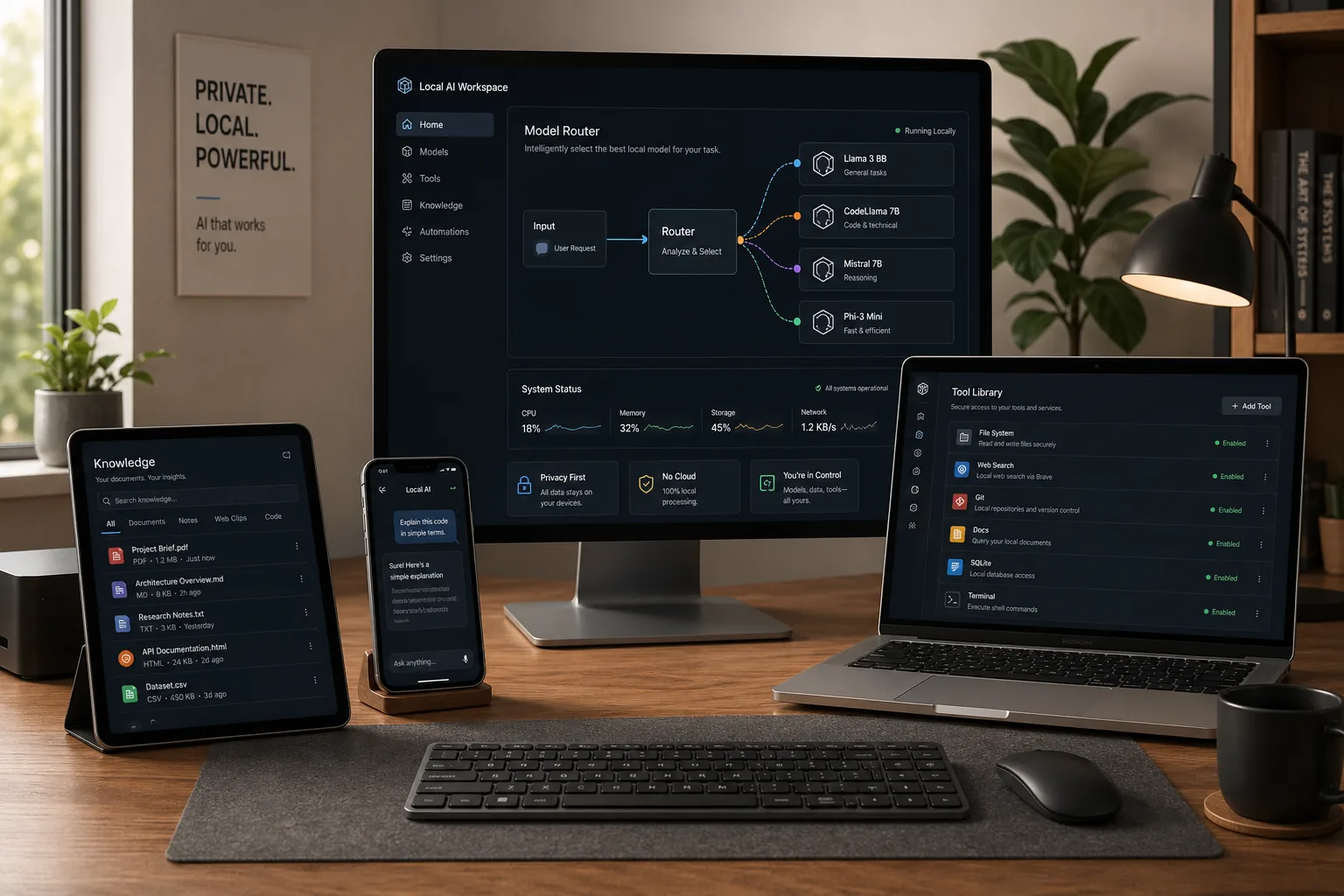
Short Intro
People searching for LM Studio update 2026, LM Studio updates 2026, or LM Studio update 2026 release notes are usually trying to answer one practical question: what actually changed, and should they update now?
This is a running tracker of every LM Studio release in 2026, kept up to date as new versions ship. As of July 2026, the latest version is LM Studio 0.4.18 (released June 26, 2026). Below you get the full changelog from 0.4.10 through 0.4.18 — the mobile app launch, LM Link leaving the waitlist, multi-GPU tensor parallelism, MTP speculative decoding, MCP OAuth support, and Qwen support — followed by a deeper look at why the biggest changes matter.
The short version: across the first half of 2026, local AI got easier to run across devices, faster on multi-GPU machines, and easier to connect to real, authenticated tools.
Latest LM Studio Releases (2026 Changelog)
Newest first. This is the quick-scan release-notes table; the sections below explain the changes that matter most.
| Version | Date | Highlights |
|---|---|---|
| 0.4.18 | Jun 26, 2026 | Bug-fix release: fixed reasoning on/off being ignored by some models, zoom/clipping glitches, and chat-title generation for reasoning models. |
| 0.4.17 | Jun 25, 2026 | LM Studio Engine Protocol now off by default; Mermaid diagrams open fullscreen and export to PNG; AMD Strix Halo support via llama.cpp 2.22.1. |
| 0.4.16 | Jun 4–8, 2026 | Launched Locally, LM Studio's mobile app; LM Link no longer needs a waitlist; default context bumped to 8k tokens; multi-GPU selection fixes. |
| 0.4.15 | May 29, 2026 | CUDA tensor parallelism for multi-GPU loading; physical batch-size option; fixes for Claude Code and codex --oss. |
| 0.4.14 | May 22, 2026 | Stable MTP speculative decoding — faster generation with models that ship built-in multi-token prediction heads. |
| 0.4.13 | May 13, 2026 | MLX engine v1.8.1 with parallel predictions for vision models on Apple Silicon; chat input paste fixes. |
| 0.4.12 | Apr 17, 2026 | Added Qwen 3.6 support; fixed a Windows bug affecting OAuth-backed MCP servers. |
| 0.4.10 | Apr 9, 2026 | Added OAuth support for MCP servers. |
Two threads run through this list. First, performance for people with real hardware: tensor parallelism (0.4.15) and MTP speculative decoding (0.4.14) both make multi-GPU and capable single-GPU setups noticeably faster. Second, reach: the mobile app and LM Link (0.4.16) turn LM Studio from a single-desktop app into a small personal model network. The April MCP OAuth work is what made authenticated tool use practical in the first place.
The rest of this guide covers the April foundation — MCP OAuth, Qwen 3.6, and the Locally AI acquisition — in more depth, because those are the changes the later releases build on.
Table of Contents
- Latest LM Studio releases (2026 changelog)
- LM Studio update 2026 release notes: quick summary
- Why this update matters more than it first appears
- LM Studio 2026 update changelog: what changed in April and May
- How the Locally AI deal changes the local AI story
- Why OAuth-backed MCP support is such a big deal
- A practical setup guide for a real cross-device workflow
- Practical examples
- FAQ
- Conclusion
- Sources and further reading
LM Studio Update 2026 Release Notes: Quick Summary
| Search query people are using | What this guide covers |
|---|---|
| LM Studio update 2026 | The main April 2026 LM Studio updates that were still driving interest in May 2026. |
| LM Studio updates 2026 | A practical roundup of Locally AI, LM Link, MCP OAuth, Qwen 3.6 support, and related fixes. |
| LM Studio update 2026 release notes | The exact release-note items from LM Studio 0.4.10 and 0.4.12 that matter most. |
| LM Studio update May 2026 | A May 2026 reader-focused summary of the April release cycle and what to check before updating. |
| LM Studio MCP OAuth | What OAuth support for MCP servers changes for authenticated local AI tool workflows. |
| LM Studio 0.4.12 Qwen 3.6 support changelog | What 0.4.12 added for Qwen 3.6 and what it fixed for Windows MCP OAuth users. |
Why This Update Matters More Than It First Appears
A lot of local AI news gets framed the wrong way. People focus on raw benchmarks, token speeds, or whether a new model can beat another one on a leaderboard. Those details matter, but they are not what decides whether a tool becomes part of someone’s real workflow.
What matters more is friction.
Can you run a useful model on the hardware you already own? Can you access it from another machine without building a fragile homebrew setup? Can you connect it to tools that need authentication? Can you point your coding tools or internal apps at it without spending the whole evening fixing config files?
LM Studio’s 2026 updates are interesting because they answer more of those questions with “yes.”
The Locally AI acquisition expands LM Studio’s device story, especially on Apple hardware. LM Link gives users a way to access models across devices over an end-to-end encrypted connection. MCP with OAuth removes one of the most annoying parts of tool-enabled local AI, because many useful services need secure sign-in. And support for recent open models like Qwen 3.6 keeps LM Studio aligned with the pace of the open-model ecosystem.
That combination is what turns a good app into infrastructure.
LM Studio 2026 Update Changelog: What Changed in April and May
By May 2026, the important public update trail looked like this.
1. LM Studio acquired Locally AI on April 8
LM Studio said it had acquired Locally AI and that creator Adrien Grondin would join the team to lead work on native AI experiences across devices. The company described Locally AI as an app that lets people run their own AI models on iPhone, iPad, and Mac.
That matters because local AI is no longer only about desktop workstations. A lot of people now want a setup where a larger machine handles heavier inference while lightweight devices remain useful clients. That is especially relevant for Mac mini, Mac Studio, gaming PC, laptop, and phone combinations.
2. LM Studio 0.4.10 added MCP OAuth support on April 9
This is the update many power users should care about first.
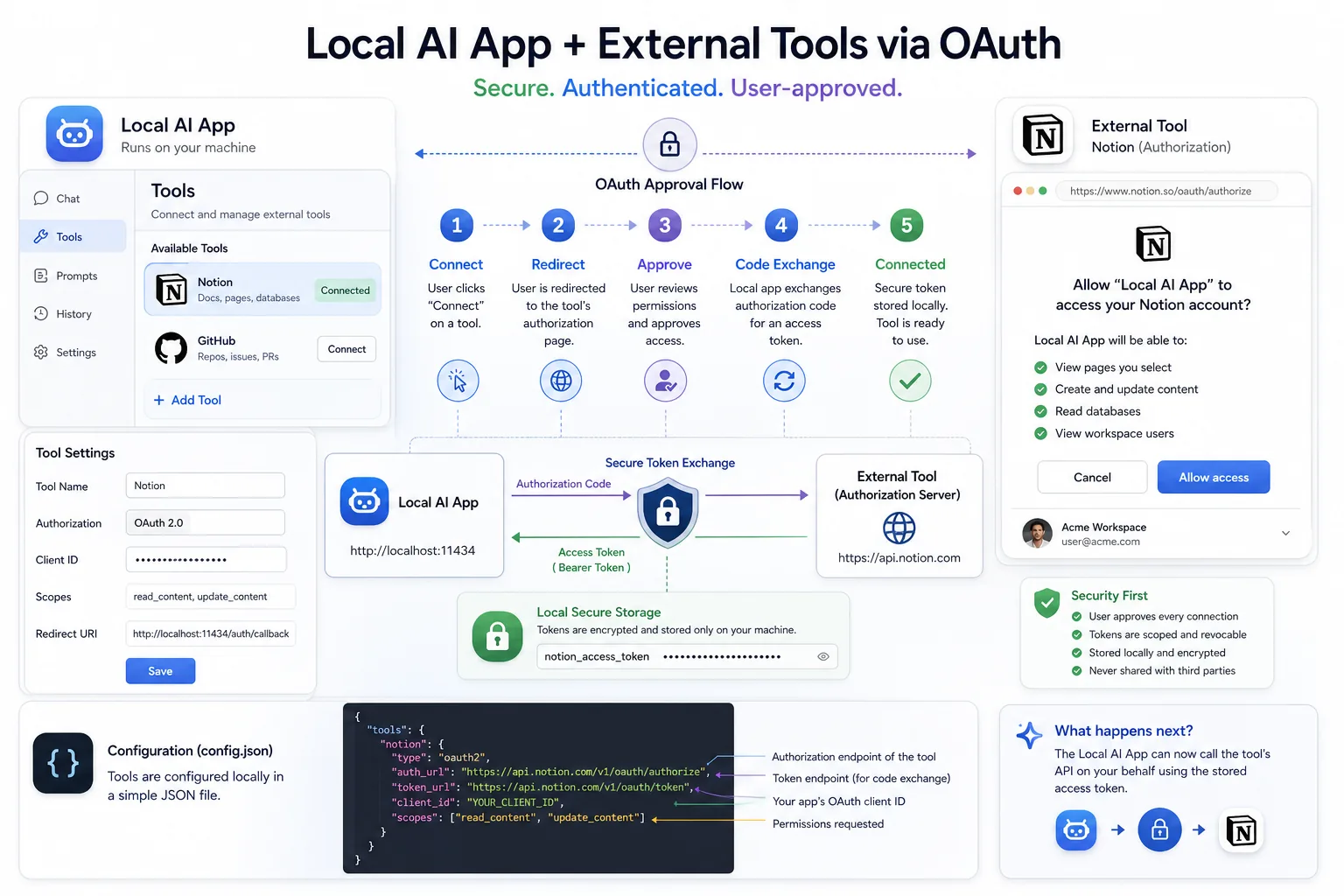
LM Studio 0.4.10 added OAuth support for MCP servers. In plain English, that means LM Studio can work better with MCP servers that require sign-in instead of forcing every workflow into copied tokens, manual headers, or brittle config notes.
That is a big shift because local models are much more useful when they can securely reach the services around your work, whether that means documentation tools, coding systems, internal dashboards, or productivity services.
3. LM Studio 0.4.12 added Qwen 3.6 support on April 17
The LM Studio 0.4.12 release notes added support for Qwen 3.6 and fixed a Windows bug where MCP servers with OAuth would not work in some environments. That is the “LM Studio 0.4.12 Qwen 3.6 support changelog” item many searchers are looking for.
Support for current open models matters because local AI users do not want to wait weeks for tooling to catch up after a model launch. The Windows OAuth fix matters because a feature is not really usable until it works outside the ideal demo machine.
How the Locally AI Deal Changes the Local AI Story
The headline is not just that LM Studio bought another app. The more important point is what kind of future the company is signalling.
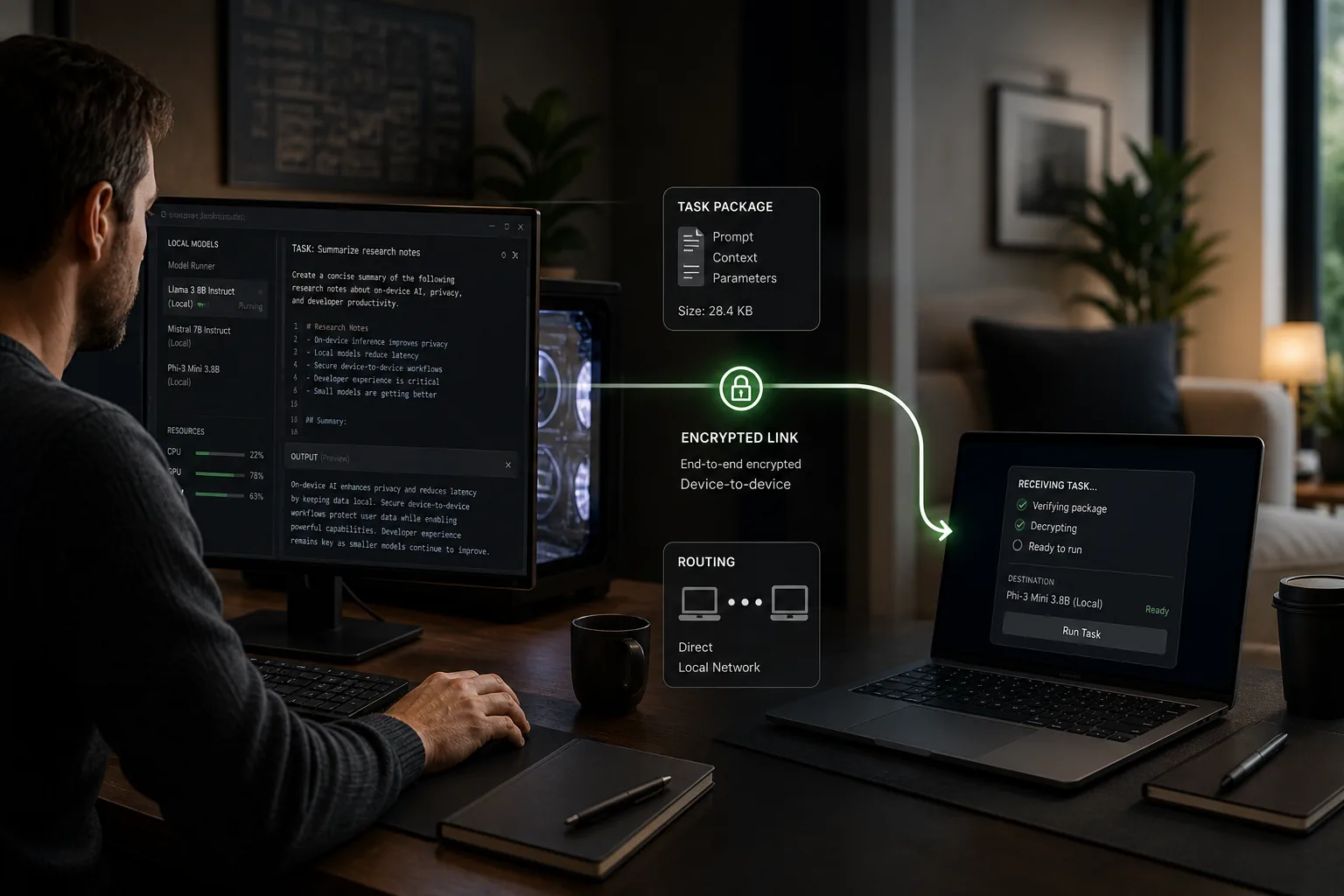
LM Studio’s LM Link documentation says you can access your local models across devices over a secure, end-to-end encrypted connection. It describes the core use case clearly: run large open-weight models on a powerful machine and use them from a lighter laptop as if they were local.
Now combine that with Locally AI’s existing focus on iPhone, iPad, and Mac.
The likely long-term direction is clear even if every detail has not been announced yet. Local AI is moving toward a personal model network. Your heavier box does the demanding inference. Your mobile device, secondary laptop, or travel machine becomes the interface. Your tools connect over a more standard layer instead of a pile of one-off hacks.
That is a better story than “run a model locally” because it is much closer to how people actually work.
Why OAuth-Backed MCP Support Is Such a Big Deal
There is a difference between a local chatbot and a useful local AI system.
A local chatbot answers questions in isolation. A useful local AI system can interact with documents, coding environments, APIs, and external services in a controlled way.
The problem has been authentication. Many services are not designed for copy-pasted static tokens forever. They use sign-in flows, approvals, refreshed credentials, and scoped access. OAuth-backed MCP support gives LM Studio a cleaner path for authenticated tool workflows.
That matters for three reasons.
Better security hygiene
You are less likely to leave sensitive credentials lying around in text files or shell history.
Less setup friction
If an integration requires fewer manual headers and fewer custom hacks, more people will actually use it.
Better tool realism
The local AI stack becomes capable of handling the same sort of authenticated services that people already use in cloud-agent workflows.
For ToolMintX readers, this is also where lightweight utility workflows become useful. A JSON formatter or validator helps when you are editing mcp.json. A diff tool is handy when you want to compare a working config with a broken one after an update. These are small helpers, but in practice they remove a lot of debugging noise.
A Practical Setup Guide for a Real Cross-Device Workflow
Here is a realistic way to use these updates without overcomplicating the setup.
Step 1: Update LM Studio first
Make sure you are on a recent April 2026 build, ideally 0.4.12 or newer, so you get Qwen 3.6 support and the Windows OAuth fix.
Step 2: Pick one model that matches a real task
Do not begin with five models. Start with one.
Good examples:
- A compact instruct model for writing and summarising
- Qwen 3.6 for coding-heavy or reasoning-oriented work
- A tool-friendly model you already know behaves well in LM Studio
Step 3: Put the heavy inference on the strongest machine you own
If you have a desktop GPU box, a Mac Studio, or a server-class machine at home, make that your main inference node. This is where LM Link becomes useful.
Step 4: Use LM Link to reach that model from your lighter device
LM Studio says LM Link lets you access local models across devices and use large models from a stronger machine as if they were local. That makes a laptop or secondary Mac much more practical because it no longer has to carry the full compute burden.
Step 5: Add one OAuth-backed MCP integration
Do not start with a giant stack. Add one authenticated service that improves a real task.
Examples:
- A documentation or search workflow
- A coding tool workflow
- A file or knowledge-base workflow
Step 6: Test through the API or your preferred coding tool
LM Link and LM Studio’s local APIs are most valuable when they disappear into the background. If your editor, API client, or agentic coding tool can talk to the model as though it were local, the setup is doing its job.
For API-focused setup, see our follow-up guide: LM Studio Local Server Setup: Run a Private OpenAI-Compatible API.
Step 7: Keep your config simple
A lot of local AI frustration comes from too many moving parts. Keep a short note with:
- which model is your default
- which device is your preferred inference machine
- which MCP integrations are essential
- what changed after each update
That tiny bit of discipline saves hours later.
Practical Examples
Example 1: The laptop-plus-desktop setup
You keep a stronger desktop at home with the heavier model loaded. Your travel laptop connects through LM Link and uses the model for writing, code review, and question answering without trying to host the big model itself.
Example 2: The Mac-and-iPhone setup
The Locally AI acquisition matters most if LM Studio keeps pushing deeper Apple-device integration. The likely appeal here is continuity: a model context or workflow that feels personal, private, and available across devices you already own.
Example 3: The authenticated tool workflow
You connect one OAuth-backed MCP integration and let the model query a service that actually needs login. That is the point where local AI starts to feel less like an offline toy and more like a useful work surface.
FAQ
What is the latest LM Studio version in 2026?
As of July 2026, the latest LM Studio version is 0.4.18, released June 26, 2026. It is mainly a bug-fix release. The bigger recent feature updates were 0.4.16 (the Locally mobile app and LM Link leaving the waitlist), 0.4.15 (CUDA tensor parallelism), and 0.4.14 (stable MTP speculative decoding).
What is the LM Studio update 2026 story overall?
The 2026 update trail started with the April release cycle — MCP OAuth support in 0.4.10, Qwen 3.6 support in 0.4.12, and cross-device positioning through Locally AI and LM Link — then continued through May and June with major performance work (tensor parallelism, speculative decoding) and the mobile app launch. See the changelog table above for the full list.
Does LM Studio support MCP OAuth?
Yes. LM Studio 0.4.10 added OAuth support for MCP servers, and LM Studio 0.4.12 fixed a Windows issue affecting some OAuth-backed MCP server setups.
What changed in LM Studio 0.4.12 for Qwen 3.6?
LM Studio 0.4.12 added support for Qwen 3.6. The same release also improved chat PDF export styling, fixed a Windows MCP OAuth issue, and improved Qwen 3.5 performance across compatible API endpoints.
Is this just news for Apple users?
No. The Locally AI acquisition strengthens the Apple side, but the bigger story includes OAuth-backed MCP support, LM Link, Windows fixes, and support for current open models.
Should I switch to LM Studio right now?
If you care about local models, cross-device access, and authenticated tool use, it is worth serious consideration. If you only want the easiest possible AI experience, cloud tools may still be simpler.
Conclusion
LM Studio’s April 2026 updates matter because they improve the shape of local AI work, not just the feature checklist. The Locally AI acquisition broadens the device story. MCP with OAuth makes real tool use less painful. Qwen 3.6 support and follow-up fixes show the platform is keeping pace with the open-model world.
That does not mean every local AI workflow is suddenly effortless. It does mean the gap between “interesting setup” and “usable daily system” is getting smaller.
For ToolMintX readers, that is the real takeaway. The local AI stack is no longer just about whether you can run a model. It is about whether you can make that model fit naturally into the devices, services, and habits you already use.
Sources and Further Reading
- LM Studio blog: Locally AI joins LM Studio, published April 8, 2026
- LM Studio changelog: version 0.4.10, published April 9, 2026
- LM Studio changelog: version 0.4.12, published April 17, 2026
- LM Studio changelog — full release history including 0.4.13 through 0.4.18 (latest June 26, 2026)
- LM Studio docs: Using MCP via API
- LM Studio docs: LM Link


