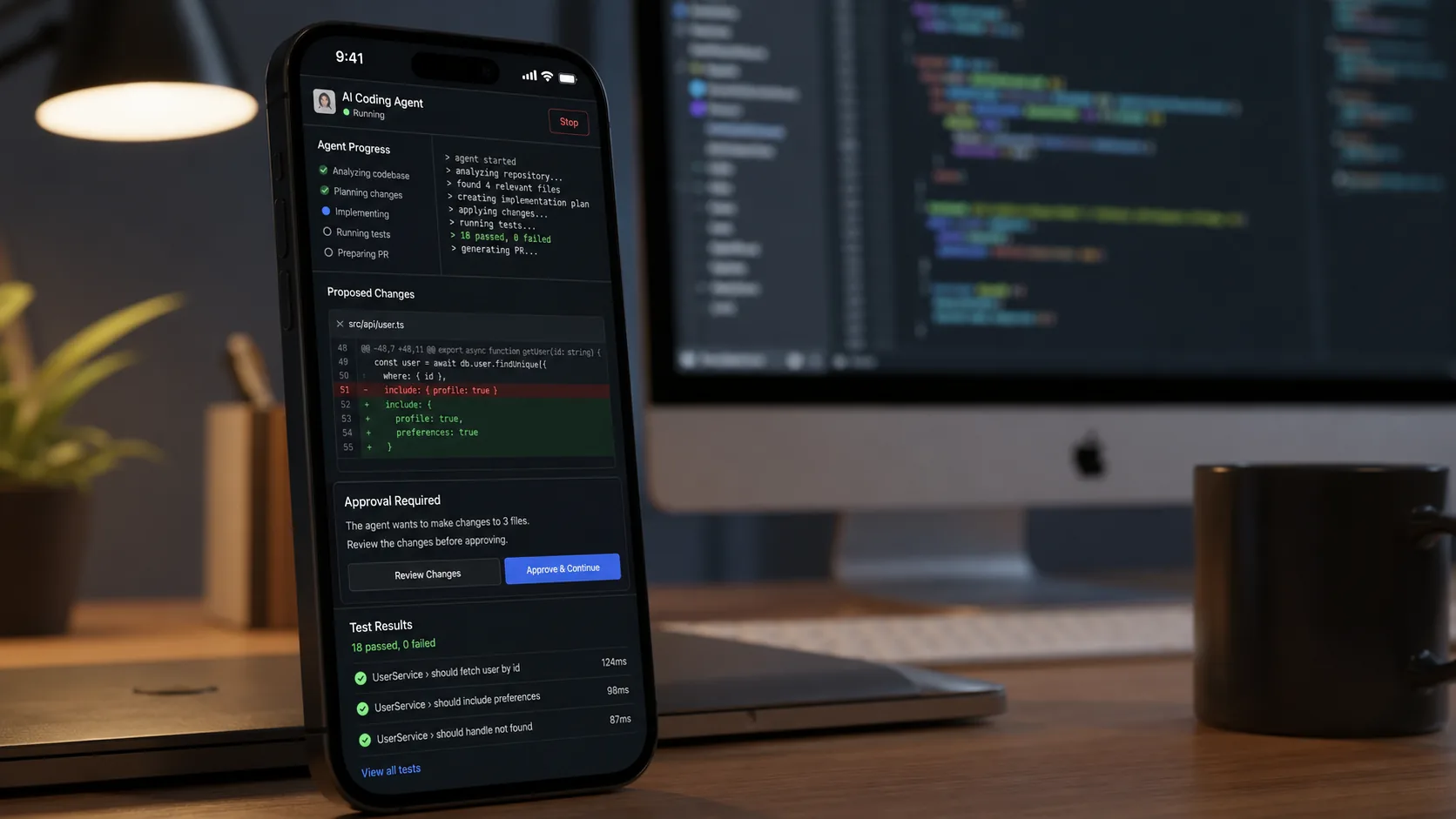
Codex in ChatGPT mobile app is one of the more practical AI coding updates we have seen this month. OpenAI is turning the phone into a real control surface for long-running agent work, not just a notification window. If you use coding agents for debugging, refactors, research, or release tasks, this update matters because it lets you keep work moving while you are away from your desk.
OpenAI announced the feature in its May 14, 2026 product note, and says it is rolling out in preview on iOS and Android across all plans, including Free and Go, in supported regions. The key idea is simple: Codex keeps running on your connected machine, while the ChatGPT mobile app shows live state from that environment so you can answer questions, approve actions, review outputs, and redirect the task from your phone.
What changed with Codex in the ChatGPT mobile app
Before this update, Codex already worked as a desktop and laptop coding agent. The new step is remote continuity. Instead of waiting until you are back at the machine where the work is happening, you can now stay attached to active threads from mobile.
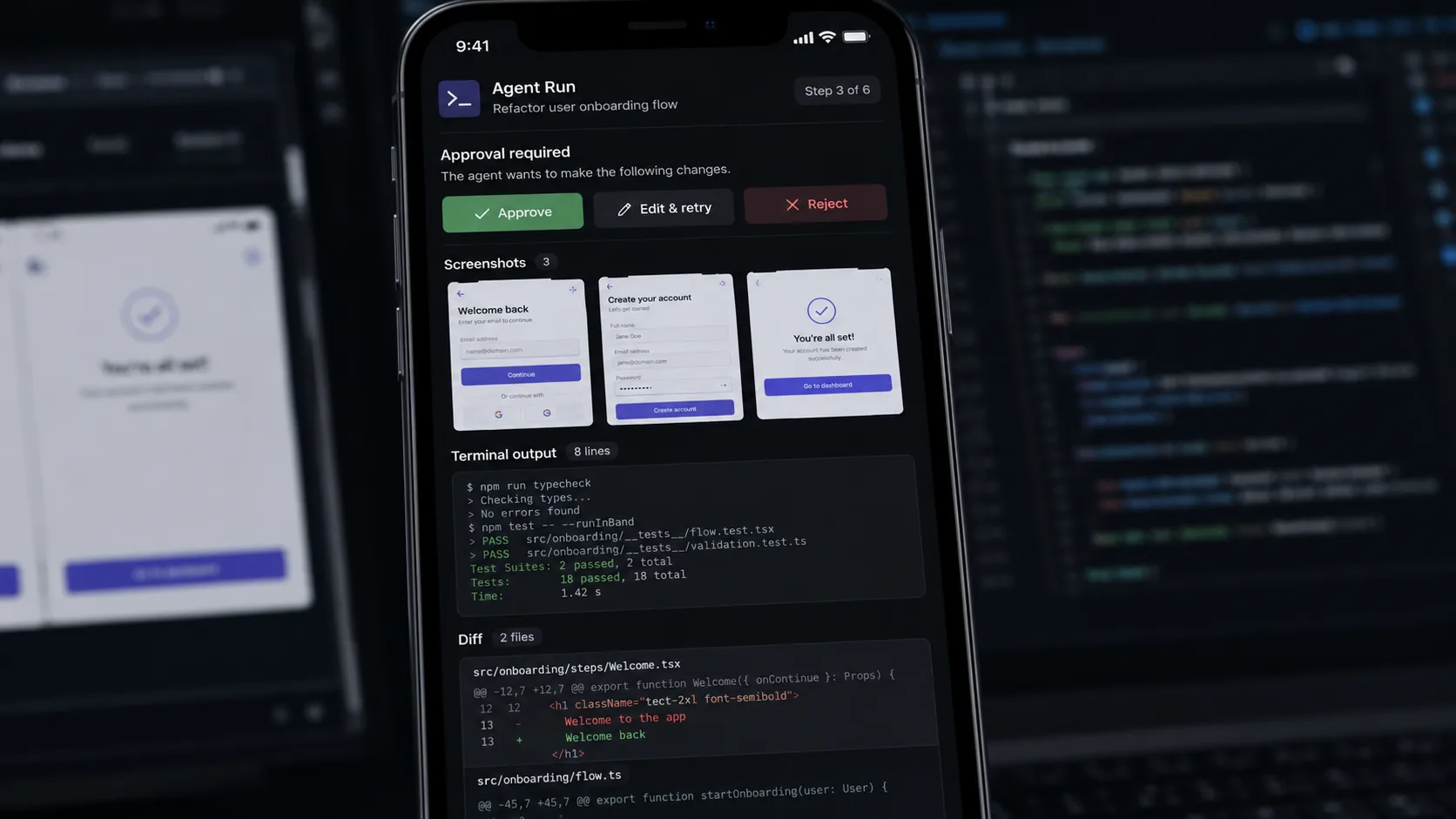
According to OpenAI's product note and release notes, the mobile experience can surface:
- active threads
- project context
- approvals
- screenshots
- terminal output
- diffs
- test results
- model changes
That makes this much more useful than a simple "your task finished" alert. It means you can guide execution while the host machine keeps the files, credentials, and local setup in place.
Codex mobile features at a glance
| Feature | What it does | Availability |
|---|---|---|
| Remote thread access | Lets you continue or start Codex work from your phone | Preview from May 14, 2026 |
| Live host context | Shows project context, terminal output, screenshots, diffs, and test results | Preview in ChatGPT mobile |
| Action approvals | Lets you approve commands or respond when Codex needs direction | Preview in ChatGPT mobile |
| Cross-device continuity | Keeps work tied to the host machine while updates sync to mobile | Available through OpenAI's secure relay design |
| Remote SSH support | Lets Codex connect into managed remote environments | Generally available |
| Programmatic access tokens | Adds scoped credentials for automation workflows | Enterprise and Business plans |
| Hooks | Adds validators, logging, memory, and repo-specific customization | Available on all plans |
Why this matters more than a convenience feature
The real value of Codex in ChatGPT mobile app is not that you can glance at code on your phone. The value is that coding-agent work often stalls at decision points.
That is the pain OpenAI is targeting. A long-running task might be able to inspect files, run tests, gather logs, and narrow down options on its own, but it still needs human judgment at key moments. If the agent reaches a fork and you cannot answer until an hour later, momentum drops. The mobile connection shrinks that delay.
This is especially useful for teams that already work in a more agent-driven style:
- debugging sessions that require periodic approvals
- refactors that surface multiple implementation paths
- QA or support investigations that benefit from fast summaries
- release or CI workflows that need a human sign-off
- research tasks that benefit from quick steering rather than full restarts
In other words, this update changes Codex from "something you use at your desk" into "something that can keep moving through your day."
How to set up Codex remote access from your phone
OpenAI's rollout notes point to a straightforward setup path. Here is the practical version.
1. Update the right apps
You need the latest ChatGPT mobile app and the Codex app on macOS. As of May 14, 2026, OpenAI says mobile remote access currently connects to Codex running on macOS, while Windows support is coming soon.
2. Start from the host machine
Setup begins in the Codex app on the host and continues in ChatGPT after scanning a QR code. That means the desktop or Mac mini doing the work is still the real execution environment.
3. Keep the host awake and online
This part matters. The phone is not taking over the whole runtime. It is connecting to the active Codex environment. OpenAI says the host must remain awake, online, and running Codex for remote access to continue.
4. Use mobile for steering, not for replacing the workstation
The best mental model is "remote supervision." Let the host keep the repo, dependencies, credentials, and tools. Use the phone to unblock the agent when it needs judgment, approval, or a change in direction.
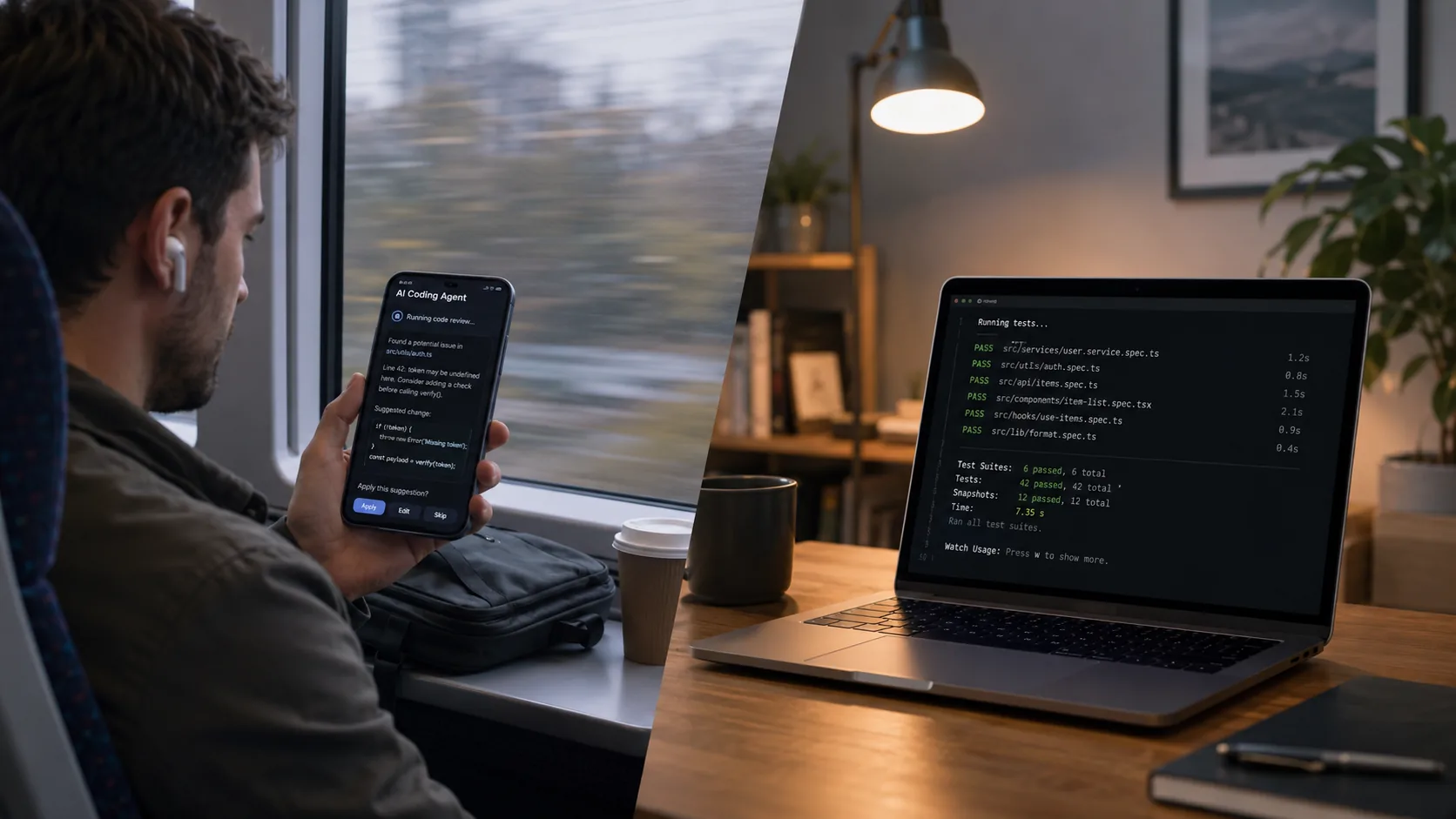
Best use cases for Codex in ChatGPT mobile app
Not every task belongs on mobile. The feature looks strongest when the hard work is already underway and the phone acts as a fast control layer.
Bug triage while away from your desk
If a bug reproduction or test run takes time, you can start the investigation from your machine and then monitor results from your phone. When Codex needs clarification, you can answer quickly instead of restarting context later.
Mid-task decisions during refactors
OpenAI's own example highlights this well: Codex finds multiple viable approaches and asks for direction. That is exactly where mobile access helps most.
Support and incident summaries
A coding agent that can gather context across files, logs, docs, and browser tools becomes more useful when you can ask it for a short updated brief before a call or meeting.
Capturing ideas before they cool off
This may sound small, but it is a real workflow win. If you think of a task while commuting or walking, you can open a new thread from mobile and let Codex start shaping the work immediately.
Limits and tradeoffs to know before you rely on it
The feature is promising, but there are a few important constraints.
It depends on the host
If the connected machine goes offline, sleeps, or loses the right environment state, the remote experience loses its foundation. This is not "full cloud coding" by default. It is remote coordination around an active host.
Mobile remote access is macOS-first
The broader Codex app is available on Windows, but OpenAI's May 14 mobile preview notes make clear that support for connecting your phone to the Windows Codex app is still coming soon. Today, the cleanest mobile-host path is macOS.
Small-screen review still has limits
Reading terminal output, diffs, and screenshots on a phone is useful for triage and approvals. It is not ideal for deep code review or long editing sessions. Think of mobile as a continuation layer, not a replacement for serious desktop review.
Enterprise features are tier-specific
Remote SSH and Hooks are available broadly, but programmatic access tokens are limited to Enterprise and Business plans, and HIPAA-compliant use applies only to eligible ChatGPT Enterprise workspaces in local environments.
Who should try it first
Codex in ChatGPT mobile app makes the most sense right now for:
- solo developers running long tasks on a Mac
- startup teams using coding agents for debugging and shipping faster
- engineering managers who want to unblock or redirect active agent work quickly
- platform teams working in managed remote environments
- anyone already using Codex heavily enough that short delays create expensive stop-start cycles
If you only use AI for short code snippets in a browser tab, this may feel like overkill. If you already work with long-running agents, it is much easier to see the point.
Conclusion
Codex in ChatGPT mobile app is a meaningful step toward always-on AI coding workflows. The headline is not just "Codex on your phone." The real change is that OpenAI is building a way to keep agent work alive between desk sessions, with live context, approvals, and quick steering from mobile. For developers who already think in terms of longer-running agent tasks, that can remove one of the biggest sources of friction.
The feature is still in preview, and the current macOS-first host requirement will limit some teams. Even so, the direction is clear: coding agents are becoming persistent collaborators, and mobile is now part of that loop.
FAQs:
What is Codex in the ChatGPT mobile app?
It is a preview feature that lets you stay connected to active Codex work from the ChatGPT mobile app on iOS and Android while Codex continues running on a connected host machine.
Does Codex mobile remote access work on all ChatGPT plans?
OpenAI says the mobile preview is rolling out across all plans, including Free and Go, in supported regions.
Do I need a Mac to use Codex on mobile?
Right now, the current host connection path is for Codex running on macOS. OpenAI says support for connecting to the Windows Codex app is coming soon.
Can I run full coding workflows only from my phone?
Not really. The host machine still carries the files, tools, credentials, and execution environment. Mobile is best for monitoring, approvals, summaries, and quick direction changes.
What extra enterprise features were announced alongside this update?
OpenAI also highlighted general availability for Remote SSH and Hooks, plus programmatic access tokens for Enterprise and Business plans.


